> ## Documentation Index
> Fetch the complete documentation index at: https://docs.go.aiinsurance.io/llms.txt
> Use this file to discover all available pages before exploring further.
# Event actions
> Close, re-open, convert, rename, and delete a claim or incident from the Actions menu.
Every [event](/entities/event) — a **claim** or an **incident** — has an
**Actions** menu at the top right of its detail page. It collects everything you
can do to the event as a whole: change its status, convert it between incident
and claim, create a task, generate a form, rename it, or delete it. (For the
rest of the event detail page — the list, tabs, and statuses — see the
[Events reference](/app/features/events).)
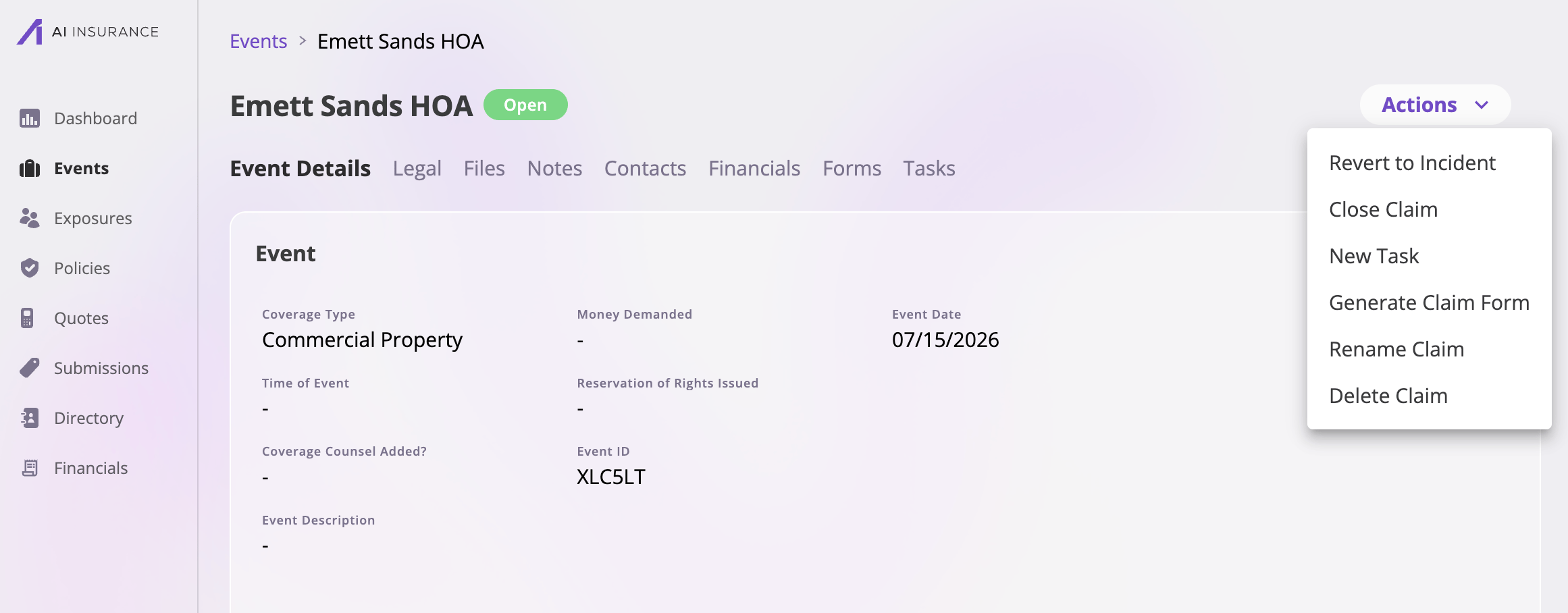 The menu adapts to the event you're looking at. A **claim** shows the
claim-flavored actions (*Close Claim*, *Rename Claim*, …) and an **incident**
shows the incident equivalents. Options also follow the event's **status** —
an open event offers *Close*, a closed one offers *Re-open* — and your
**permissions**: actions your role isn't allowed to perform simply don't
appear in the menu.
## The menu at a glance
| Action | Appears on | What it does |
| ----------------------------------------------------------------- | ------------- | ------------------------------------------------------------ |
| [Close Claim / Close Incident](#close-an-event) | Open events | Sets the status to **Closed** and records a closed date. |
| [Re-open Claim / Re-open Incident](#re-open-an-event) | Closed events | Sets the status back to **Open** and clears the closed date. |
| [Revert to Incident](#convert-between-claim-and-incident) | Open claims | Turns the claim back into an incident. |
| [Create Claim From Incident](#convert-between-claim-and-incident) | Incidents | Turns the incident into a claim. |
| [New Task](#create-a-task) | All events | Creates a task linked to this event. |
| [Generate Claim Form / Generate Incident Form](#generate-a-form) | All events | Generates a document from one of your event form templates. |
| [Rename Claim / Rename Incident](#rename-an-event) | All events | Replaces the event's platform-generated name. |
| [Delete Claim / Delete Incident](#delete-an-event) | All events | Permanently deletes the event. |
## Close an event
To close a claim, open the **Actions** menu at the top right of the claim and
select **Close Claim** (on an incident, the same action is labeled **Close
Incident**). The action is available while the event is **Open**.
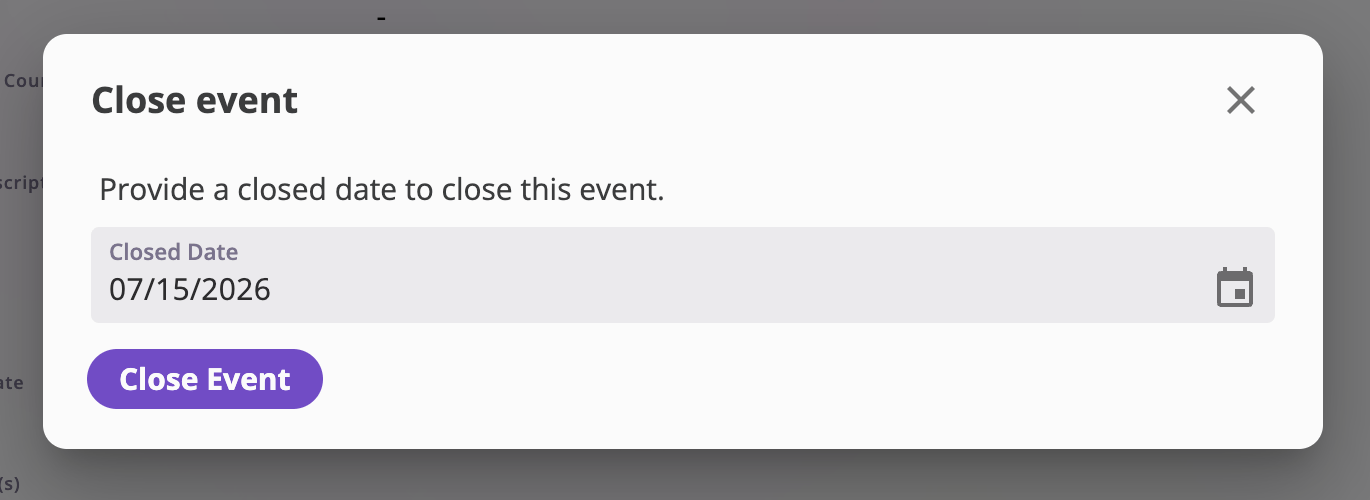
You'll be asked for a **Closed Date**, pre-filled with today's date — adjust it
if the event was actually resolved on a different day. Selecting **Close
Event** sets the event's status to **Closed** and records the closed date on
the event.
The menu adapts to the event you're looking at. A **claim** shows the
claim-flavored actions (*Close Claim*, *Rename Claim*, …) and an **incident**
shows the incident equivalents. Options also follow the event's **status** —
an open event offers *Close*, a closed one offers *Re-open* — and your
**permissions**: actions your role isn't allowed to perform simply don't
appear in the menu.
## The menu at a glance
| Action | Appears on | What it does |
| ----------------------------------------------------------------- | ------------- | ------------------------------------------------------------ |
| [Close Claim / Close Incident](#close-an-event) | Open events | Sets the status to **Closed** and records a closed date. |
| [Re-open Claim / Re-open Incident](#re-open-an-event) | Closed events | Sets the status back to **Open** and clears the closed date. |
| [Revert to Incident](#convert-between-claim-and-incident) | Open claims | Turns the claim back into an incident. |
| [Create Claim From Incident](#convert-between-claim-and-incident) | Incidents | Turns the incident into a claim. |
| [New Task](#create-a-task) | All events | Creates a task linked to this event. |
| [Generate Claim Form / Generate Incident Form](#generate-a-form) | All events | Generates a document from one of your event form templates. |
| [Rename Claim / Rename Incident](#rename-an-event) | All events | Replaces the event's platform-generated name. |
| [Delete Claim / Delete Incident](#delete-an-event) | All events | Permanently deletes the event. |
## Close an event
To close a claim, open the **Actions** menu at the top right of the claim and
select **Close Claim** (on an incident, the same action is labeled **Close
Incident**). The action is available while the event is **Open**.
You'll be asked for a **Closed Date**, pre-filled with today's date — adjust it
if the event was actually resolved on a different day. Selecting **Close
Event** sets the event's status to **Closed** and records the closed date on
the event.
 Closing doesn't lock anything away: the event and all of its tabs (files,
notes, contacts, financials, forms, tasks) remain viewable, and you can
[re-open it](#re-open-an-event) at any time.
## Re-open an event
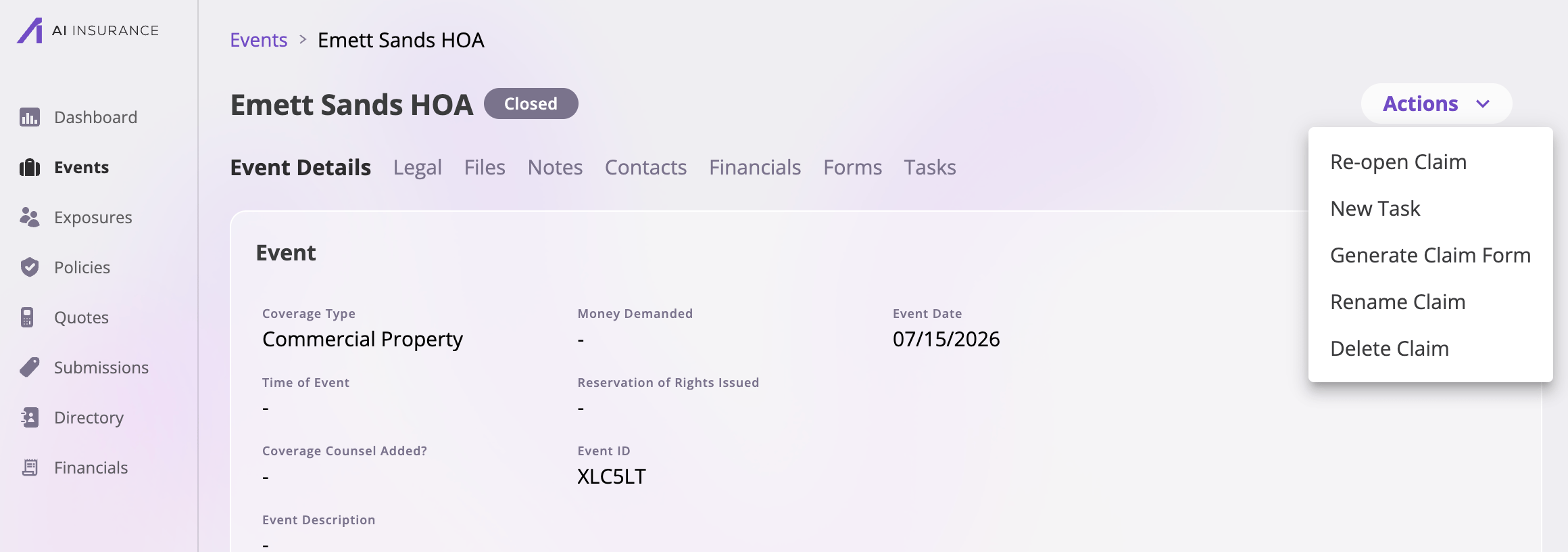
On a **Closed** event, the close action is replaced by **Re-open Claim** /
**Re-open Incident**. After you confirm, the event's status returns to **Open**
and its closed date is cleared.
Closing doesn't lock anything away: the event and all of its tabs (files,
notes, contacts, financials, forms, tasks) remain viewable, and you can
[re-open it](#re-open-an-event) at any time.
## Re-open an event
On a **Closed** event, the close action is replaced by **Re-open Claim** /
**Re-open Incident**. After you confirm, the event's status returns to **Open**
and its closed date is cleared.
 ## Convert between claim and incident
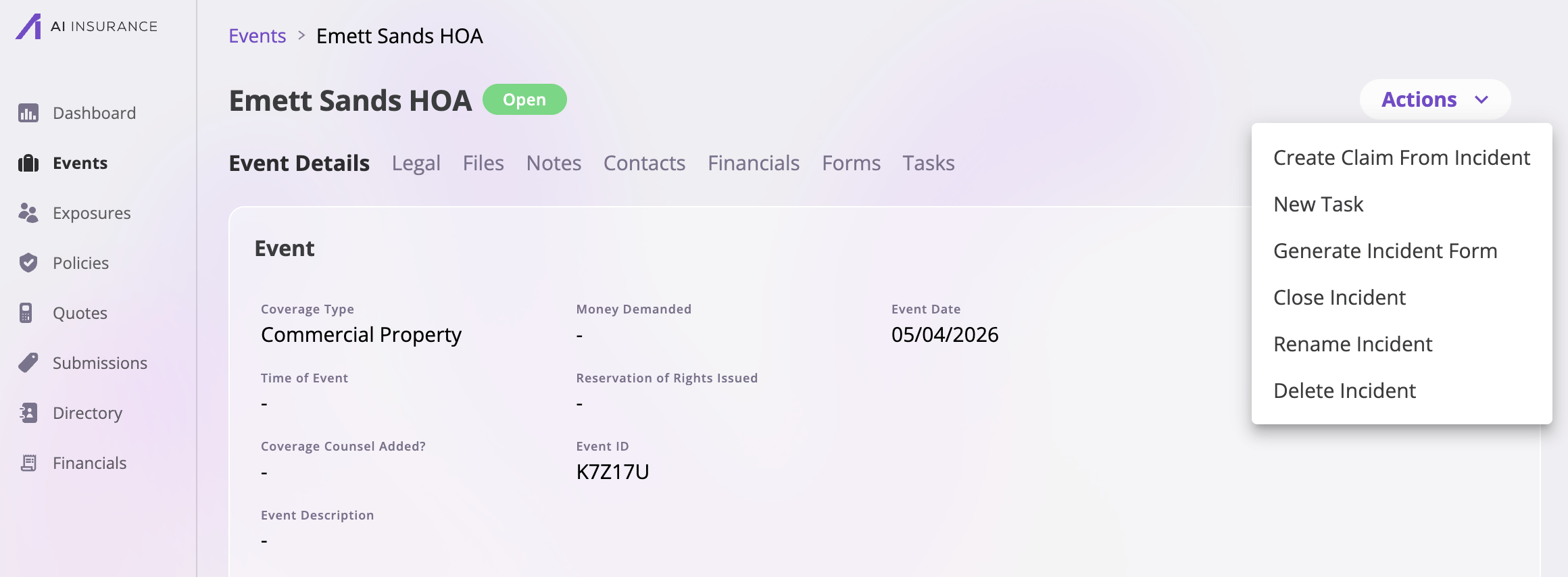
An event's type — claim or incident — isn't fixed. Two actions move an event
between the types while keeping everything else about it (fields, files, notes,
contacts, tasks) intact:
* **Create Claim From Incident** — on an incident, promotes it to a claim.
Available whether the incident is open or closed.
* **Revert to Incident** — on an **open** claim, turns it back into an
incident. Use this when something was recorded as a claim prematurely.
Both actions ask for confirmation before converting. After converting, the
Actions menu (and the rest of the page) reflects the new type.
## Convert between claim and incident
An event's type — claim or incident — isn't fixed. Two actions move an event
between the types while keeping everything else about it (fields, files, notes,
contacts, tasks) intact:
* **Create Claim From Incident** — on an incident, promotes it to a claim.
Available whether the incident is open or closed.
* **Revert to Incident** — on an **open** claim, turns it back into an
incident. Use this when something was recorded as a claim prematurely.
Both actions ask for confirmation before converting. After converting, the
Actions menu (and the rest of the page) reflects the new type.
 ## Create a task
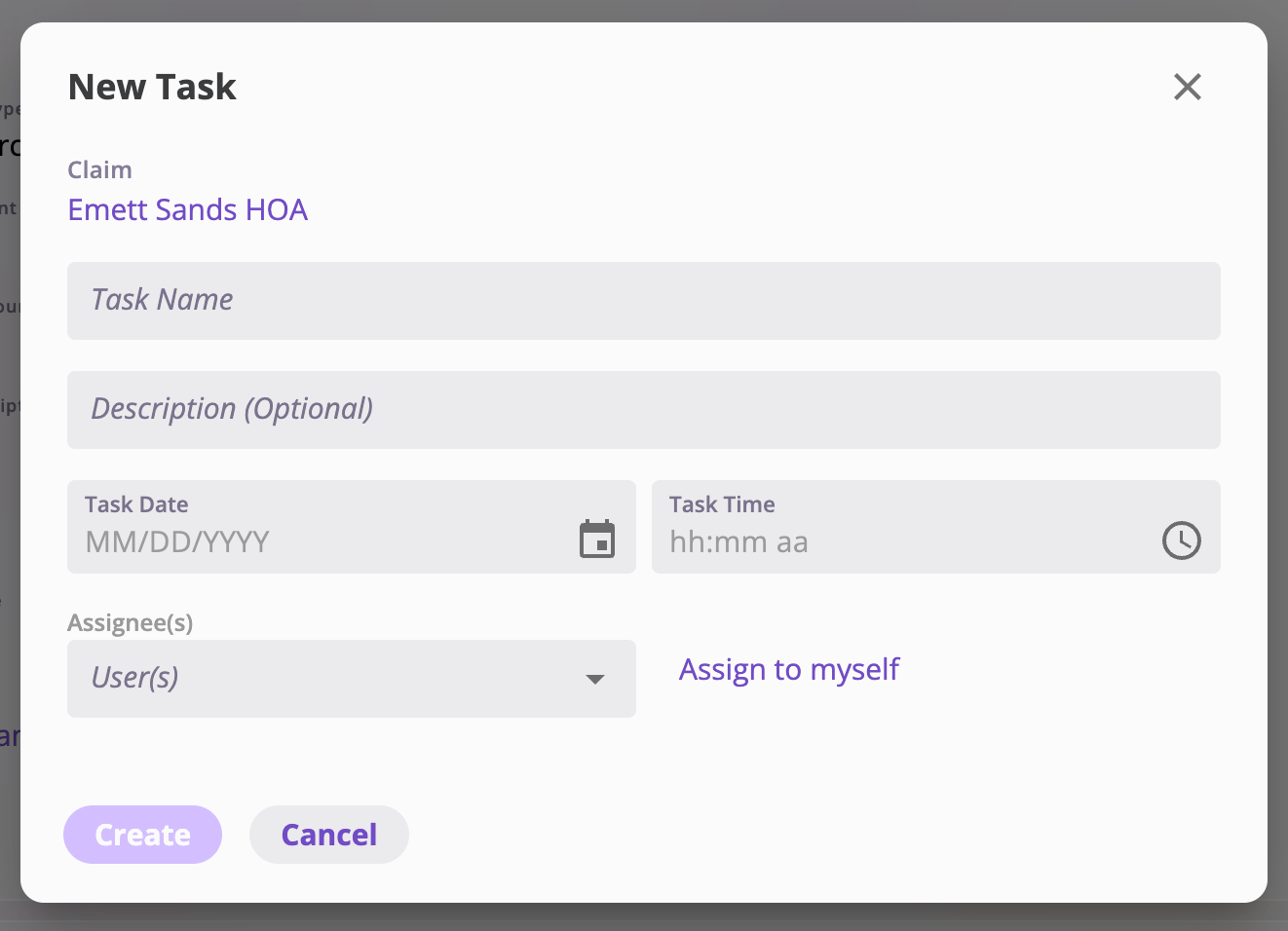
**New Task** opens the task dialog with the task already linked to this event.
Give the task a name (and optionally a description, a due date and time, and
one or more assignees — **Assign to myself** is one click) and select
**Create**. Use it to track follow-up work — a document to chase, an adjuster
to call — without leaving the event. The created task shows up on the event's
**Tasks** tab as well as in the assignee's
[task list](/app/features/dashboard-tasks).
## Create a task
**New Task** opens the task dialog with the task already linked to this event.
Give the task a name (and optionally a description, a due date and time, and
one or more assignees — **Assign to myself** is one click) and select
**Create**. Use it to track follow-up work — a document to chase, an adjuster
to call — without leaving the event. The created task shows up on the event's
**Tasks** tab as well as in the assignee's
[task list](/app/features/dashboard-tasks).
 ## Generate a form
**Generate Claim Form** (or **Generate Incident Form**) generates a document
for this event from one of your company's claim/incident form templates. Pick
the form you want from the dropdown and select **Generate** — you're taken to
the generated form, where its fields are filled from the event's data and you
can review and finish it. Generated forms live on the event's **Forms** tab.
## Generate a form
**Generate Claim Form** (or **Generate Incident Form**) generates a document
for this event from one of your company's claim/incident form templates. Pick
the form you want from the dropdown and select **Generate** — you're taken to
the generated form, where its fields are filled from the event's data and you
can review and finish it. Generated forms live on the event's **Forms** tab.
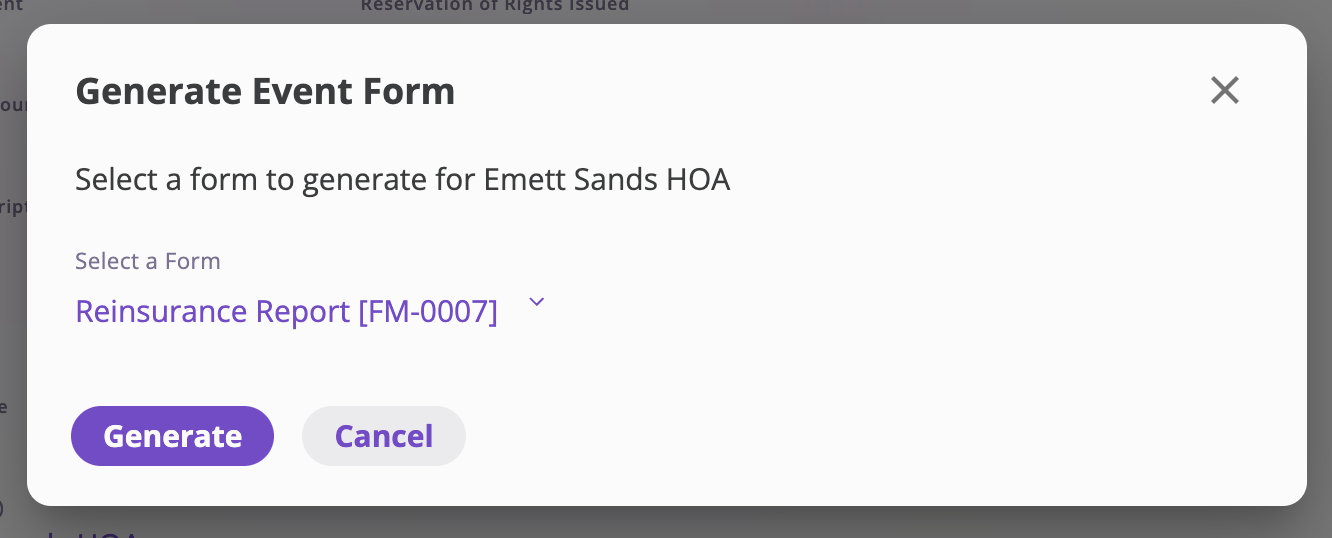 The dropdown lists the **event-category form templates** uploaded for your
company. If your company has no claim/incident form templates configured,
there's nothing to pick. See
[Form templates](/app/admin/form-templates) for how templates are managed.
## Rename an event
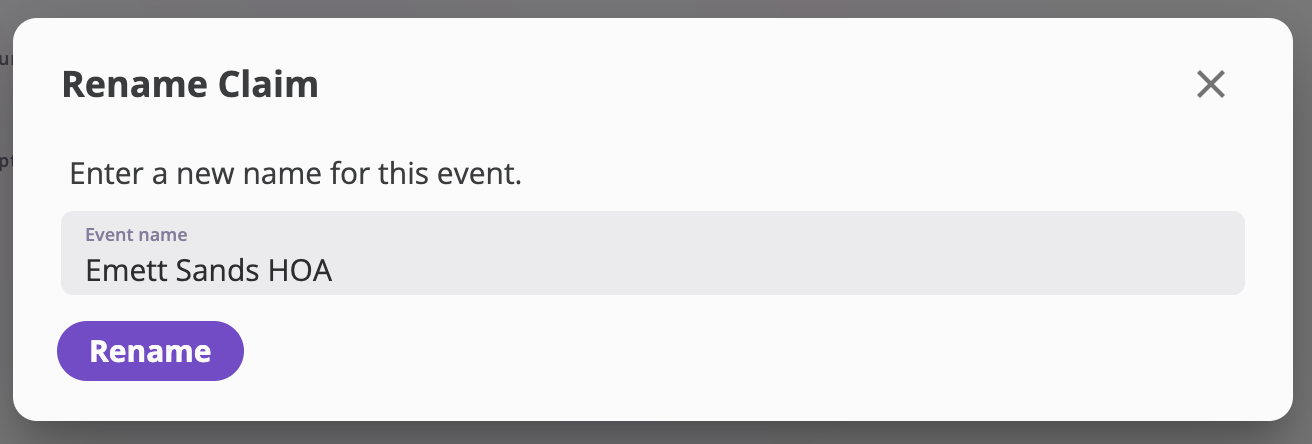
The platform generates an event's name for you from the exposures and claimant
involved. **Rename Claim** / **Rename Incident** lets you override that: enter
the new name and select **Rename**. The name you set replaces the generated one
everywhere the event is shown.
The dropdown lists the **event-category form templates** uploaded for your
company. If your company has no claim/incident form templates configured,
there's nothing to pick. See
[Form templates](/app/admin/form-templates) for how templates are managed.
## Rename an event
The platform generates an event's name for you from the exposures and claimant
involved. **Rename Claim** / **Rename Incident** lets you override that: enter
the new name and select **Rename**. The name you set replaces the generated one
everywhere the event is shown.
 ## Delete an event
**Delete Claim** / **Delete Incident** permanently deletes the event after a
confirmation. You're returned to the events list afterwards.
Deletion is permanent — there is no undo. If the event simply shouldn't be
active anymore, [close it](#close-an-event) instead; closing keeps the full
record and can be reversed.
## Delete an event
**Delete Claim** / **Delete Incident** permanently deletes the event after a
confirmation. You're returned to the events list afterwards.
Deletion is permanent — there is no undo. If the event simply shouldn't be
active anymore, [close it](#close-an-event) instead; closing keeps the full
record and can be reversed.