> ## Documentation Index
> Fetch the complete documentation index at: https://docs.go.aiinsurance.io/llms.txt
> Use this file to discover all available pages before exploring further.
# Overview
> What the AI Insurance app is, and the insurance lifecycle it manages — from submission to quote to policy to claims and billing.
AI Insurance is a platform for running an insurance program end to end. The web
app is where your team does the day-to-day work: intake submissions, work up and
send quotes, bind policies, service them over their life (endorse, renew,
cancel, reinstate), handle claims, and manage the money — invoices, payments,
and reserves.
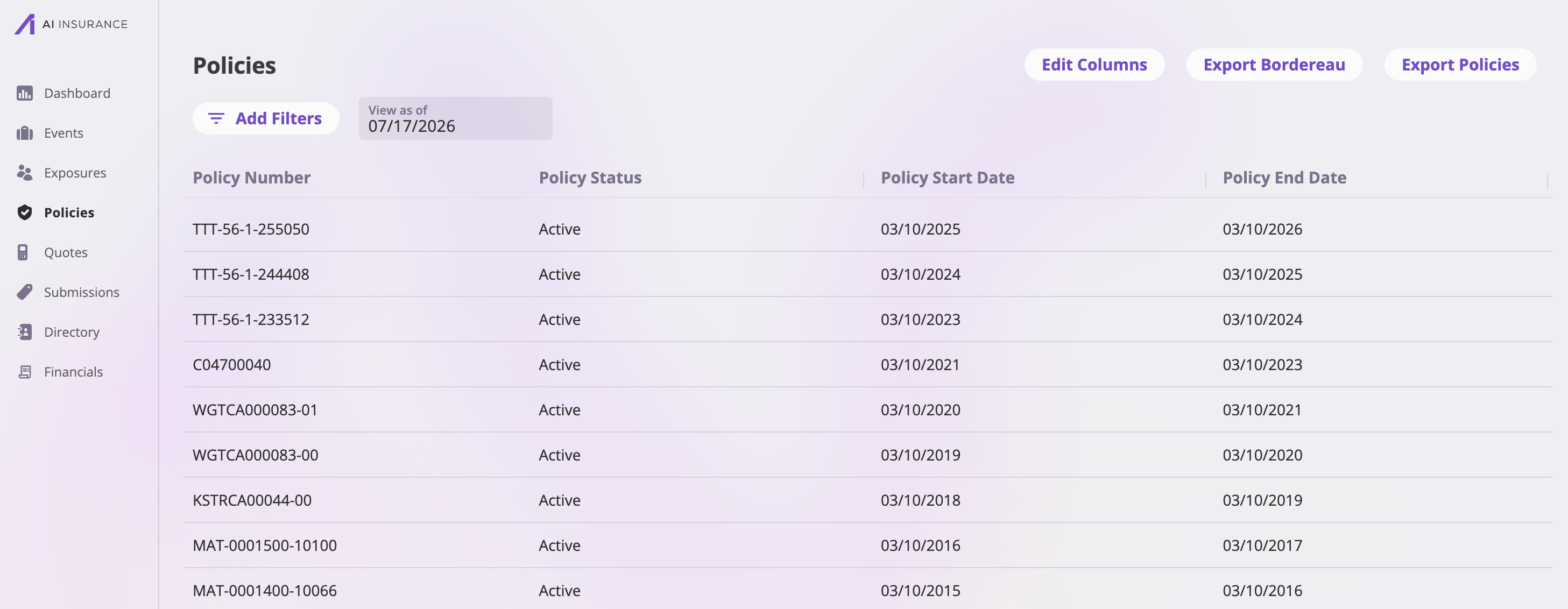 Everything in the app is a **record** — a submission, a quote, a policy, a
claim, an exposure, a person, an organization. Each record type has its own
list page, its own detail workspace, and its own set of fields. The
[Entities documentation](/entities/overview) describes the record types and how
they connect; this section covers using the app itself.
AI Insurance is **configured per company**: the fields on your records, the
pages that display them, the dropdown choices, and the rules that drive them
are all set up for your specific program. Your app may show different fields
and tabs than the screenshots in these docs. See
[How your app is configured](/app/getting-started/configuration).
## The lifecycle at a glance
The heart of the app is the path a risk takes from first contact to an
in-force, serviced policy:
```
Submission → Quote → Bind → Policy → Endorse / Renew / Cancel / Reinstate
↘ Events (claims)
↘ Billing & payments
```
A request to be quoted arrives — entered by hand, imported from files, or
created from an email. The submission is where you record the applicant and
check for clearance issues before doing any work. See
[Creating submissions](/app/workflows/creating-submissions).
From a submission you work up one or more quotes in the **quote wizard** —
a step-by-step flow through quote details, exposures, rating information,
coverages, billing, and forms, ending with review and send. See
[Quoting new business](/app/workflows/quoting).
When the insured accepts, you bind the quote. Binding runs a short flow of
its own — policy details, policy forms, review and bind — and produces a
**policy**: the bound, in-force contract. See
[Binding a quote](/app/workflows/binding).
Over the policy's life you endorse it (change it mid-term), renew it into a
new term, cancel it, or reinstate a cancelled policy. Each of these runs as
its own guided flow, and the policy keeps a full history you can browse.
See [Servicing a policy](/app/workflows/servicing-policies).
When something happens, you record an **event** — a claim or an incident —
against the policy, manage it in the claim workspace (files, notes,
contacts, legal, financials), and set reserves and record losses. See
[Handling claims](/app/workflows/claims).
Premium flows into invoices, and invoices get paid — including by the
insured directly through a shareable payment link. See
[Billing & getting paid](/app/workflows/billing) and the
[Financials section](/financials/overview).
Alongside the lifecycle, **exposures** — the things being insured (businesses,
buildings, vehicles, people) — sit at the center of the data model: submissions,
quotes, policies, and events all reference them. The **directory** holds the
people and organizations (brokers, attorneys, contacts) you link to records
along the way.
## Where things live
The sidebar mirrors the lifecycle. Each area has a feature-reference page with
the full detail:
Your task calendar and list — follow-ups, reminders, and assignments.
Incoming requests to be quoted, and file/email imports.
Priced offers, their statuses, and quote actions.
Bound contracts, activity history, renewal chains, and exports.
Claims and incidents, and the claim workspace.
The insured things, cross-referenced from everywhere.
People and organizations, linked to records as contacts.
Invoices, payments, reserves, and financial reports.
Recurring tools that work the same on every record type get their own pages:
[files & notes](/app/features/files-notes),
[generating forms](/app/features/forms), and
[exports & saved views](/app/features/exports-saved-views).
## Next steps
* [Signing in & your account](/app/getting-started/signing-in) — get into the
app and manage your sign-in methods.
* [Navigating the app](/app/getting-started/navigating) — the sidebar, the
record workspace pattern, and how list pages work.
* [How your app is configured](/app/getting-started/configuration) — why your
screens may differ from these docs.
* [Entities overview](/entities/overview) — the data model behind it all.
Everything in the app is a **record** — a submission, a quote, a policy, a
claim, an exposure, a person, an organization. Each record type has its own
list page, its own detail workspace, and its own set of fields. The
[Entities documentation](/entities/overview) describes the record types and how
they connect; this section covers using the app itself.
AI Insurance is **configured per company**: the fields on your records, the
pages that display them, the dropdown choices, and the rules that drive them
are all set up for your specific program. Your app may show different fields
and tabs than the screenshots in these docs. See
[How your app is configured](/app/getting-started/configuration).
## The lifecycle at a glance
The heart of the app is the path a risk takes from first contact to an
in-force, serviced policy:
```
Submission → Quote → Bind → Policy → Endorse / Renew / Cancel / Reinstate
↘ Events (claims)
↘ Billing & payments
```
A request to be quoted arrives — entered by hand, imported from files, or
created from an email. The submission is where you record the applicant and
check for clearance issues before doing any work. See
[Creating submissions](/app/workflows/creating-submissions).
From a submission you work up one or more quotes in the **quote wizard** —
a step-by-step flow through quote details, exposures, rating information,
coverages, billing, and forms, ending with review and send. See
[Quoting new business](/app/workflows/quoting).
When the insured accepts, you bind the quote. Binding runs a short flow of
its own — policy details, policy forms, review and bind — and produces a
**policy**: the bound, in-force contract. See
[Binding a quote](/app/workflows/binding).
Over the policy's life you endorse it (change it mid-term), renew it into a
new term, cancel it, or reinstate a cancelled policy. Each of these runs as
its own guided flow, and the policy keeps a full history you can browse.
See [Servicing a policy](/app/workflows/servicing-policies).
When something happens, you record an **event** — a claim or an incident —
against the policy, manage it in the claim workspace (files, notes,
contacts, legal, financials), and set reserves and record losses. See
[Handling claims](/app/workflows/claims).
Premium flows into invoices, and invoices get paid — including by the
insured directly through a shareable payment link. See
[Billing & getting paid](/app/workflows/billing) and the
[Financials section](/financials/overview).
Alongside the lifecycle, **exposures** — the things being insured (businesses,
buildings, vehicles, people) — sit at the center of the data model: submissions,
quotes, policies, and events all reference them. The **directory** holds the
people and organizations (brokers, attorneys, contacts) you link to records
along the way.
## Where things live
The sidebar mirrors the lifecycle. Each area has a feature-reference page with
the full detail:
Your task calendar and list — follow-ups, reminders, and assignments.
Incoming requests to be quoted, and file/email imports.
Priced offers, their statuses, and quote actions.
Bound contracts, activity history, renewal chains, and exports.
Claims and incidents, and the claim workspace.
The insured things, cross-referenced from everywhere.
People and organizations, linked to records as contacts.
Invoices, payments, reserves, and financial reports.
Recurring tools that work the same on every record type get their own pages:
[files & notes](/app/features/files-notes),
[generating forms](/app/features/forms), and
[exports & saved views](/app/features/exports-saved-views).
## Next steps
* [Signing in & your account](/app/getting-started/signing-in) — get into the
app and manage your sign-in methods.
* [Navigating the app](/app/getting-started/navigating) — the sidebar, the
record workspace pattern, and how list pages work.
* [How your app is configured](/app/getting-started/configuration) — why your
screens may differ from these docs.
* [Entities overview](/entities/overview) — the data model behind it all.