> ## Documentation Index
> Fetch the complete documentation index at: https://docs.go.aiinsurance.io/llms.txt
> Use this file to discover all available pages before exploring further.
# Creating an Invoice Type
> Create an Invoice Type and its initial Line Item Types
Create an Invoice Type when the existing choices do not describe a kind of
event-related financial activity your company needs to record. The type becomes
a row in Financials reports, while its Line Item Types provide the breakdown
available on invoices.
Before you begin, decide whether the type needs reserves and which way its money
normally moves. Those choices affect the accounts Financials creates and cannot
always be changed later. See [Invoice Types and Line
Items](/financials/invoice-types) for the underlying structure.
## Plan the Type
Write down these decisions before opening the editor:
| Decision | Choose |
| ---------------------- | ---------------------------------------------------------------------------------------------------------------------------------------------- |
| **Structural kind** | **Loss/Recovery** when each event needs an expected amount and remaining reserve; **Operating** when you only need invoiced and paid activity. |
| **Invoice Type name** | A distinct reporting category, such as *Defense Costs* or *Salvage Recovery*. |
| **Expected direction** | **Loss** or **Recovery** for a reserve-bearing type; **Expense** or **Income** for an Operating type. |
| **Line Item Types** | At least one component that users can choose on invoices, each marked **Payable** or **Receivable**. |
Use names that will still make sense in a report without the invoice memo.
Avoid creating two types whose purpose overlaps: Financials reports totals by
Invoice Type, so splitting one activity across synonyms also splits its totals.
The structural kind is permanent. A Loss/Recovery type cannot later become
Operating, or the reverse. Create the type in the card whose reserve behavior
matches the activity.
## Add the Invoice Type
1. Open **Admin → Financials → Event Invoice Types**.
2. Select **Edit** on **Loss/Recovery Invoice Types** or **Operating Invoice
Types**. Only one card can be edited at a time.
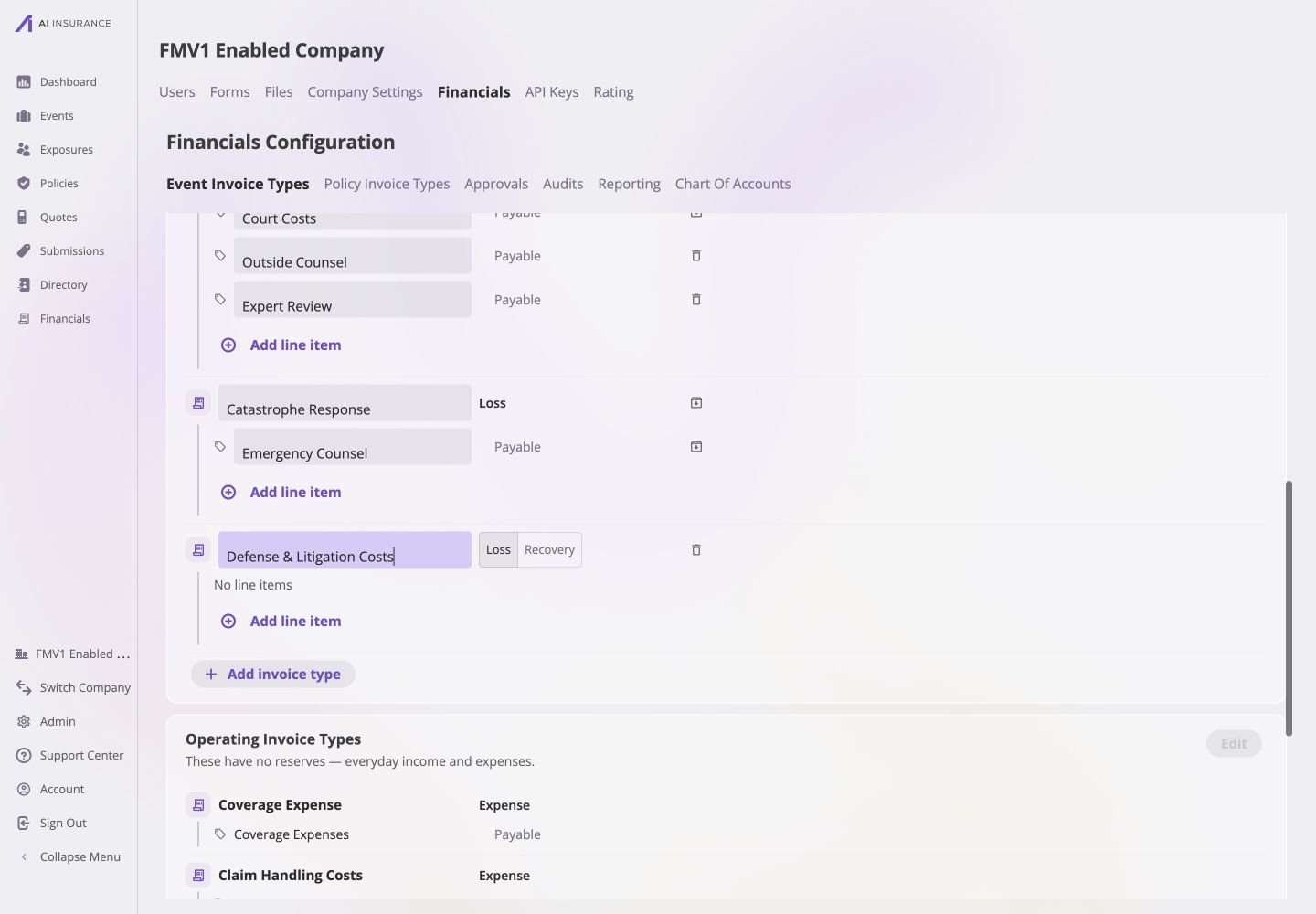
3. Select **Add invoice type** at the bottom of that card.
4. Enter the **Invoice type name**.
5. Select its expected direction:
* **Loss** means money your company expects to pay out;
* **Recovery** means money your company expects to receive back;
* **Expense** means Operating activity that normally pays out; and
* **Income** means Operating activity that normally pays in.
[Expected Direction](/financials/expected-direction) explains how these
expectations interact with an invoice whose actual direction is reversed.
 ## Add the Initial Line Item Types
Every Invoice Type must contain at least one Line Item Type before the card can
be saved.
Select **Add line item** under the new Invoice Type and enter a name that
describes one component of the activity.
Choose **Payable** when the line normally records money paid out, or
**Receivable** when it normally records money paid in. A reverse flow is
still allowed when an invoice is entered.
Add the smallest useful set of mutually distinct lines. A *Defense Costs*
type might start with *Outside Counsel*, *Experts*, and *Court Costs*.
Confirm that every line belongs under the intended Invoice Type and that
its direction is correct.
## Add the Initial Line Item Types
Every Invoice Type must contain at least one Line Item Type before the card can
be saved.
Select **Add line item** under the new Invoice Type and enter a name that
describes one component of the activity.
Choose **Payable** when the line normally records money paid out, or
**Receivable** when it normally records money paid in. A reverse flow is
still allowed when an invoice is entered.
Add the smallest useful set of mutually distinct lines. A *Defense Costs*
type might start with *Outside Counsel*, *Experts*, and *Court Costs*.
Confirm that every line belongs under the intended Invoice Type and that
its direction is correct.
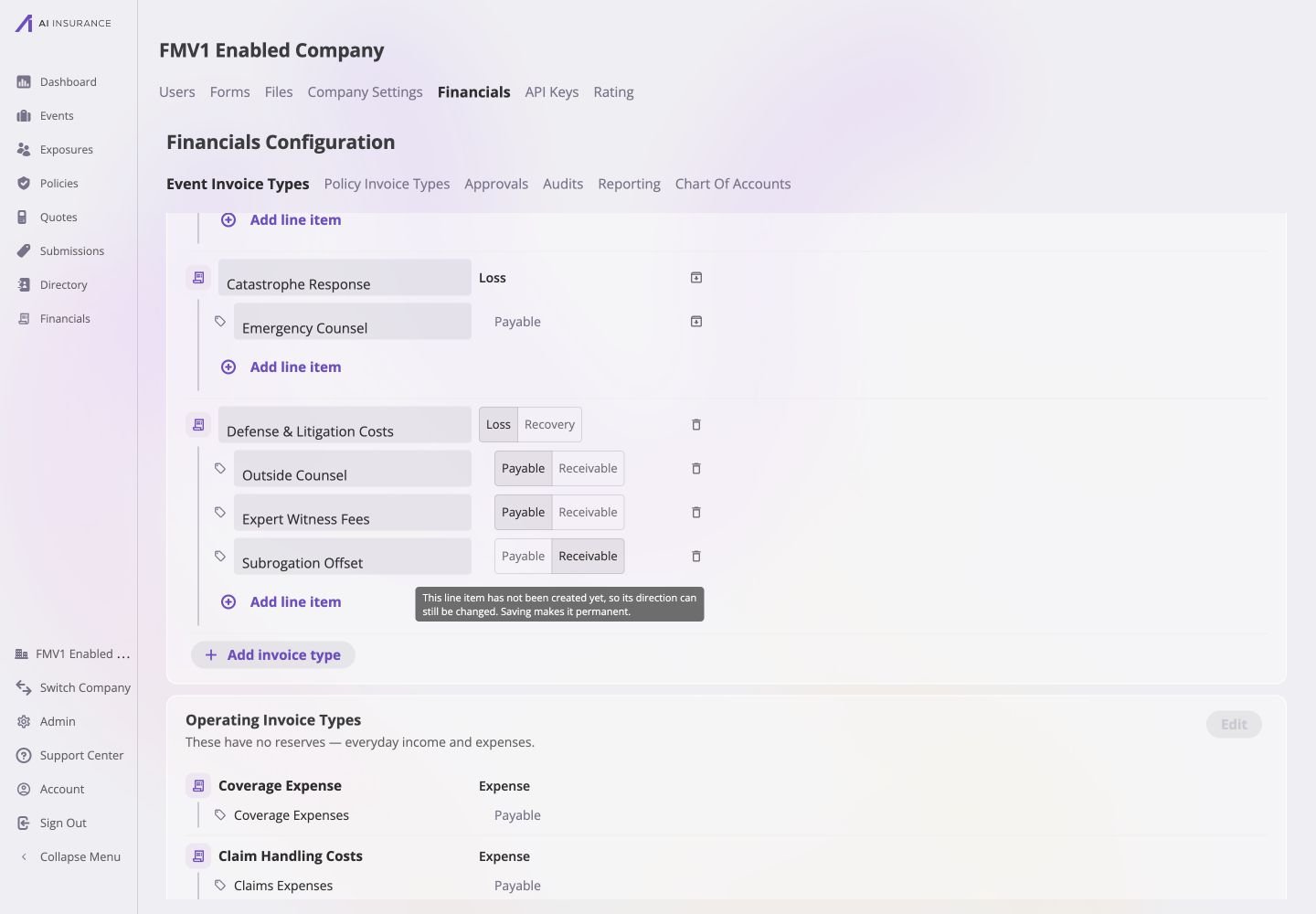 Saving makes a Loss/Recovery type's direction and every Line Item Type's
direction permanent because generated account balances are oriented to them.
An Operating type's Expense/Income label can still be changed later.
## Save and Verify
Select the card's **Save**. The app creates the type and its generated accounts,
returns the card to read mode, and reports that the Financials configuration was
saved.
If **Save** is unavailable, hover or focus it to see what is missing. Each
Invoice Type needs a name and at least one named Line Item Type.
Saving makes a Loss/Recovery type's direction and every Line Item Type's
direction permanent because generated account balances are oriented to them.
An Operating type's Expense/Income label can still be changed later.
## Save and Verify
Select the card's **Save**. The app creates the type and its generated accounts,
returns the card to read mode, and reports that the Financials configuration was
saved.
If **Save** is unavailable, hover or focus it to see what is missing. Each
Invoice Type needs a name and at least one named Line Item Type.
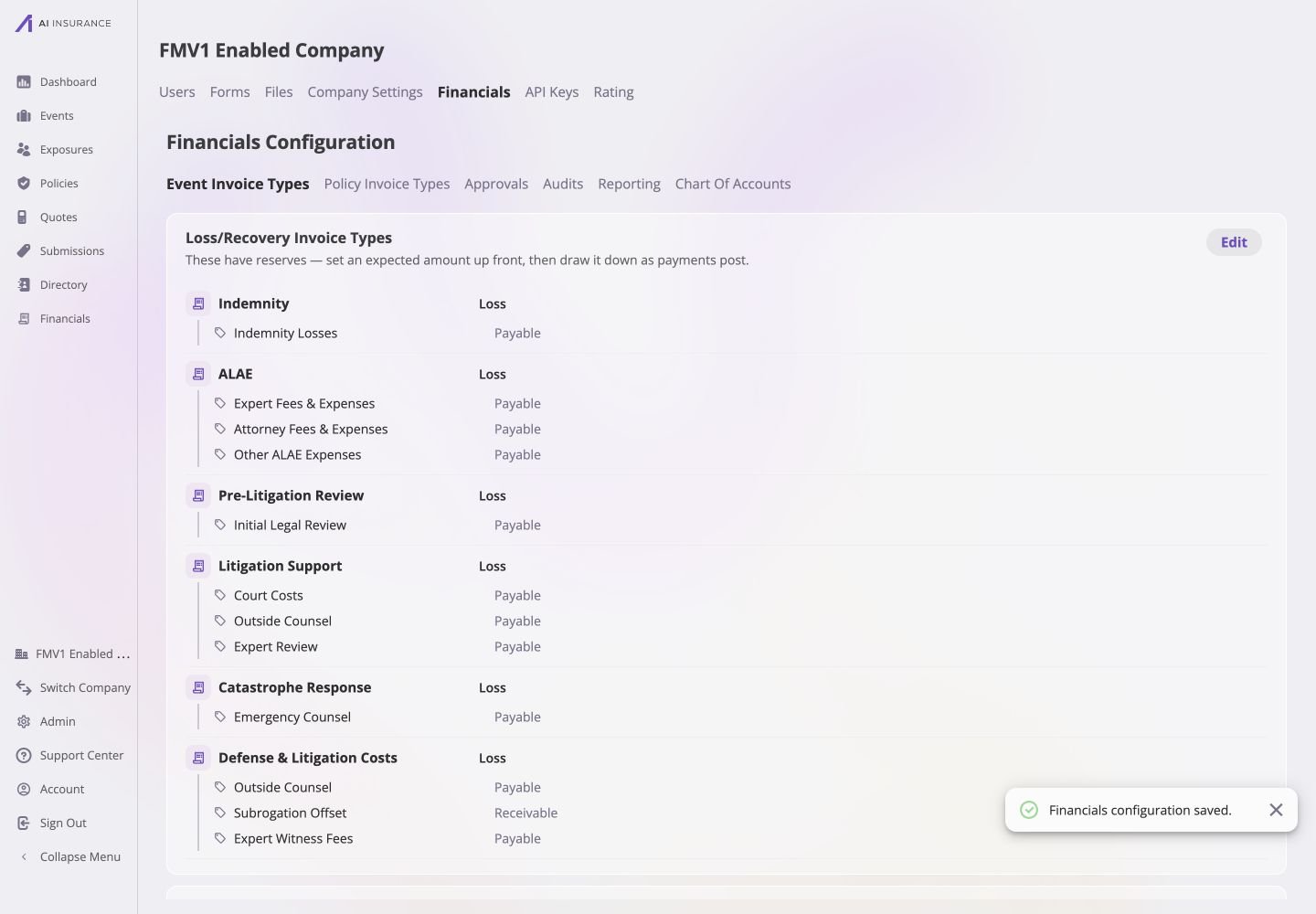 Verify that:
* the type appears in the intended Loss/Recovery or Operating card;
* every Line Item Type and direction is spelled correctly;
* the new type appears as a row in the [Company Event Financials Overview
Report](/financials/pages/event-financials-page#overview-report); and
* the type and its line items are available when starting a [new
invoice](/financials/pages/new-invoice).
If an immutable choice is wrong and the type has not been used, edit the card
and delete it before recreating it. Once invoices use it, retire it and create a
replacement by following [Updating or Retiring Invoice Types and Line
Items](/financials/guides/updating-or-retiring-invoice-types-and-line-items).
Verify that:
* the type appears in the intended Loss/Recovery or Operating card;
* every Line Item Type and direction is spelled correctly;
* the new type appears as a row in the [Company Event Financials Overview
Report](/financials/pages/event-financials-page#overview-report); and
* the type and its line items are available when starting a [new
invoice](/financials/pages/new-invoice).
If an immutable choice is wrong and the type has not been used, edit the card
and delete it before recreating it. Once invoices use it, retire it and create a
replacement by following [Updating or Retiring Invoice Types and Line
Items](/financials/guides/updating-or-retiring-invoice-types-and-line-items).