> ## Documentation Index
> Fetch the complete documentation index at: https://docs.go.aiinsurance.io/llms.txt
> Use this file to discover all available pages before exploring further.
# Deleting an Invoice
> Permanently delete an invoice
Delete an invoice when it should be permanently removed from working lists and
reports. Deletion can be used for a draft that should be abandoned or for a
posted invoice that should not remain available as a voided record.
Deletion cannot be undone. If the invoice should remain visible for audit or
might need to return to use, [void it
instead](/financials/guides/voiding-and-restoring-an-invoice).
## Delete from the Invoice List
1. Open **Financials → Event Financials**, or open an event and select
**Financials**.
2. Find the invoice and verify its number, Type, Event, Payee, Status, and
Amount.
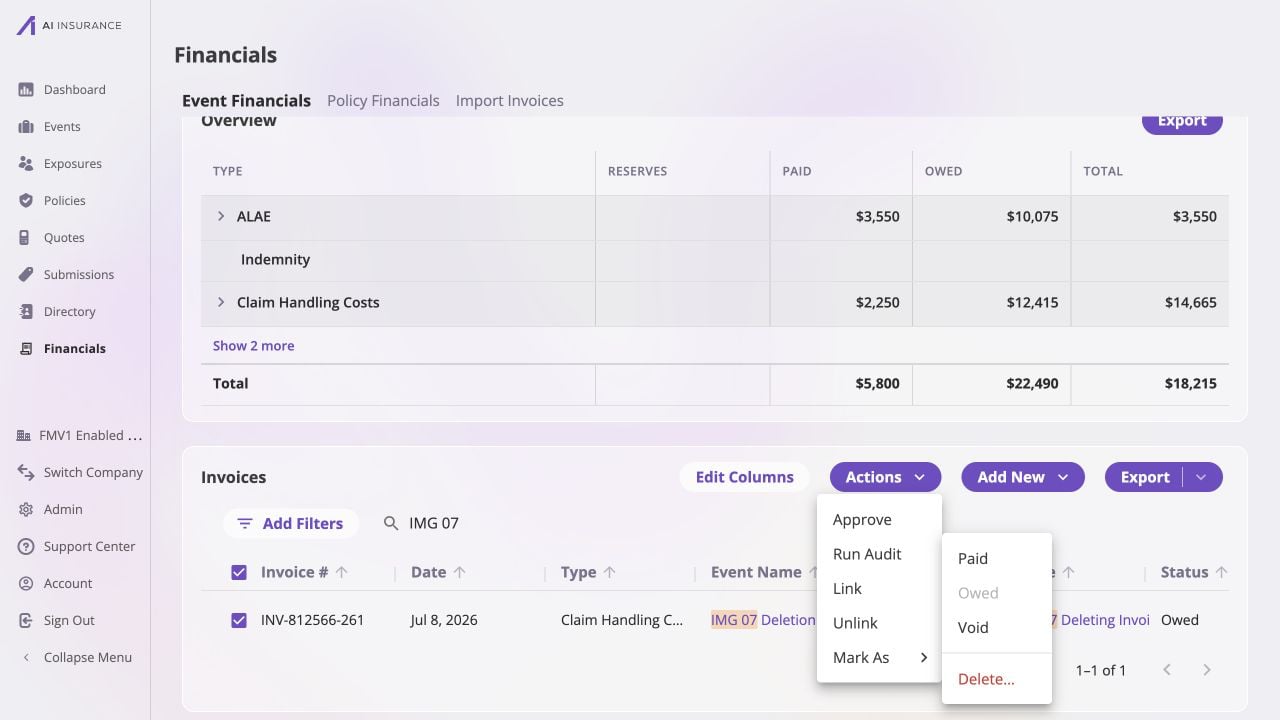
3. Select the invoice's checkbox. You may select more than one invoice when
every selected record should be deleted.
4. Select **Actions → Mark As → Delete…**.
 ## Confirm the Irreversible Action
The **Delete Invoices** dialog states how many invoices will be permanently
removed together with their payment history.
Check the count, then select **Delete Invoices**. Select **Cancel** to keep the
records.
## Confirm the Irreversible Action
The **Delete Invoices** dialog states how many invoices will be permanently
removed together with their payment history.
Check the count, then select **Delete Invoices**. Select **Cancel** to keep the
records.
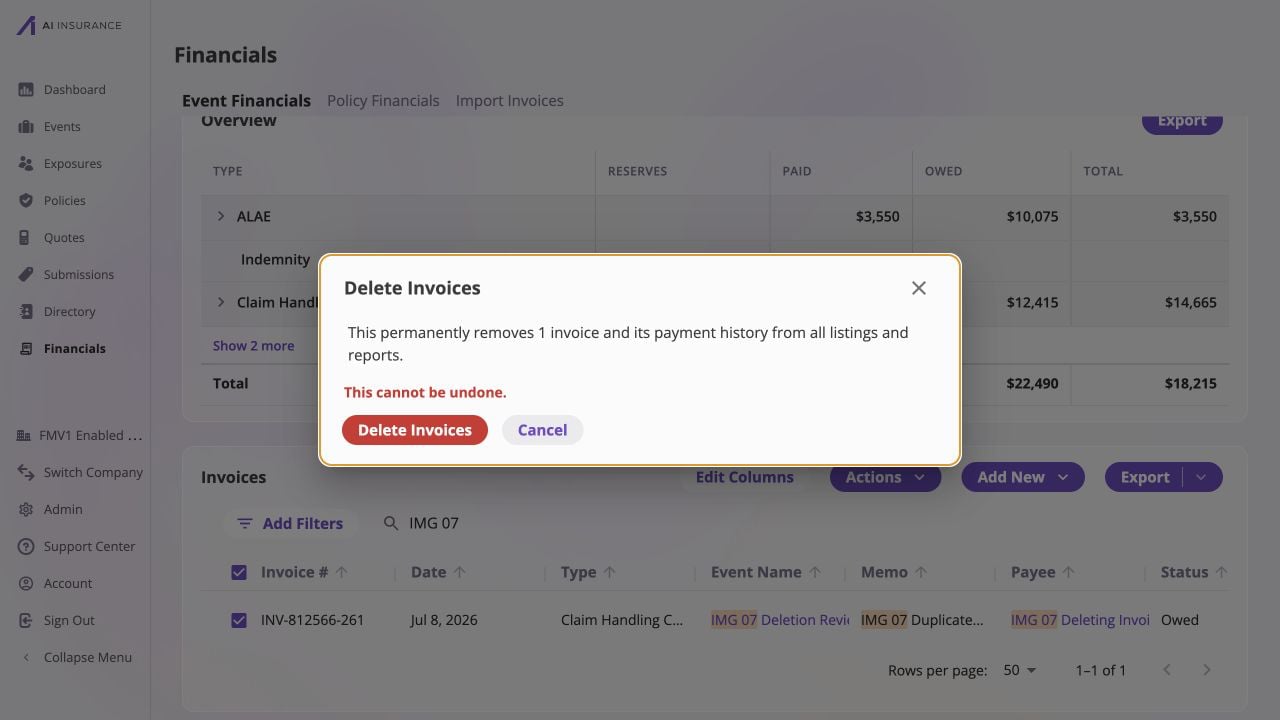 These screenshots stop before confirmation, so fixture invoice INV-812566-261
is not deleted in the example.
Deleting a posted invoice reverses both its incurred and payment activity. The
row disappears from all invoice listings and reports, and there is no Restore
action.
After deletion:
* confirm the row no longer appears when searching for its invoice number;
* check the affected event and company totals;
* check reserves when the invoice used a Loss/Recovery type; and
* if you are removing financial activity that blocked an event, policy, or
payee deletion, retry that record deletion only after every blocker has been
cleared.
The financial journal retains the deletion action even though the invoice is
gone from working surfaces. [The Journal](/financials/accounting-model/journal)
explains that audit record.
These screenshots stop before confirmation, so fixture invoice INV-812566-261
is not deleted in the example.
Deleting a posted invoice reverses both its incurred and payment activity. The
row disappears from all invoice listings and reports, and there is no Restore
action.
After deletion:
* confirm the row no longer appears when searching for its invoice number;
* check the affected event and company totals;
* check reserves when the invoice used a Loss/Recovery type; and
* if you are removing financial activity that blocked an event, policy, or
payee deletion, retry that record deletion only after every blocker has been
cleared.
The financial journal retains the deletion action even though the invoice is
gone from working surfaces. [The Journal](/financials/accounting-model/journal)
explains that audit record.