> ## Documentation Index
> Fetch the complete documentation index at: https://docs.go.aiinsurance.io/llms.txt
> Use this file to discover all available pages before exploring further.
# Replacing an Incorrect Invoice
> Correct an immutable invoice detail by replacing the invoice
Replace a posted invoice when its Type, Line Item Types, amounts, or directions
are wrong. Those values are fixed once the invoice posts, so the correction is
a voided original plus a new, correct invoice—not an edit to the old record.
If the invoice is still a **Draft**, edit and finalize that draft instead.
Drafts are the only invoices whose Type and line items can be corrected in
place.
## Review the Original
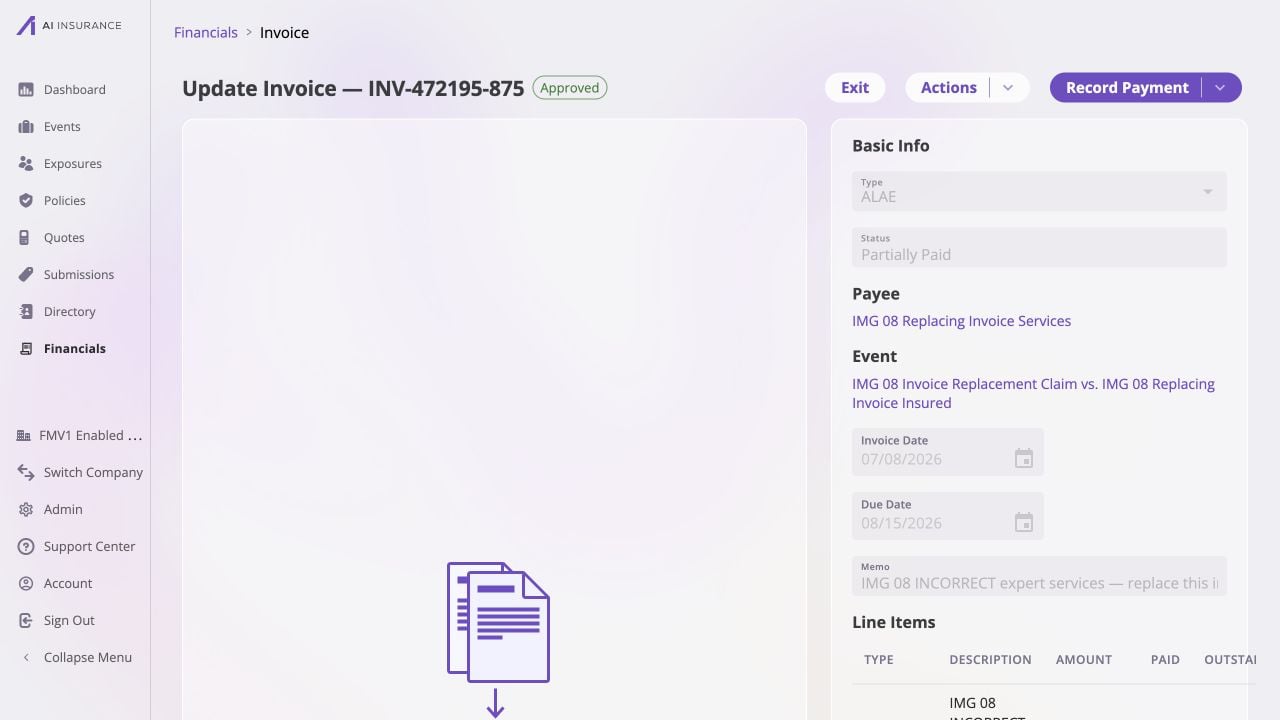
Open the incorrect invoice and record:
* its invoice number;
* the correct event and payee;
* the invoice, due, and paid dates that remain valid;
* the intended Type and line-item breakdown;
* any supporting files that remain valid; and
* whether its recorded payments represented money that actually moved.
 Do not delete the original when the correction needs a visible trail. The
voided invoice preserves what was entered and removes its financial effect.
## Void the Incorrect Invoice
1. Select **Actions → Void**.
2. Review the confirmation, including the automatic reversal of any payments.
3. Select **Void Invoice**.
4. Confirm that the original now has a **Void** status and no active balances.
For the complete lifecycle procedure, see [Voiding and Restoring an
Invoice](/financials/guides/voiding-and-restoring-an-invoice).
## Create the Replacement
Return to the scope where the replacement belongs:
* use the event's **Financials** tab to pre-link it to that event; or
* use **Financials → Event Financials** to choose an event or leave it
unlinked.
Then:
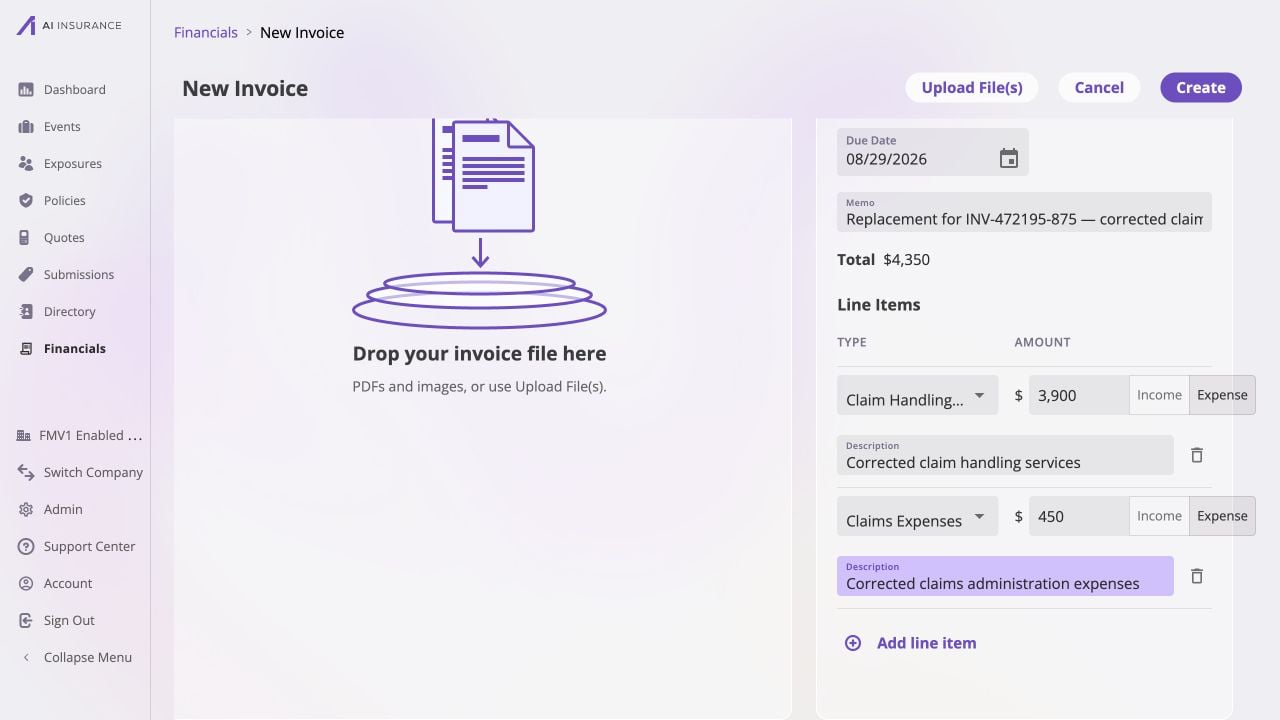
1. Select **Add New** and choose the correct Invoice Type.
2. Re-enter the correct payee, invoice date, due date, and line items.
3. In **Memo**, identify the relationship, for example: `Replacement for
INV-000123-456 — incorrect line-item amount`.
4. If a source file supports the correction, attach the correct file. Do not
carry forward an attachment that was itself incorrect.
5. Choose **Owed** when payment still needs to be recorded. Choose **Paid** only
when the replacement must represent money that already moved, and use the
actual payment date.
6. Review the net Total and select **Create**.
Do not delete the original when the correction needs a visible trail. The
voided invoice preserves what was entered and removes its financial effect.
## Void the Incorrect Invoice
1. Select **Actions → Void**.
2. Review the confirmation, including the automatic reversal of any payments.
3. Select **Void Invoice**.
4. Confirm that the original now has a **Void** status and no active balances.
For the complete lifecycle procedure, see [Voiding and Restoring an
Invoice](/financials/guides/voiding-and-restoring-an-invoice).
## Create the Replacement
Return to the scope where the replacement belongs:
* use the event's **Financials** tab to pre-link it to that event; or
* use **Financials → Event Financials** to choose an event or leave it
unlinked.
Then:
1. Select **Add New** and choose the correct Invoice Type.
2. Re-enter the correct payee, invoice date, due date, and line items.
3. In **Memo**, identify the relationship, for example: `Replacement for
INV-000123-456 — incorrect line-item amount`.
4. If a source file supports the correction, attach the correct file. Do not
carry forward an attachment that was itself incorrect.
5. Choose **Owed** when payment still needs to be recorded. Choose **Paid** only
when the replacement must represent money that already moved, and use the
actual payment date.
6. Review the net Total and select **Create**.
 If the original had payments, do not assume every payment belongs on the
replacement. Reconcile against the source records, then record only the amounts
and dates that remain valid. See [Recording a Full or Partial
Payment](/financials/guides/recording-a-full-or-partial-payment).
## Verify the Correction
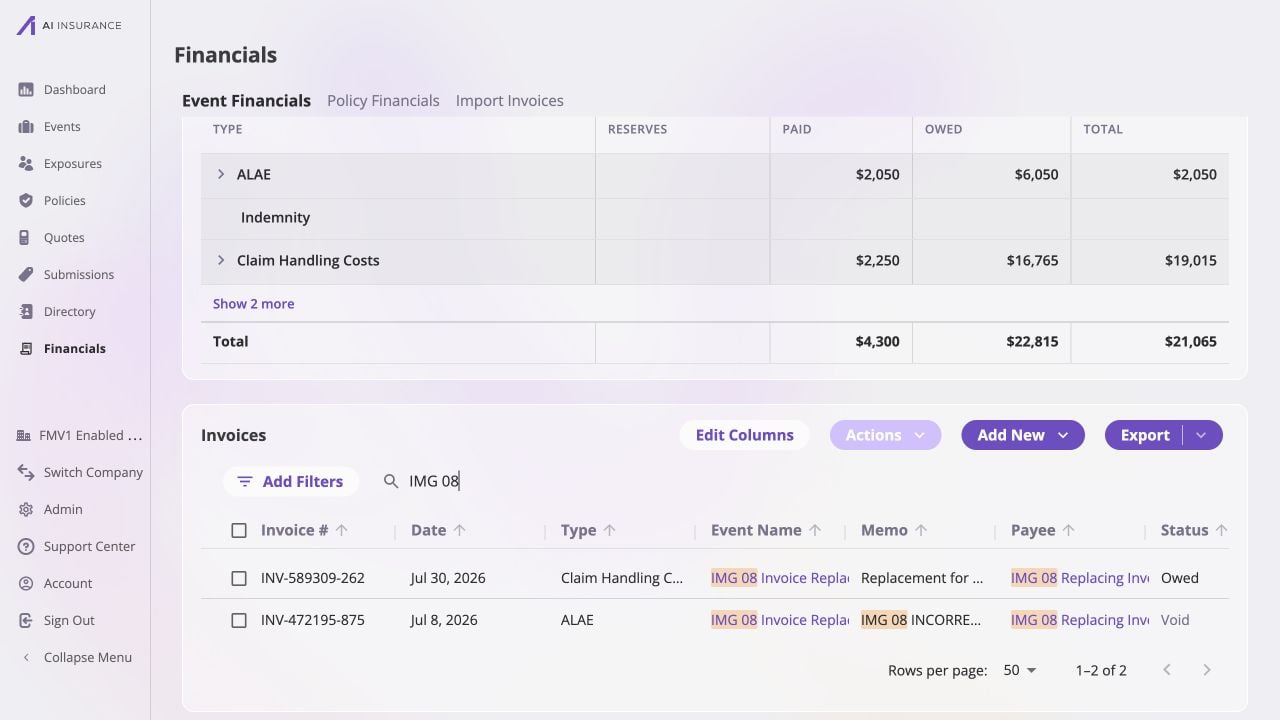
Search for the original and replacement invoice numbers. Confirm that:
* the original remains **Void**;
* the replacement is Owed, Partially Paid, Paid, or No Charges as intended;
* only the replacement contributes to company and event totals;
* the replacement has the correct immutable values and attachments; and
* any approval and payments belong to the replacement record.
If the original had payments, do not assume every payment belongs on the
replacement. Reconcile against the source records, then record only the amounts
and dates that remain valid. See [Recording a Full or Partial
Payment](/financials/guides/recording-a-full-or-partial-payment).
## Verify the Correction
Search for the original and replacement invoice numbers. Confirm that:
* the original remains **Void**;
* the replacement is Owed, Partially Paid, Paid, or No Charges as intended;
* only the replacement contributes to company and event totals;
* the replacement has the correct immutable values and attachments; and
* any approval and payments belong to the replacement record.
 The two-record result is deliberate. [The Accounting
Model](/financials/accounting-model/overview) explains why Financials records
corrections as additions and reversals instead of rewriting history.
The two-record result is deliberate. [The Accounting
Model](/financials/accounting-model/overview) explains why Financials records
corrections as additions and reversals instead of rewriting history.