> ## Documentation Index
> Fetch the complete documentation index at: https://docs.go.aiinsurance.io/llms.txt
> Use this file to discover all available pages before exploring further.
# Approvals
> Configure who can approve invoices and at what limits
Open **Admin → Financials → Approvals** to set the company-wide authority used
by invoice approval actions.
## Default Approval Behavior
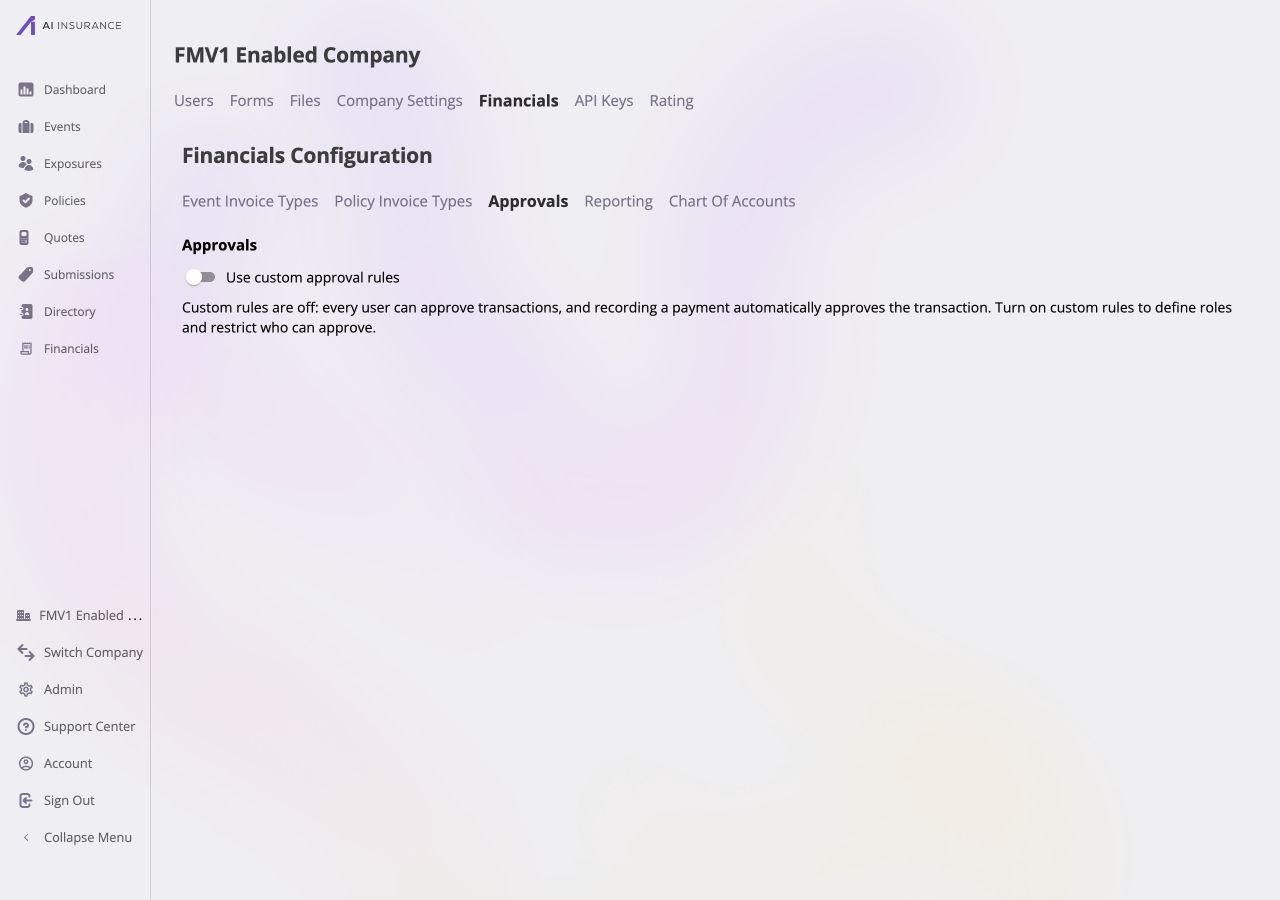
With **Use custom approval rules** off, every user can approve an invoice.
Recording an authorized payment also approves its invoice as part of that
action. The [Approvals concept](/financials/approvals) explains why approval and
payment status remain separate.
 ## Custom Approval Rules
Turn on **Use custom approval rules** to limit authority to the people listed
under **Approvers**. A person outside that list has no approval authority. The
built-in **Financial Administrator** role keeps unlimited authority for every
Invoice Type, including types added later.
The screen separates the configuration into **Roles** and **Approvers**. It
saves each completed role or approver action immediately; there is no separate
page-level Save or Cancel control. Roles define approval limits, while each
approver assignment connects one specific company user to one role. Different
users can be assigned different roles.
## Custom Approval Rules
Turn on **Use custom approval rules** to limit authority to the people listed
under **Approvers**. A person outside that list has no approval authority. The
built-in **Financial Administrator** role keeps unlimited authority for every
Invoice Type, including types added later.
The screen separates the configuration into **Roles** and **Approvers**. It
saves each completed role or approver action immediately; there is no separate
page-level Save or Cancel control. Roles define approval limits, while each
approver assignment connects one specific company user to one role. Different
users can be assigned different roles.
 ## Roles and Limits
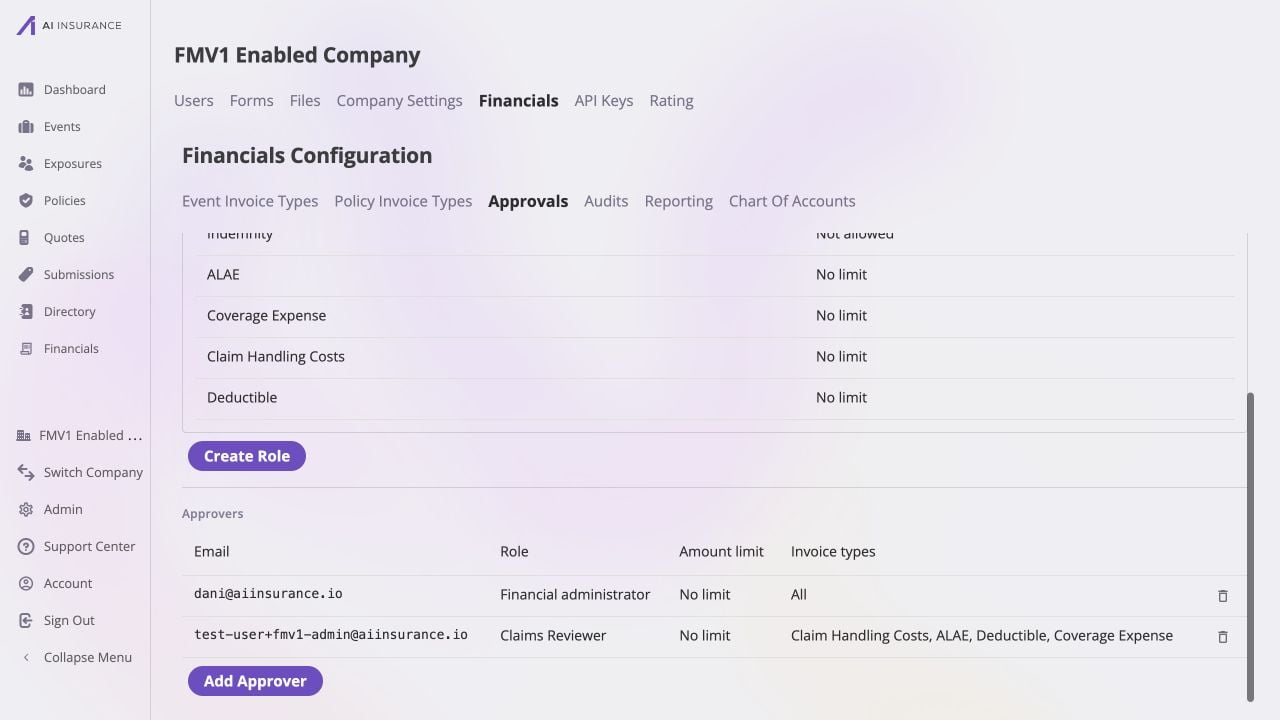
Create a role with a unique required name, then set its limit for every active
Invoice Type. Each type has one of these limits:
| Limit | Approval Authority |
| ------------------- | ------------------------------------------------------------------------- |
| **No Limit** | The role can approve any amount for that type. |
| **Not Allowed** | The role has no authority for that type. |
| **Specific Amount** | The role can approve up to the entered non-negative amount for that type. |
Role names and specific amounts show validation before they can be saved.
Roles can be edited or deleted, but a role assigned to an approver must be
unassigned before deletion. [Invoice Types and Line
Items](/financials/invoice-types) describes the types that appear in the limit
matrix.
## Approvers
Use **Add approver** to select a specific user from the company's user directory
and assign that user one available role. Repeat the action to give different
users different roles. Approval authority follows the user's assigned role;
removing an approver immediately removes the authority granted by that
assignment. The Financial Administrator role is available for the company-wide
administrative case; other roles apply the limits configured above.
## Roles and Limits
Create a role with a unique required name, then set its limit for every active
Invoice Type. Each type has one of these limits:
| Limit | Approval Authority |
| ------------------- | ------------------------------------------------------------------------- |
| **No Limit** | The role can approve any amount for that type. |
| **Not Allowed** | The role has no authority for that type. |
| **Specific Amount** | The role can approve up to the entered non-negative amount for that type. |
Role names and specific amounts show validation before they can be saved.
Roles can be edited or deleted, but a role assigned to an approver must be
unassigned before deletion. [Invoice Types and Line
Items](/financials/invoice-types) describes the types that appear in the limit
matrix.
## Approvers
Use **Add approver** to select a specific user from the company's user directory
and assign that user one available role. Repeat the action to give different
users different roles. Approval authority follows the user's assigned role;
removing an approver immediately removes the authority granted by that
assignment. The Financial Administrator role is available for the company-wide
administrative case; other roles apply the limits configured above.