> ## Documentation Index
> Fetch the complete documentation index at: https://docs.go.aiinsurance.io/llms.txt
> Use this file to discover all available pages before exploring further.
# Financials Configuration
> Configure invoice types, approvals, reporting, and accounts
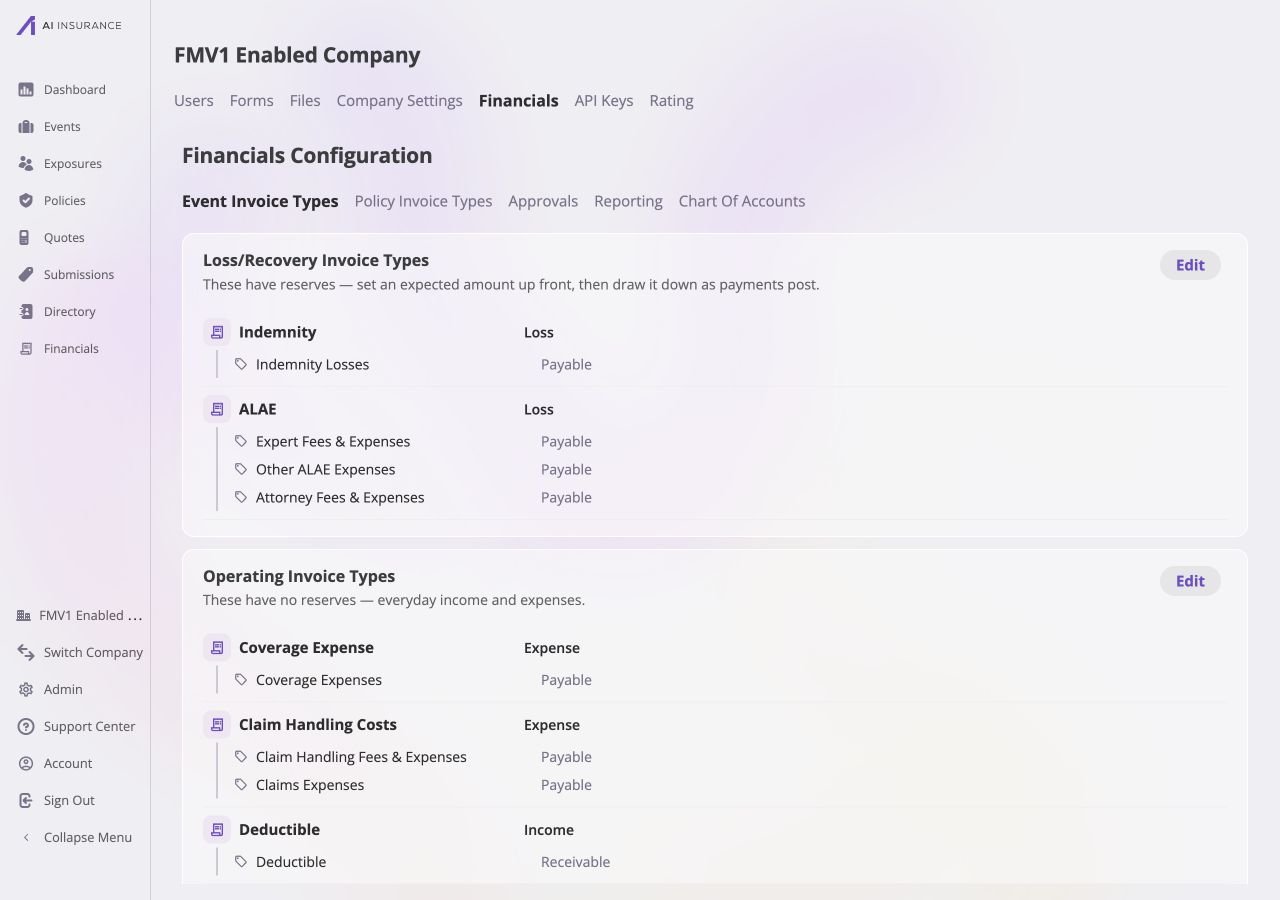
Open **Admin → Financials** to manage the company-wide settings used across
Financials. The areas below define invoice structure, approval authority,
export frames, and generated accounts; they do not change the scope of an
individual event. Each area owns its own save behavior: there is no page-wide
**Save** or **Cancel** for Financials Configuration.
 ## Configuration Areas
| Area | Controls | Save Behavior |
| ------------------------------------------------------------------ | ------------------------------------------------------------------------------------------------------------------------------------------------------------------------------------------------------------------------------------------------------ | ------------------------------------------------------------------------ |
| [**Event Invoice Types**](/financials/pages/event-invoice-types) | Event-side categories, line items, structural kind, and [expected direction](/financials/expected-direction). | Each edited card has its own **Save** and **Cancel**. |
| [**Policy Invoice Types**](/financials/pages/policy-invoice-types) | Policy-side invoice types and their line item types: name, [expected direction](/financials/expected-direction), and each charge's permanent kind. This editor is available before policy billing enforcement so configuration can be completed first. | The card has its own **Save** and **Cancel**. |
| [**Approvals**](/financials/pages/approvals) | Who can approve invoices and at what limits. | Role and approver actions save when that action completes. |
| [**Bill Review**](/financials/guides/bill-review) | The plain-english standards invoices are checked against, and the history of every review that has run. | Each rule saves as it is added, edited, or deleted. |
| [**Reporting**](/financials/pages/reporting) | How figures are signed in exports and generated documents. | The tab keeps a draft until its **Save** or **Discard** control is used. |
| [**Chart of Accounts**](/financials/pages/chart-of-accounts) | Read-only accounts and balances generated by configuration and posted activity. | No editor is available. |
[Invoice Types and Line Items](/financials/invoice-types),
[Approvals](/financials/approvals), and [Reference
Frames](/financials/reference-frames) explain the rules behind these settings.
## Where Settings Apply
* [Company Event Financials](/financials/pages/event-financials-page) uses
Event Invoice Types to build Overview Report rows, filters, and column values.
* The [Event Financials Tab](/financials/pages/event-financials-tab) uses the
same types and adds per-event reserve controls.
* [Reporting](/financials/pages/reporting) controls the signs used when either
workspace exports data or supplies financial values to another output.
Review the linked configuration area before changing a live company setting.
## Configuration Areas
| Area | Controls | Save Behavior |
| ------------------------------------------------------------------ | ------------------------------------------------------------------------------------------------------------------------------------------------------------------------------------------------------------------------------------------------------ | ------------------------------------------------------------------------ |
| [**Event Invoice Types**](/financials/pages/event-invoice-types) | Event-side categories, line items, structural kind, and [expected direction](/financials/expected-direction). | Each edited card has its own **Save** and **Cancel**. |
| [**Policy Invoice Types**](/financials/pages/policy-invoice-types) | Policy-side invoice types and their line item types: name, [expected direction](/financials/expected-direction), and each charge's permanent kind. This editor is available before policy billing enforcement so configuration can be completed first. | The card has its own **Save** and **Cancel**. |
| [**Approvals**](/financials/pages/approvals) | Who can approve invoices and at what limits. | Role and approver actions save when that action completes. |
| [**Bill Review**](/financials/guides/bill-review) | The plain-english standards invoices are checked against, and the history of every review that has run. | Each rule saves as it is added, edited, or deleted. |
| [**Reporting**](/financials/pages/reporting) | How figures are signed in exports and generated documents. | The tab keeps a draft until its **Save** or **Discard** control is used. |
| [**Chart of Accounts**](/financials/pages/chart-of-accounts) | Read-only accounts and balances generated by configuration and posted activity. | No editor is available. |
[Invoice Types and Line Items](/financials/invoice-types),
[Approvals](/financials/approvals), and [Reference
Frames](/financials/reference-frames) explain the rules behind these settings.
## Where Settings Apply
* [Company Event Financials](/financials/pages/event-financials-page) uses
Event Invoice Types to build Overview Report rows, filters, and column values.
* The [Event Financials Tab](/financials/pages/event-financials-tab) uses the
same types and adds per-event reserve controls.
* [Reporting](/financials/pages/reporting) controls the signs used when either
workspace exports data or supplies financial values to another output.
Review the linked configuration area before changing a live company setting.