> ## Documentation Index
> Fetch the complete documentation index at: https://docs.go.aiinsurance.io/llms.txt
> Use this file to discover all available pages before exploring further.
# Invoice Detail
> Reference for viewing, editing, approving, paying, and ending an invoice
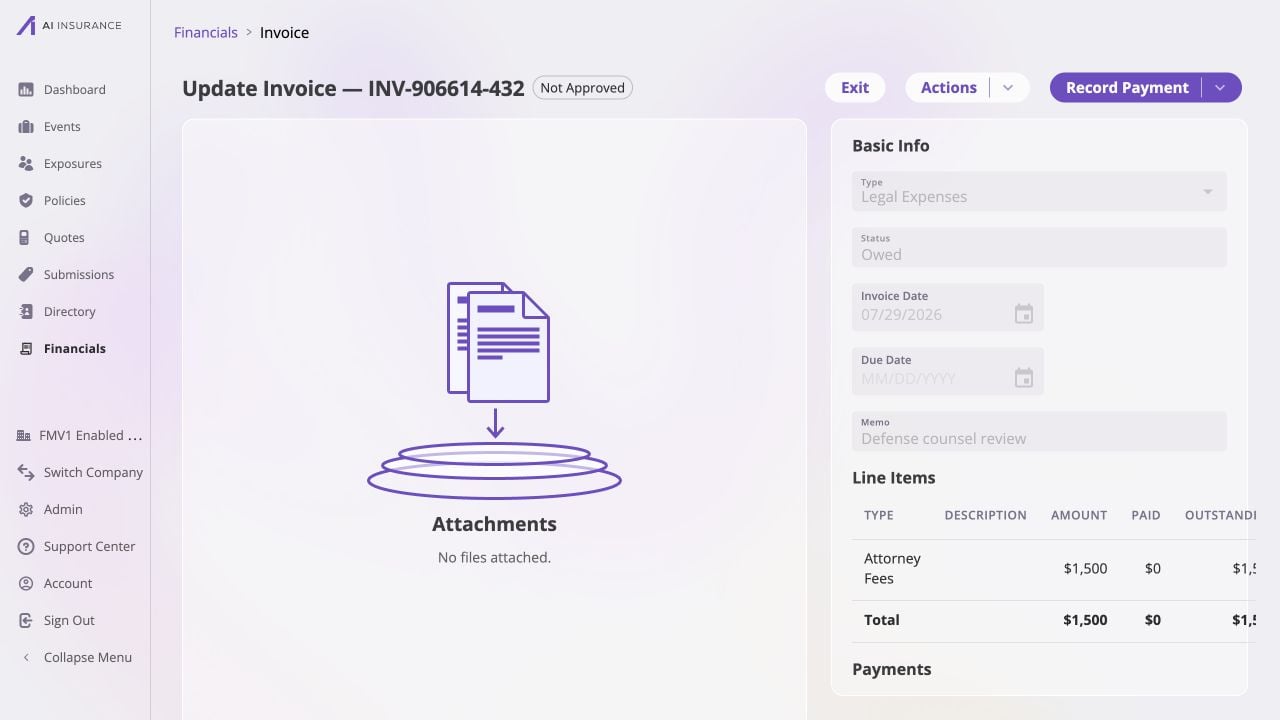
**Invoice Detail** opens when a row is selected in [Company Event
Financials](/financials/pages/event-financials-page) or an [Event Financials
Tab](/financials/pages/event-financials-tab). It is the record view for one
invoice after creation.
 ## Read Mode and Edit Mode
Normal invoices open in read mode. **Actions → Edit** opens the editable form;
**Save** commits its pending changes and **Cancel** discards them. The fields
available in each state are intentionally different.
| Area | Read Mode | Edit Mode |
| -------------------------------- | ------------------------------------------------------------------------- | ----------------------------------------------------------------------------------------------------------------------------------------------------------------------------------------------------------------------------------- |
| **Type and Status** | Visible as the record's type and lifecycle state. | Read-only. Use the available lifecycle actions rather than editing the status text. |
| **Event or Policy link** | Visible link to the related entity, when one exists. | An event-linked invoice can be linked to a different event or left unlinked. A policy link remains read-only. |
| **Payee** | Visible link to the selected Person or Organization, when one exists. | Read-only; Invoice Detail does not change the payee. |
| **Invoice Date, Due Date, Memo** | Displayed in Basic Info. | Editable. Due Date and Memo remain optional. |
| **Attachments** | Listed in the attachment panel. | New attachments can be staged, then saved with the edit. |
| **Line Items and settlement** | Shows the line-item rows, amounts, paid amounts, and outstanding amounts. | Line-item amounts can be edited while the invoice is Owed. They are frozen once the invoice is Paid; undoing payments returns it to Owed and re-enables line-item editing. Settlement can be updated by adding or undoing payments. |
Draft- and parsing-specific details are outside this page reference. They do
not change the read/edit controls described here.
## Header, Approval, and Lifecycle Actions
The header shows the invoice number, current status, and approval badge.
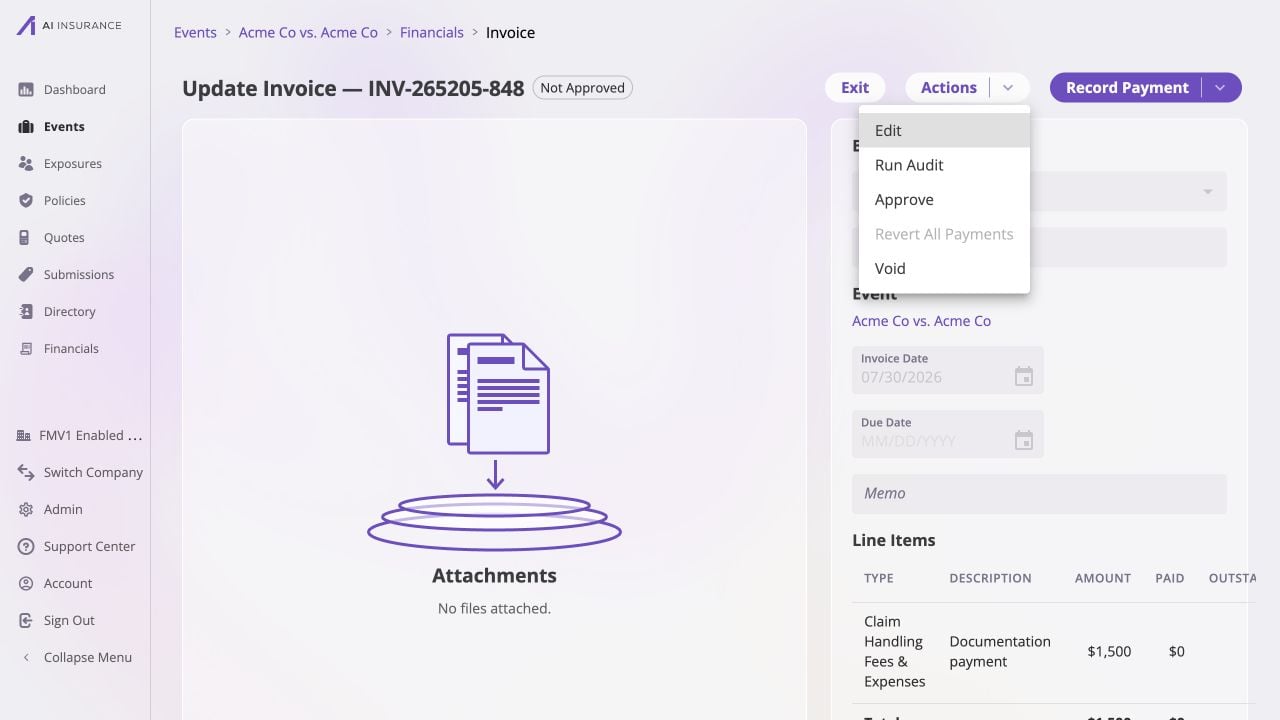
**Actions** presents the actions available for the current record, including
editing, running a [bill review](/financials/guides/bill-review),
approval or unapproval, payment reversion where applicable, and voiding.
Available actions vary with the lifecycle state and the user's approval
authority; [Approvals](/financials/approvals) describes that authority.
## Read Mode and Edit Mode
Normal invoices open in read mode. **Actions → Edit** opens the editable form;
**Save** commits its pending changes and **Cancel** discards them. The fields
available in each state are intentionally different.
| Area | Read Mode | Edit Mode |
| -------------------------------- | ------------------------------------------------------------------------- | ----------------------------------------------------------------------------------------------------------------------------------------------------------------------------------------------------------------------------------- |
| **Type and Status** | Visible as the record's type and lifecycle state. | Read-only. Use the available lifecycle actions rather than editing the status text. |
| **Event or Policy link** | Visible link to the related entity, when one exists. | An event-linked invoice can be linked to a different event or left unlinked. A policy link remains read-only. |
| **Payee** | Visible link to the selected Person or Organization, when one exists. | Read-only; Invoice Detail does not change the payee. |
| **Invoice Date, Due Date, Memo** | Displayed in Basic Info. | Editable. Due Date and Memo remain optional. |
| **Attachments** | Listed in the attachment panel. | New attachments can be staged, then saved with the edit. |
| **Line Items and settlement** | Shows the line-item rows, amounts, paid amounts, and outstanding amounts. | Line-item amounts can be edited while the invoice is Owed. They are frozen once the invoice is Paid; undoing payments returns it to Owed and re-enables line-item editing. Settlement can be updated by adding or undoing payments. |
Draft- and parsing-specific details are outside this page reference. They do
not change the read/edit controls described here.
## Header, Approval, and Lifecycle Actions
The header shows the invoice number, current status, and approval badge.
**Actions** presents the actions available for the current record, including
editing, running a [bill review](/financials/guides/bill-review),
approval or unapproval, payment reversion where applicable, and voiding.
Available actions vary with the lifecycle state and the user's approval
authority; [Approvals](/financials/approvals) describes that authority.
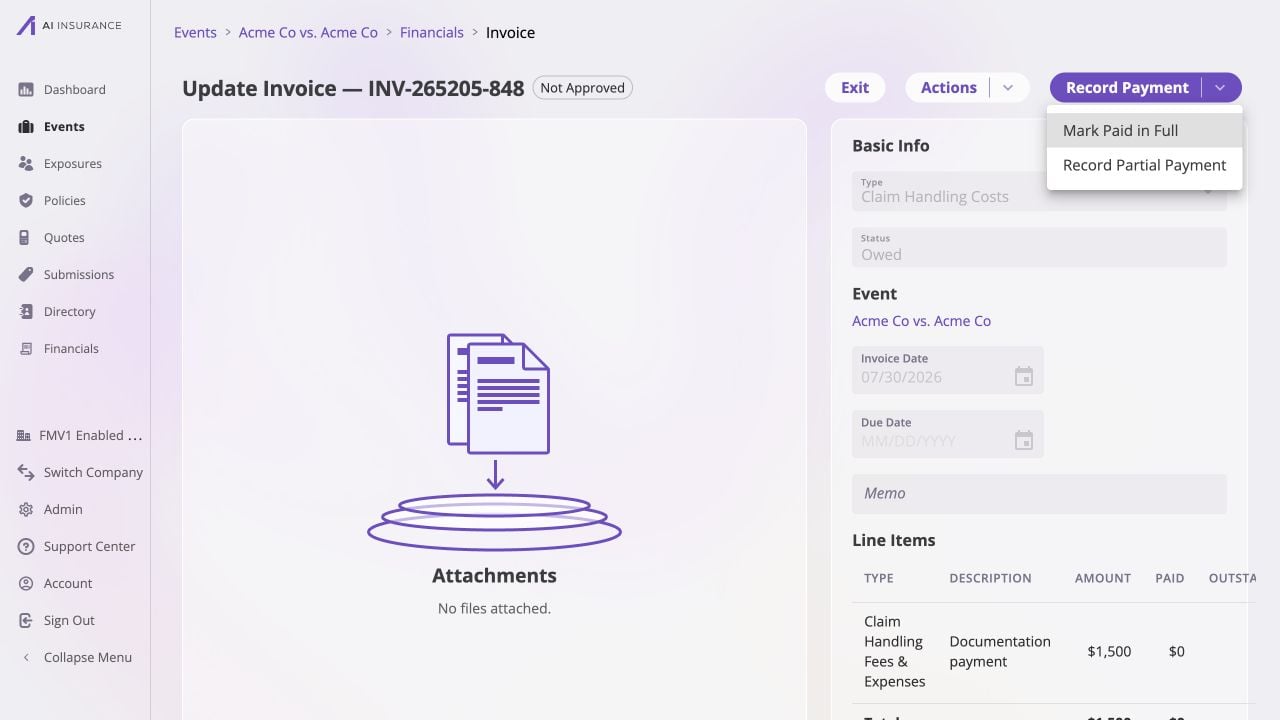
 Use **Record Payment** on an unpaid invoice to record a full or partial
settlement. The payment updates the line-item and invoice totals, adds a row to
Payment History, and can update approval or reserve-related state as applicable.
[Recording a Full or Partial
Payment](/financials/guides/recording-a-full-or-partial-payment) describes the
payment task;
[Reserves](/financials/reserves) explains the reserve effect for
Loss/Recovery activity.
Use **Record Payment** on an unpaid invoice to record a full or partial
settlement. The payment updates the line-item and invoice totals, adds a row to
Payment History, and can update approval or reserve-related state as applicable.
[Recording a Full or Partial
Payment](/financials/guides/recording-a-full-or-partial-payment) describes the
payment task;
[Reserves](/financials/reserves) explains the reserve effect for
Loss/Recovery activity.
 ## Frozen and Ended States
| State | Detail Page Behavior |
| ----------- | --------------------------------------------------------------------------------------------------------------------------------------------------------------------------------------------------------------------------------------------------------------- |
| **Paid** | Invoice type and line-item amounts are frozen. Payment actions can change the status: undoing payments returns the invoice to Owed, where line items can be edited again. Dates, memo, allowed event link changes, and attachments remain subject to Edit mode. |
| **Voided** | The record is read-only. **Restore** returns it to Owed after confirmation; payments are not restored. |
| **Deleted** | The record is terminal and read-only. It has no further detail actions or attachment changes. |
Use **Void** only when the invoice should remain visible for financial audit
context but no longer be active. Use the visible confirmation before the action;
the [Invoice Lifecycle](/financials/lifecycle) explains the resulting state.
## Frozen and Ended States
| State | Detail Page Behavior |
| ----------- | --------------------------------------------------------------------------------------------------------------------------------------------------------------------------------------------------------------------------------------------------------------- |
| **Paid** | Invoice type and line-item amounts are frozen. Payment actions can change the status: undoing payments returns the invoice to Owed, where line items can be edited again. Dates, memo, allowed event link changes, and attachments remain subject to Edit mode. |
| **Voided** | The record is read-only. **Restore** returns it to Owed after confirmation; payments are not restored. |
| **Deleted** | The record is terminal and read-only. It has no further detail actions or attachment changes. |
Use **Void** only when the invoice should remain visible for financial audit
context but no longer be active. Use the visible confirmation before the action;
the [Invoice Lifecycle](/financials/lifecycle) explains the resulting state.