
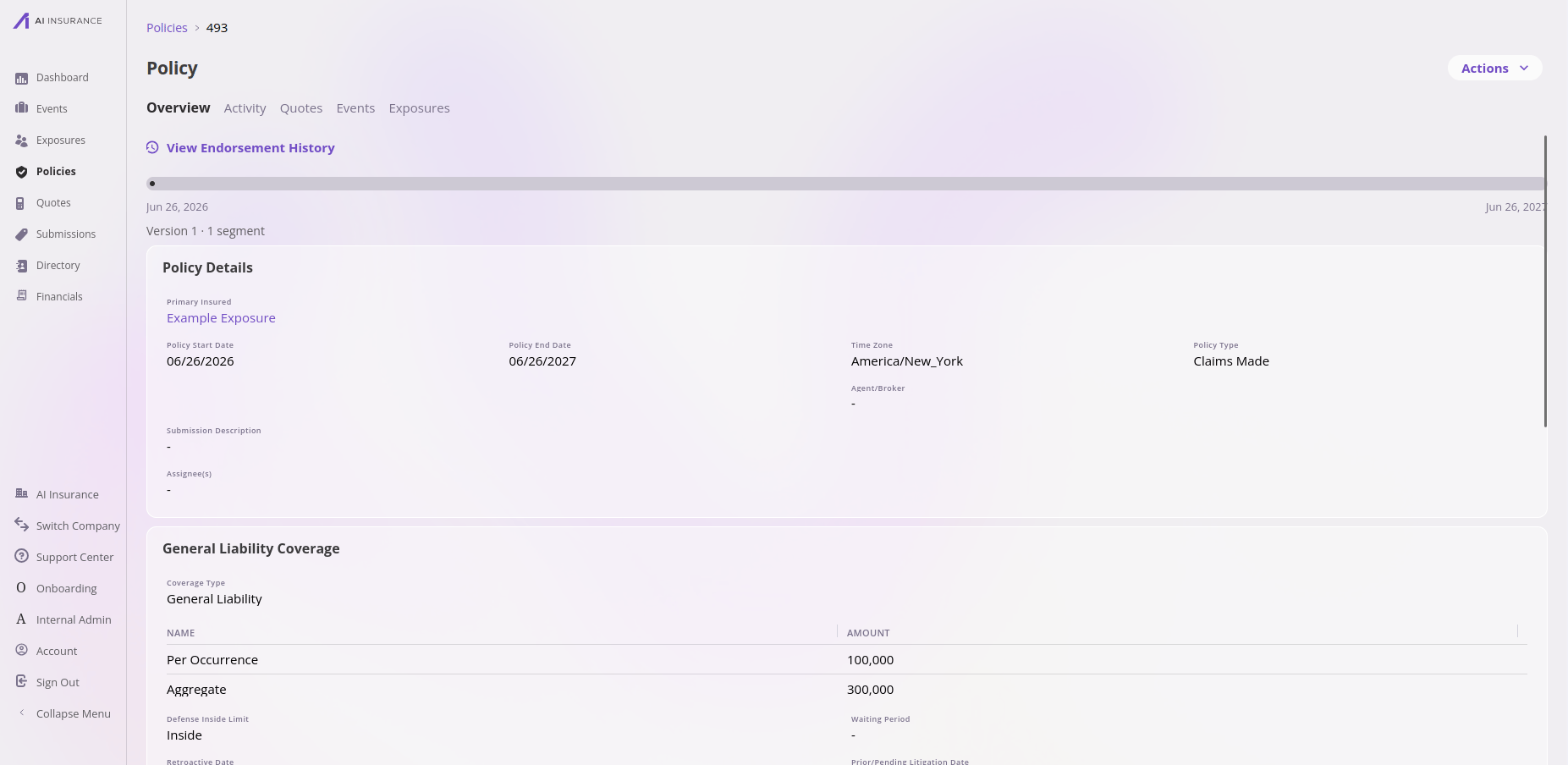
A policy in the app — the Overview tab shows the term as a version/segment timeline with endorsement history, alongside policy details and coverages.
Working in the app? See the Policies feature reference for the list view, the as-of lens, detail tabs, and renewal chains.
This page is a placeholder. Policies work differently enough from the other
entities to warrant their own detailed writeup, which is coming. The summary below
captures what makes them special; the full data-model documentation will be filled
in later.
What makes policies different
Unlike the other entities — which you create and edit directly — a policy’s data is snapshotted and every change goes through a transaction API. You don’t edit a policy in place; you apply a transaction (new business, endorsement, cancellation, reinstatement, renewal), and each transaction produces a new versioned snapshot of the policy. This is what lets the platform answer “what did this policy look like on this date?” and keep an accurate history. Because of this, a policy is not part of the unified create/update/delete surface that the other entities share.What it connects to
Learn more
The transaction model, versioning, effective dates, and lifecycle are documented in the API reference today:Technical reference
Technical reference
API. Policy is not a CRUD entity. It has a read-only
/configuration
schema (slug policy), but its writes go exclusively through the Policy
Transaction endpoints.Framework-required fields (selected). policyNumber, policyStartDate,
policyEndDate (the whole-term facts — caller-supplied at the policy root, and
invariant across the term); policyStatus, policyType, policyTimeZone;
primaryInsuredName, primaryInsuredId (the primary-insured identity, derived
from the policy’s own exposures); fullTermPricingInfo (the pricing contract:
pricingComponents plus six server-computed rollups), fullTermBillingInfo (the
Billing Aggregate: the term’s billing obligations per line item, derived by the
platform on a cancel or reinstate when omitted),
fullTermPolicyRatingResult (objects);
cancellationEffectiveOnDate; referencingExposures (written on the policy, per
segment), referencingQuotes and referencingEvents (reverse-read).Policy validation and repair
Validate Policies runs stored-data checks includingversionRegressions, which
compares each selected version with its predecessor at matching segment dates.
Findings identify paths and counts without exposing values. Versions without a
comparable predecessor are reported as skipped.
Staff and platform service identities can use
POST /api/v1/companies/{companyId}/policies/repair for segmentHashes,
joinHistory, or fieldValues. API keys cannot repair Policies. Hash and
relationship scans default to dry run and return a cursor for bounded continuation.
Field-value repairs require a reviewed manifest and matching pre/post fingerprints;
stale data returns 409 without writing.