
The Rule
Approval Is Usually Implicit
When a user with authority to approve an invoice records a payment against it, the app approves it as part of the same action. The approval is implied by the authority; no separate step is required. Approvals become visible in two situations:- The user lacks authority. The payment is refused, and the invoice stays unapproved until someone with authority approves it.
- Approval and payment are done by different people. One person reviews and approves; another records the payment later.
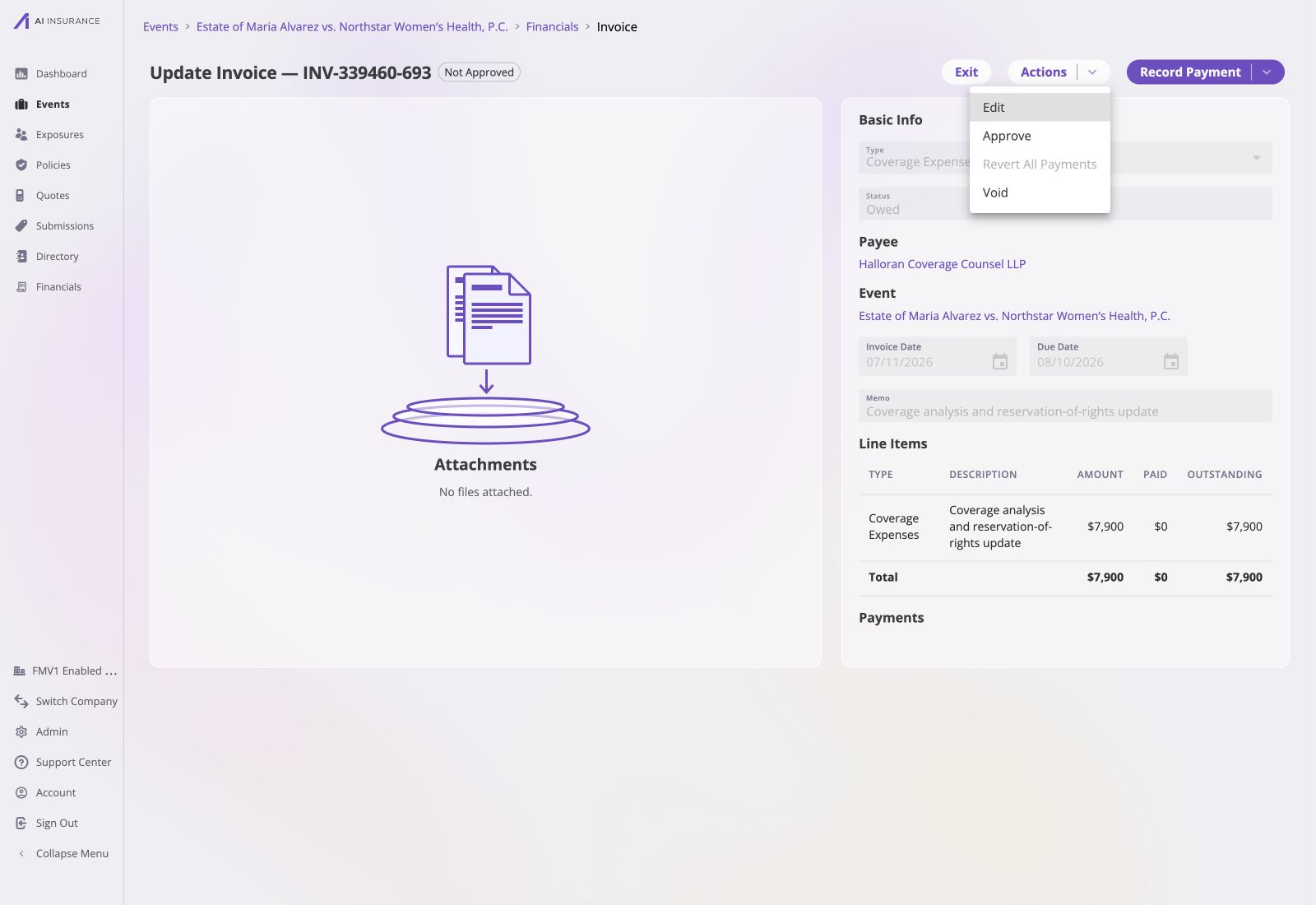
An open Owed invoice exposes Approve under Actions next to its Not Approved badge and line-item balance.
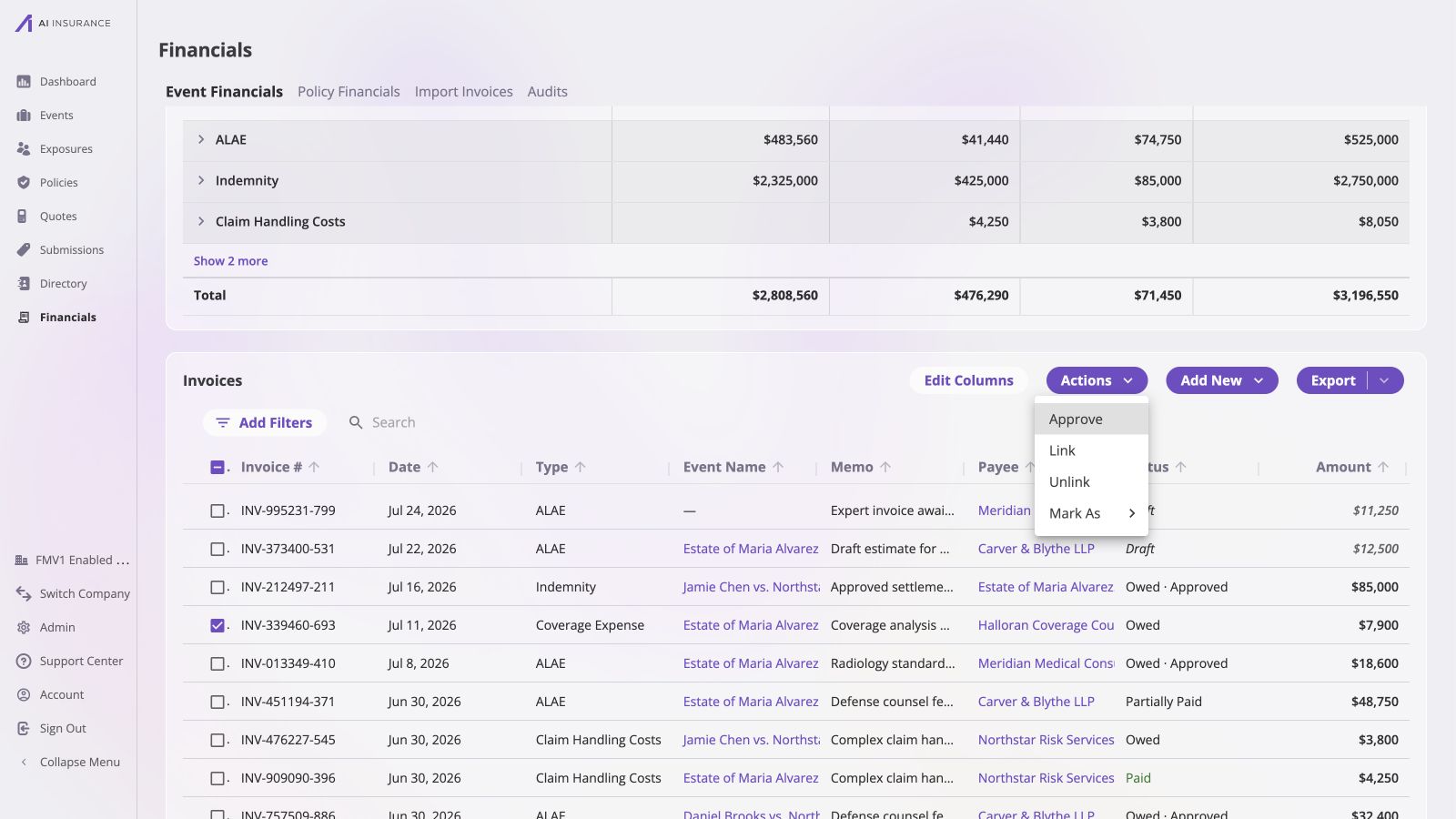
Approve is an explicit bulk action, while the Status column distinguishes Owed from Owed · Approved.
Approval Is Irrevocable Once Money Has Moved
Approval can be revoked — but only while the invoice is still unpaid.
Once any payment has been recorded, the approval that authorized it cannot be
taken back. Un-approving such an invoice requires removing its payments first,
which returns it to Owed, and then revoking.
- Approval is only ever removed deliberately. Nothing clears an approval as a side effect. Removing a paid invoice’s payments returns it to Owed and leaves it approved — it simply becomes revocable again. Leaving it unapproved requires a second, explicit step.
- Editing an invoice does not reset its approval. What was approved — the type and the line item amounts — cannot change after creation, so an edit cannot change what was approved.
- Approval is not part of the status. A Paid invoice is always approved, because money moved. An Owed invoice may be approved or not, and both are normal — the listing writes the approved case as Owed · Approved, the one place the two axes are shown together.
Configuring Approval Authority
Approval authority is set under Admin → Financials Configuration → Approvals. The Approvals configuration page shows how to create roles and assign company users to them. By default there are no custom rules, which means everyone can approve anything. This is the default before approvals are configured, and it is appropriate for a small team. Enabling custom rules narrows it. There are two parts:1
Define roles
A role is a named level of authority. Each role sets a per-invoice-type
ceiling — the largest amount someone with that role may approve on that
type.
- A type with a ceiling of, say, $5,000 → invoices up to $5,000.
- A type with no limit → any amount.
- A type set to $0, or not listed on the role at all → the role cannot approve that type at all.
2
List approvers
Select a specific user from the company’s user directory and assign that
person one role. Repeat this for each approver: different users can hold
different roles, and each person’s authority comes from the limits on their
assigned role. Anyone not on the list has no approval authority.See the Approvals configuration
page for the setup details and an
example with different roles assigned to different users.
A custom role denies any Invoice Type it does not explicitly name. When a new
Invoice Type is added, existing custom roles cannot approve it until granted
authority — while Financial Administrators can approve it immediately. This is
deliberate: new types start locked down.