
Default Approval Behavior
With Use custom approval rules off, every user can approve an invoice. Recording an authorized payment also approves its invoice as part of that action. The Approvals concept explains why approval and payment status remain separate.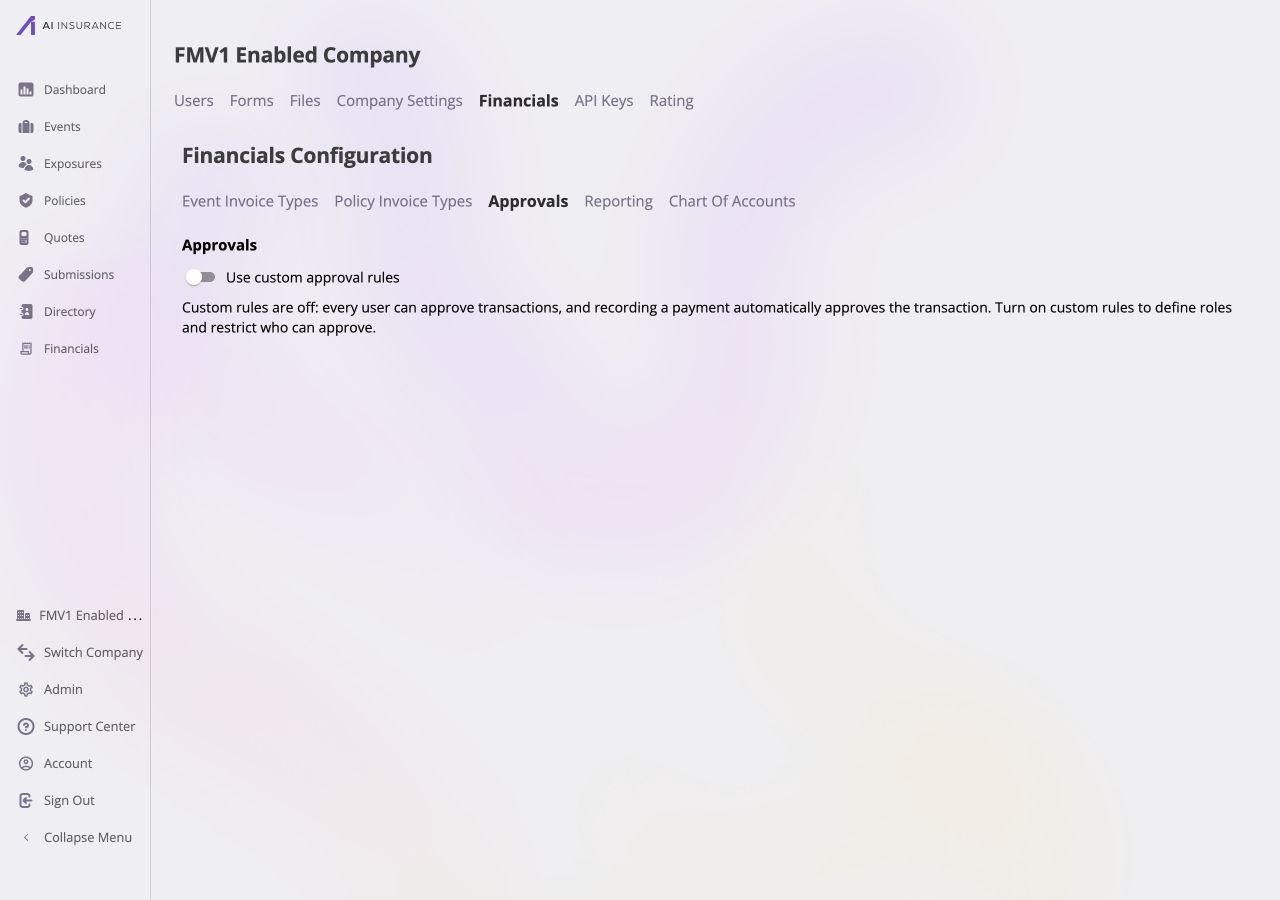
Default approval behavior. With custom rules off, every user can approve invoices.
Custom Approval Rules
Turn on Use custom approval rules to limit authority to the people listed under Approvers. A person outside that list has no approval authority. The built-in Financial Administrator role keeps unlimited authority for every Invoice Type, including types added later. The screen separates the configuration into Roles and Approvers. It saves each completed role or approver action immediately; there is no separate page-level Save or Cancel control. Roles define approval limits, while each approver assignment connects one specific company user to one role. Different users can be assigned different roles.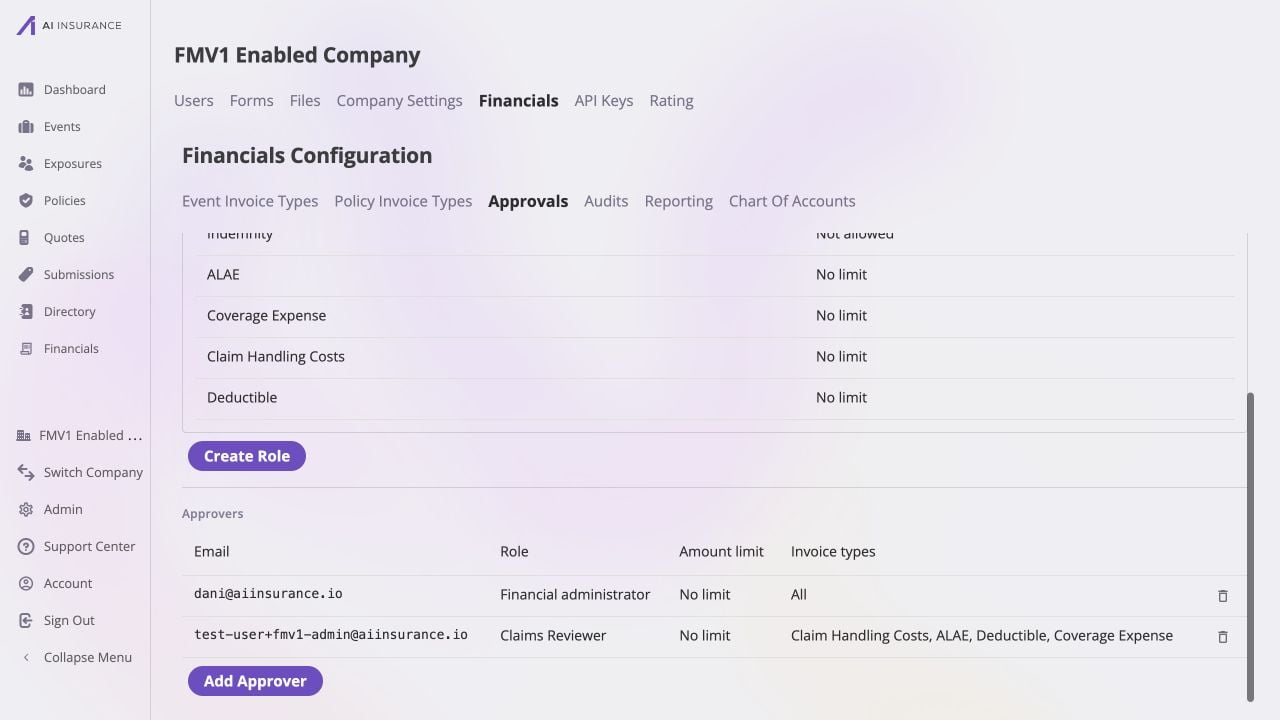
Custom approval rules enabled. Dani is assigned the built-in Financial administrator role, while a second company user is assigned the scoped Claims Reviewer role.
Roles and Limits
Create a role with a unique required name, then set its limit for every active Invoice Type. Each type has one of these limits:
Role names and specific amounts show validation before they can be saved.
Roles can be edited or deleted, but a role assigned to an approver must be
unassigned before deletion. Invoice Types and Line
Items describes the types that appear in the limit
matrix.