
Reference Frames
- Flow signs money in as positive and money out as negative. It expresses the net cash effect on the business.
- Type makes activity in an Invoice Type’s expected direction positive. It presents losses and recoveries as positive magnitudes.
Company-Wide Export Settings
The page has an independent Flow / Type choice for each export surface:- Invoices
- Overview
- Reserve Update
- Event Export
- Smart Tags
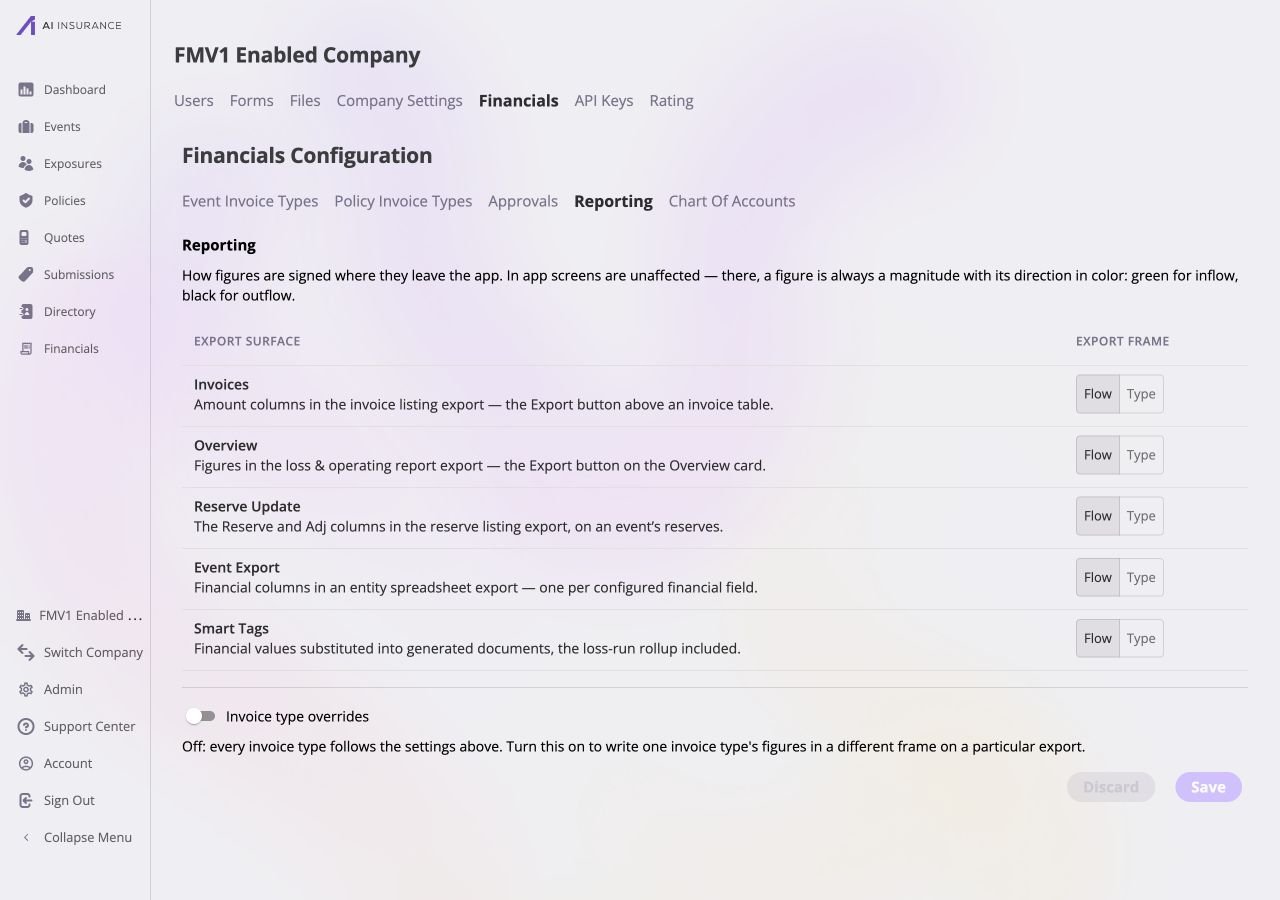
Default company-wide export settings. All five export surfaces use the Flow frame and Invoice type overrides are off.
Invoice Type Overrides
Turn on Invoice Type overrides when an eligible Invoice Type and export surface need a frame different from the company-wide setting. Use Add Override to choose the valid type/surface pair, then remove an existing row to return it to the company-wide frame. The selector excludes duplicate and ineligible combinations; for example, Reserve Update overrides are available only for reserve-bearing types. With the switch off, every type follows its company-wide setting. Turning it off after overrides exist asks for confirmation because those rows will be removed. Overrides do not change the underlying amounts, colors, or which figures appear in the UI.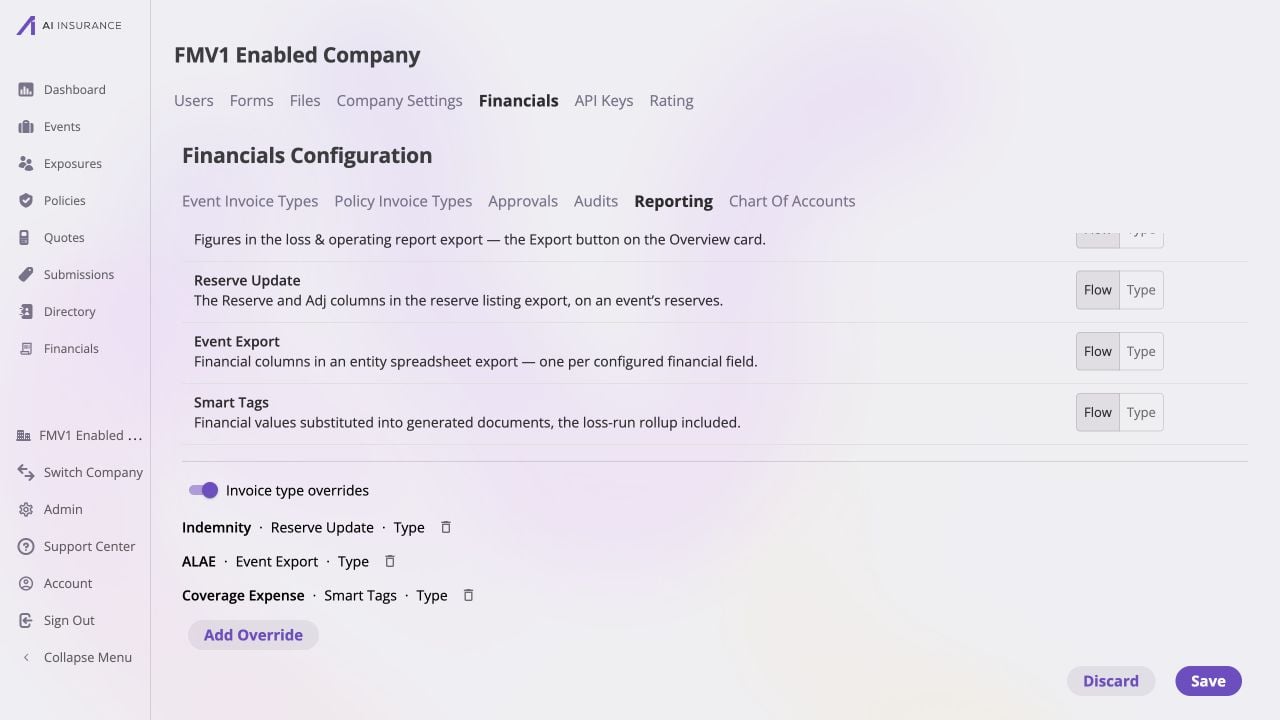
Three invoice type overrides in a Reporting draft. Indemnity uses Type for Reserve Update, ALAE uses Type for Event Export, and Coverage Expense uses Type for Smart Tags.