
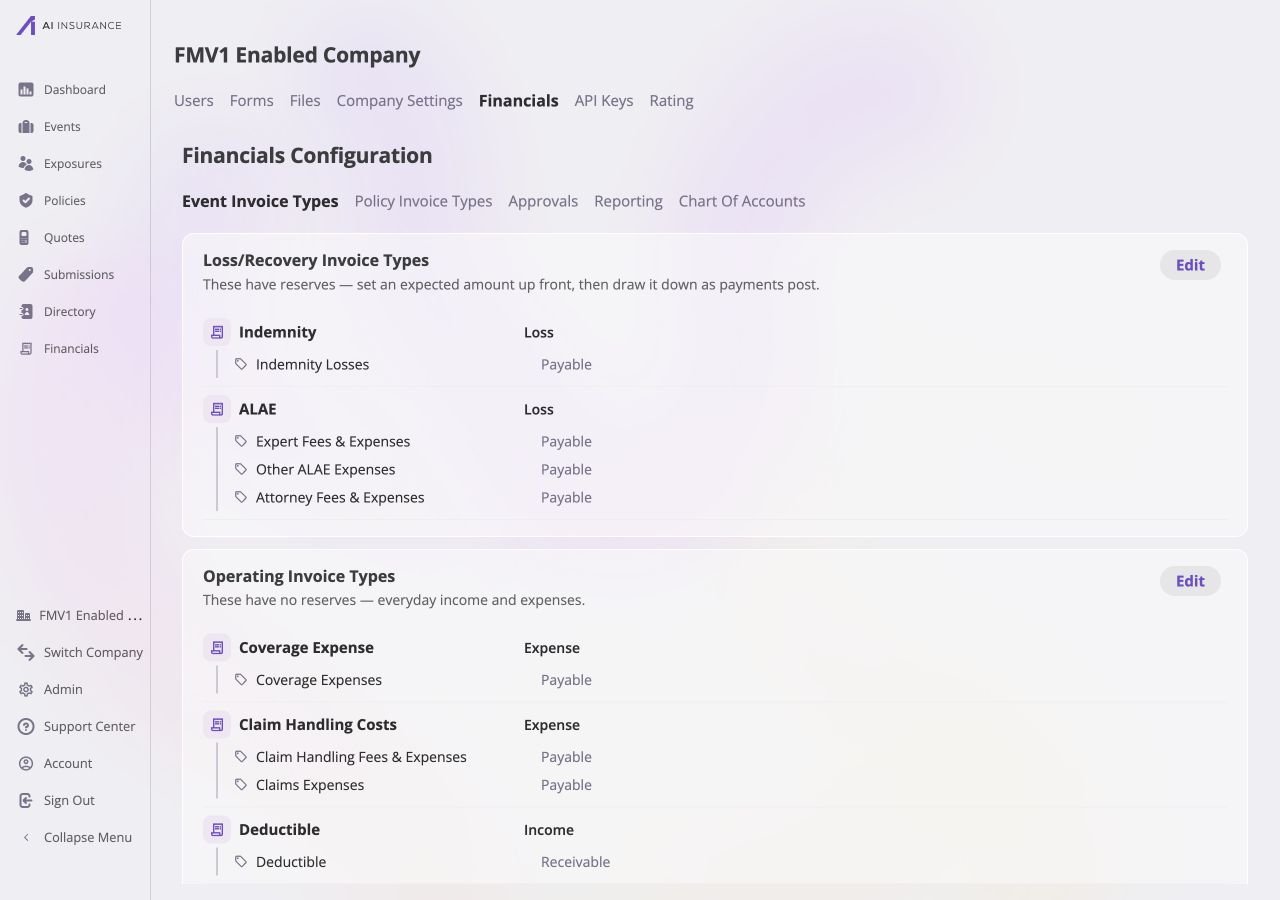
Event Invoice Types, grouped by reserve behavior with their permitted line items nested underneath.
What a Type Defines
Line Items
A type owns a set of Line Item Types. An invoice of that type may use
those line items and no others.
Report Rollup
Reports aggregate by type. Every headline figure — total owed, total paid —
is a per-type total.
Expected Direction
Whether money of this kind normally flows out of the business or into it.
See Expected Direction.
Reserves
Loss/Recovery types track money expected to move before it moves. See
Reserves.
Loss/Recovery Types and Operating Types
Every Invoice Type is one of two kinds, fixed when the type is created. The admin page groups them under exactly these two headings.
An Operating type shows no Reserves figure anywhere — its Reserves column is
structurally empty, and its Total is simply Paid plus Owed.
A type’s kind cannot change once the type exists — reserve tracking is
structural, not cosmetic. Switching kinds means creating a new type.
Line Items
A line item is a component of an invoice’s amount, drawn from the set its type owns. An Indemnity invoice for $15,000 might be one line item of $15,000. An ALAE invoice for $4,200 might be three: $2,500 of expert fees, $1,200 of legal, $500 of investigation. The invoice is one record either way; the line items are how its money is described. Each Line Item Type carries:- A name — what appears in the picker and on reports.
- An expected direction — Income or Expense. This is the direction amounts on that line normally move, and it does not have to match its Invoice Type’s expected direction. See Expected Direction.
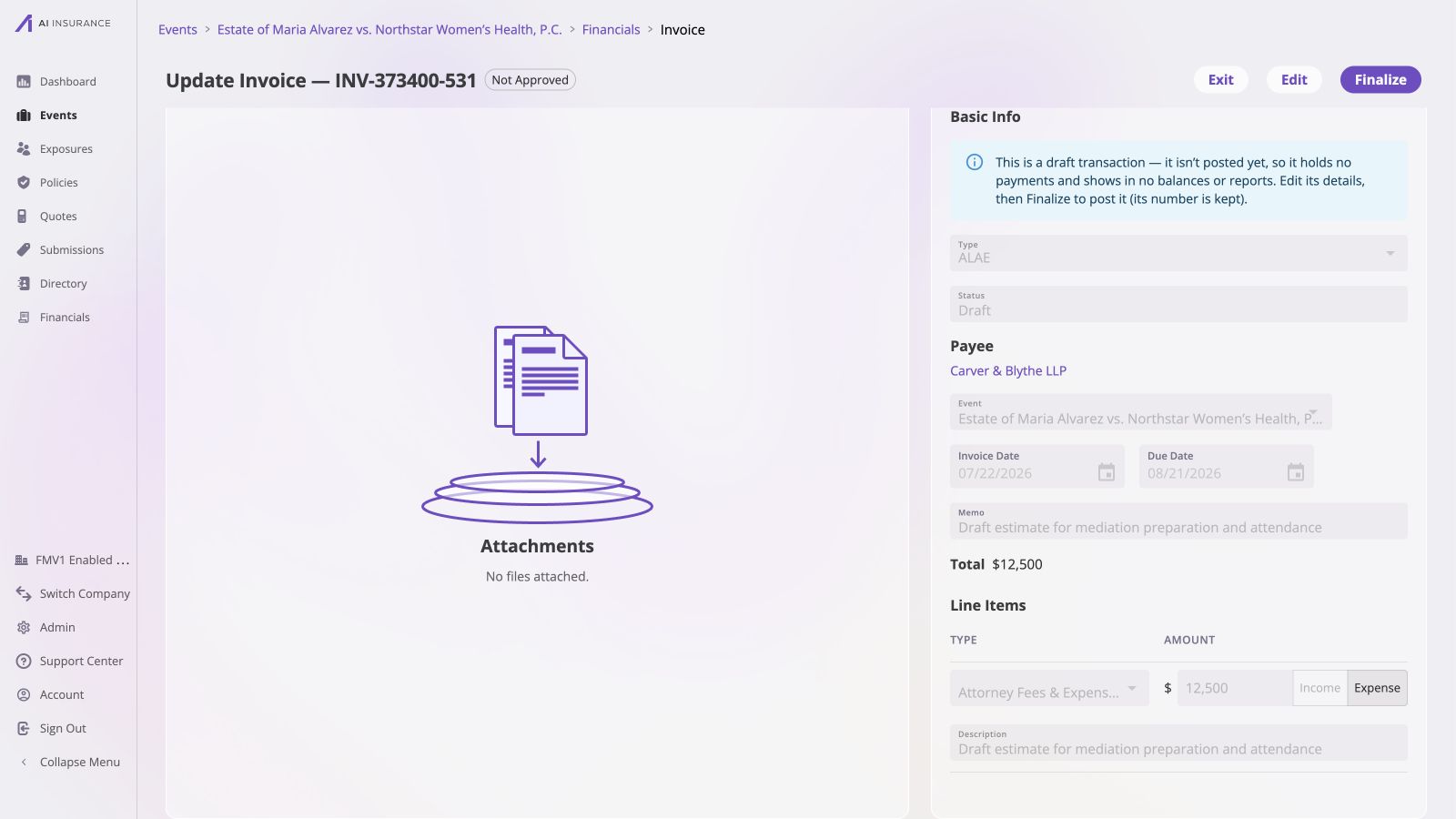
A created ALAE invoice shows the line-item type, positive amount, direction, and description together on the invoice view.
Aggregates Roll Up by Type
Financials reports totals per Invoice Type. This is the Overview Report at the top of Company Event Financials and the Event Financials Tab. One row per type, with four columns:
Expanding a type’s row shows its line items broken out underneath, with Owed,
Paid, and Total per line item.
On the live Event Financials overview, expanding ALAE reveals the same line
item names configured for that type — Expert Fees & Expenses, Other ALAE
Expenses, and Attorney Fees & Expenses — with each row contributing its own
figures to the bold ALAE total above it.
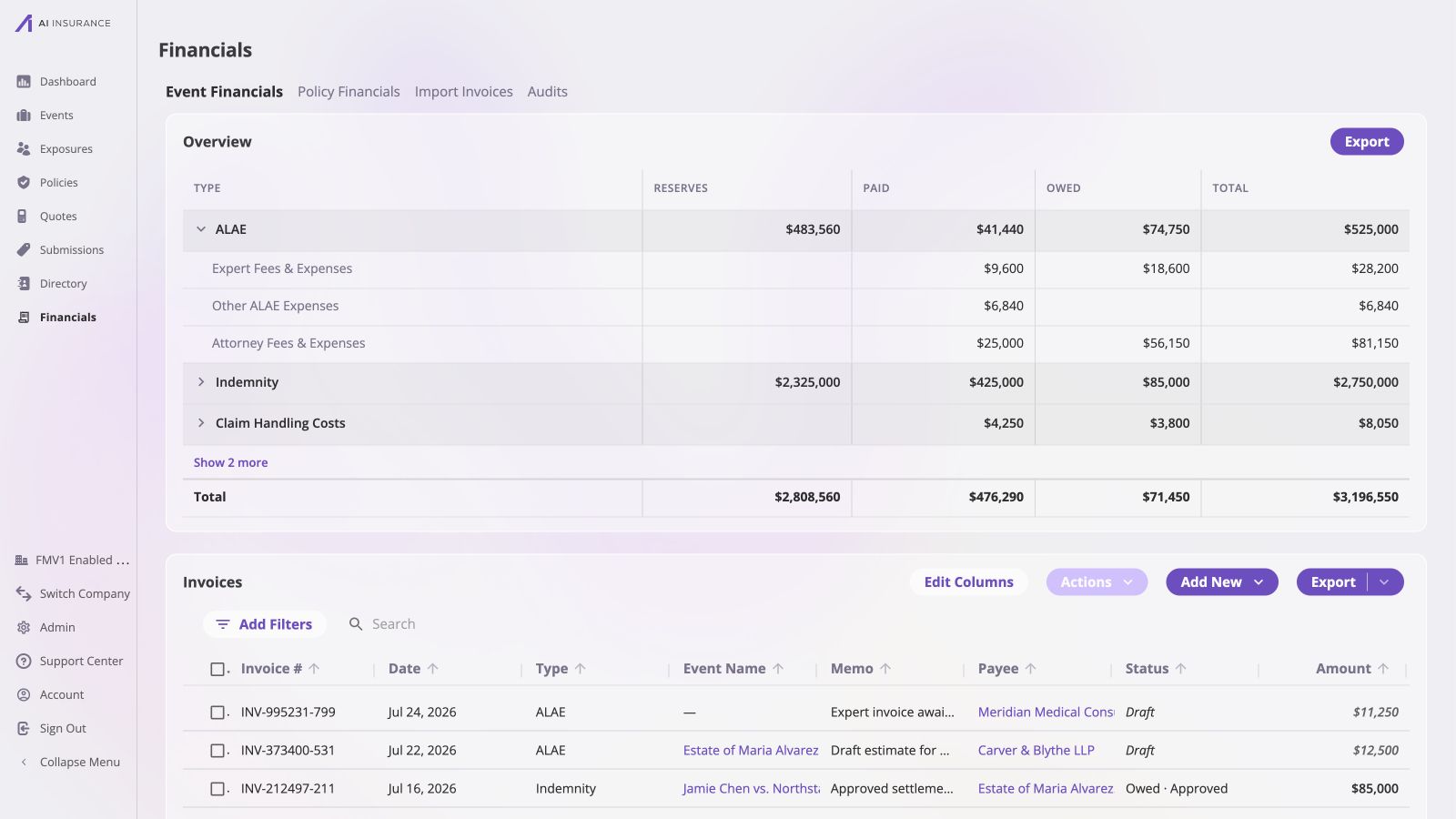
The Event Financials overview expands ALAE into its configured line items, whose Owed, Paid, and Total values roll up to the parent type.
Reserves are never a per-line-item figure. A reserve estimates what a whole
type will eventually cost on an event; it is not divided across the line items
subsequently invoiced. Every line item row therefore shows Owed, Paid, and Total
with an empty Reserves cell.
Retiring a Type or Line Item
Types and line items can be deprecated rather than deleted. A deprecated type or line item:- disappears from every picker, so no new invoice can use it;
- keeps working on every invoice that already references it — those invoices still list, open, and accept payments normally;
- still appears on reports for as long as it carries a non-zero figure.