
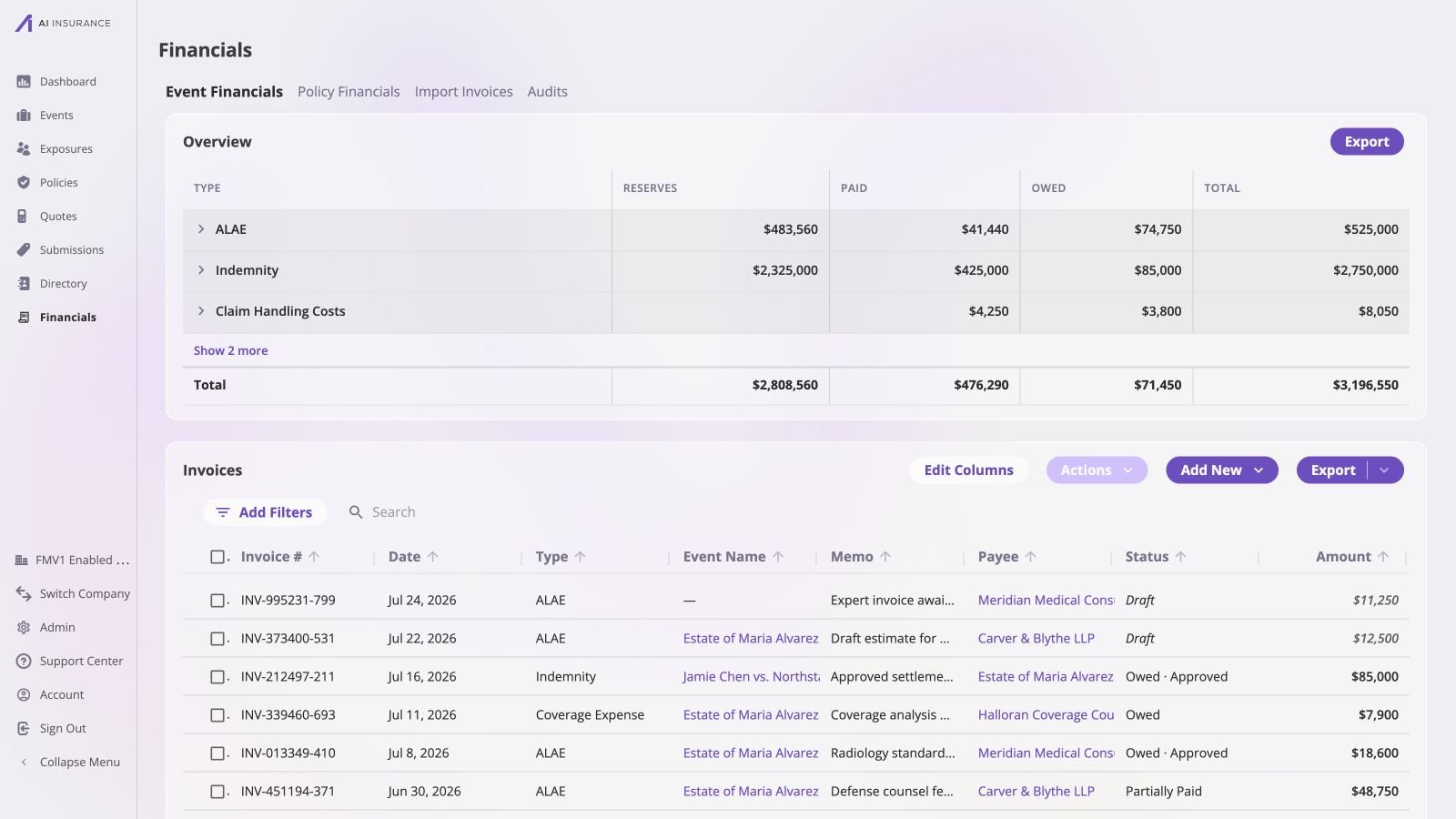
The company-wide invoice list combines type, event, payee, status, and amount in one working view.
Invoices Point in Either Direction
An invoice in AI Insurance covers both kinds of bill — one received, from a vendor, an adjuster, or an expert, and one issued, billing an insured or a third party. An invoice therefore records money moving in either direction.
There is no separate record type for expenses and income. One invoice can even
carry both directions at once — a bill with a fee on it and a credit against it
is one invoice with two line items pointing opposite ways.
This is why the app refers to the direction of money rather than to “payments”
and “receipts”. Direction is a property of the amounts on an invoice, not a
property of the invoice’s record type.
What an Invoice Carries
Opening an invoice brings those dimensions together. In the example below, the
payee and event identify the parties and context, while the line-item table
separates the original amount, what has been paid, and what remains outstanding.
The Payments section preserves the transaction that produced the paid figure.
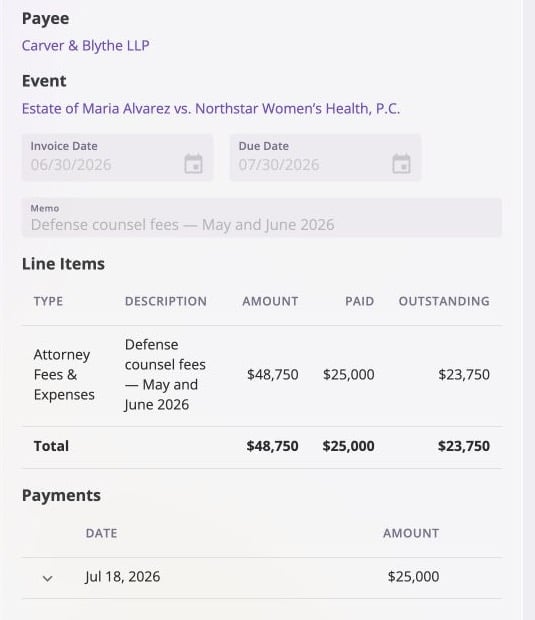
A partially paid ALAE invoice: $48,750 total, $25,000 paid, and $23,750 still outstanding.
Amounts Are Always Positive
Every line item’s amount is entered as a plain positive figure on an explicit Income or Expense side. The flow of money is always carried by that toggle, never by a minus sign — the UI disallows entry of negative amounts outright.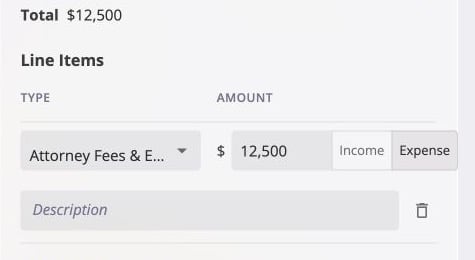
A new invoice keeps the amount positive and stores its direction separately; this ALAE line is an Expense.
The Three Figures Every Invoice Reports
Once an invoice exists, it reports three amounts:Total
The net of every line item — the money this invoice commits to move.
Paid
The net of every payment recorded against it so far.
Balance Due
Total minus Paid — what is still outstanding.
Worked Example
An invoice with two line items: a $1,000 subrogation recovery on the income side, and $400 of associated legal fees on the expense side. Its total is $600 income — the net of the two.
Balance due changes direction between the first and second rows. Collecting the
recovery brings in more than the invoice nets to, so what remains outstanding is
no longer money owed to the business but the legal fee still owed by it.
Total never moves — it is fixed by the line items at creation. Paid accumulates
as money is recorded on either side, and Balance due is always the difference
between the two.