
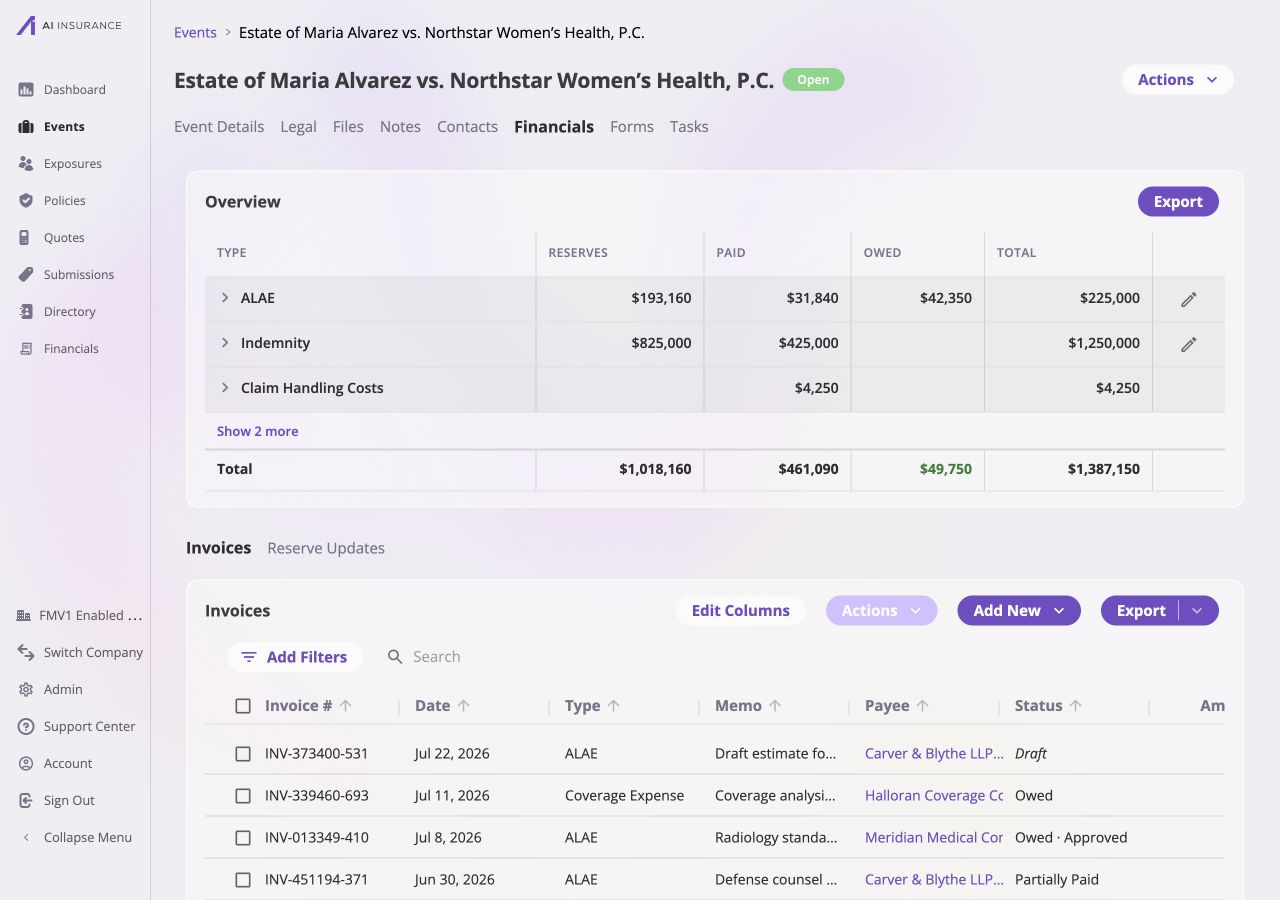
The Alvarez event's Financials tab. The event header establishes scope, so the invoice table does not need an Event Name column.
Overview Report
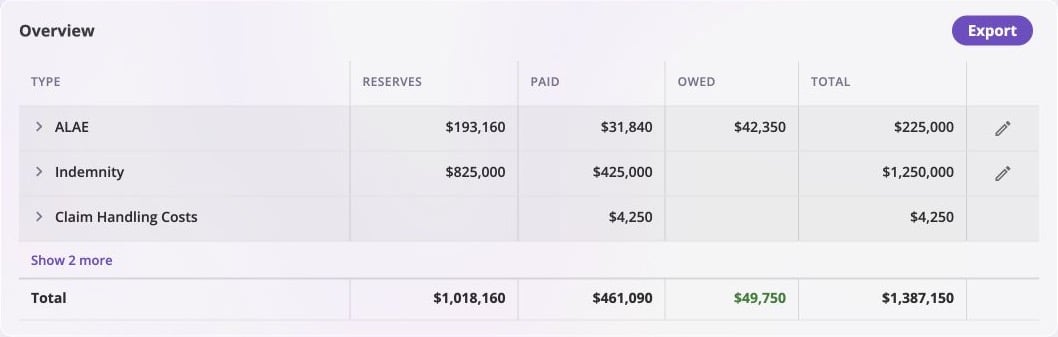
The event-scoped Overview Report. The edit controls on ALAE and Indemnity are available because those Loss/Recovery types carry reserves.
Select the chevron on a type to inspect its line-item breakdown. Select Show
more to reveal additional types. Amounts coming into the business appear in
green; amounts going out use normal text. Reference
Frames explains how those colors become signs in
an export. The Accounting
Model explains how posted activity
produces the displayed balances.
Setting a Reserve
Only the Event Financials Tab can change reserves. Select the edit control on a Loss/Recovery row, enter the new remaining reserve, and record the effective date and reason. The app derives the new expected total from the amount already paid plus the reserve entered. Reserves explains the reserve identity, updates, and payment-driven changes.Invoice List
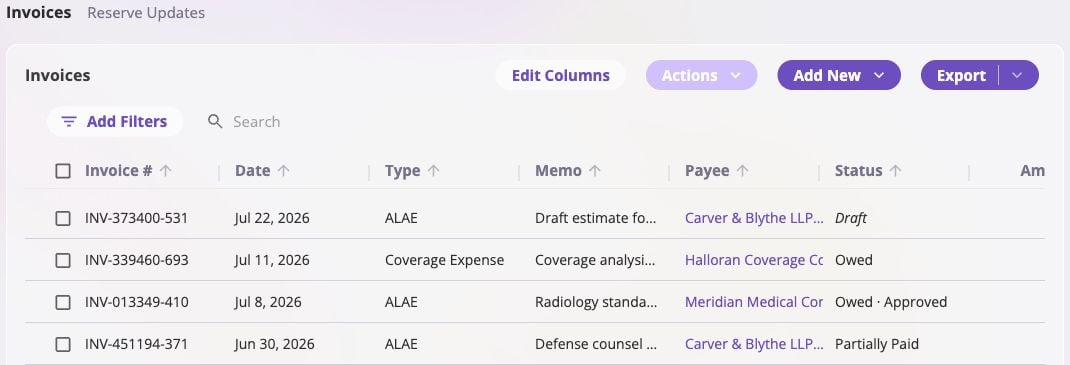
The event invoice list. Event Name and Event ID are omitted because every row is already scoped to the Alvarez event.
- Add New opens New Invoice already linked to this event. Selecting a row opens Invoice Detail.
- Event Name and Event ID are not available as columns because they would repeat the same value on every row.
Bulk Actions
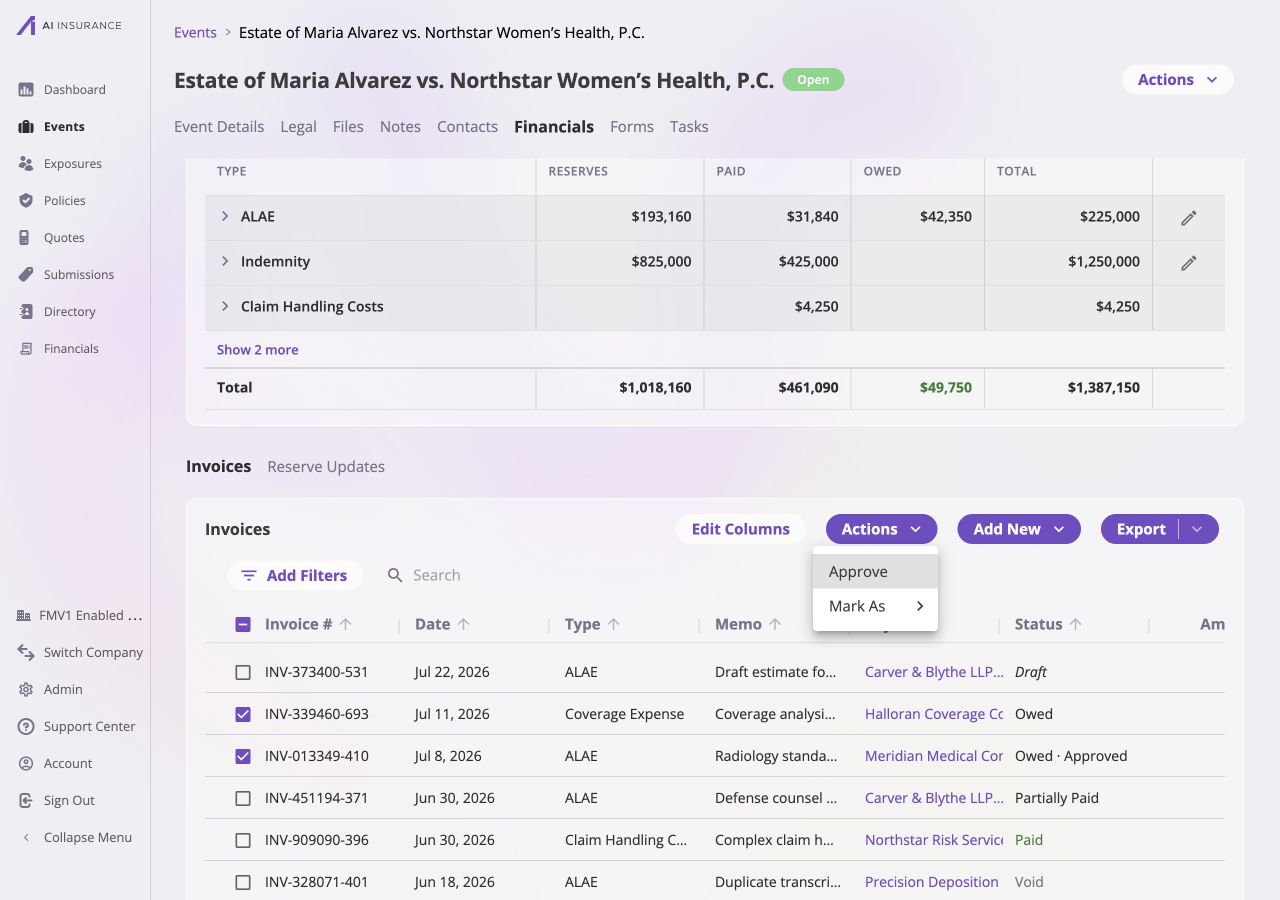
Two event invoices selected. The event-scoped Actions menu offers approval and status transitions, but intentionally omits Link and Unlink.
Reserve Updates
Select Reserve Updates below the Overview Report to see every change to this event’s reserve balance.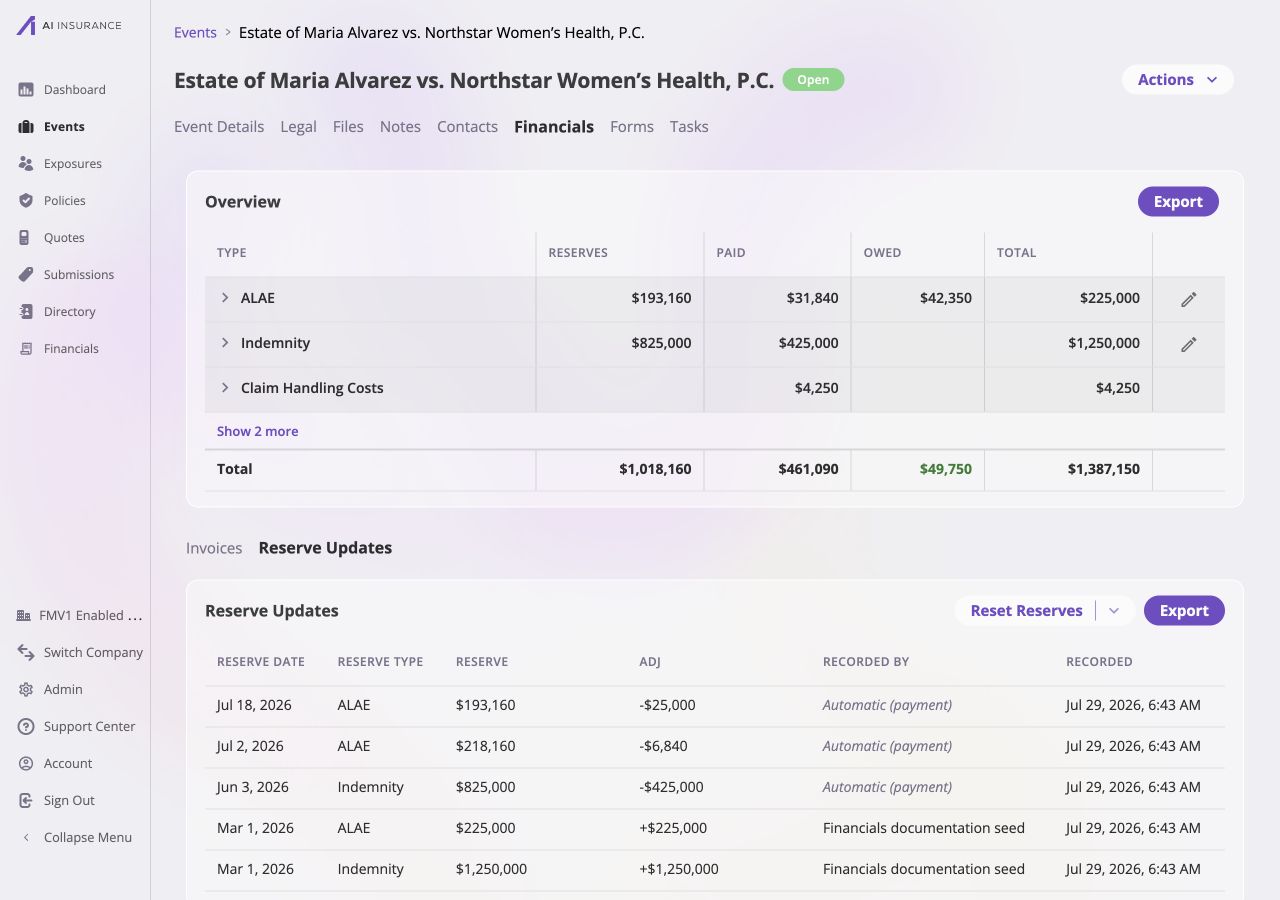
Reserve history for the Alvarez event. Initial estimates appear alongside automatic reductions created when eroding payments were recorded.
Use Export to download the history. Reset Reserves is an administrative
correction that starts a type’s reserve history fresh; Resetting Reserve
History explains its effect.