
The Account Roles
Every account has a role, which says what it is for.What Gets Minted, and When
The company's first Invoice Type mints Cash
A Loss/Recovery type mints its three core accounts
Each Line Item Type mints a pair
- The three core accounts follow the Invoice Type’s expected direction.
- Each line item pair follows that line item’s own direction.
Worked Examples
Three types, each with two line items pointing in opposite directions. Cash is shared company-wide and is not counted in any of them. Each tab gives the same set twice: a table pairing every account with its provenance and its chart section, and a tree showing the shape a configuration mints. A dash in the Line Item column marks an account minted at the Invoice Type level, which belongs to no line item. Hover any account name to see its machine key.- Operating
- Loss
- Recovery
Commission
(expense) and Refund (income).An Operating type mints no core accounts. Two line items × two accounts =
4 accounts.| Invoice Type | Line Item | Account | Section |
|---|---|---|---|
| Broker Fees | Commission | Expenses | |
| Broker Fees | Commission | Liabilities | |
| Broker Fees | Refund | Income | |
| Broker Fees | Refund | Assets |
Comission as its Invoice Type name and gives the two line items their
full display names.
Invoice type configuration
Invoice type configuration
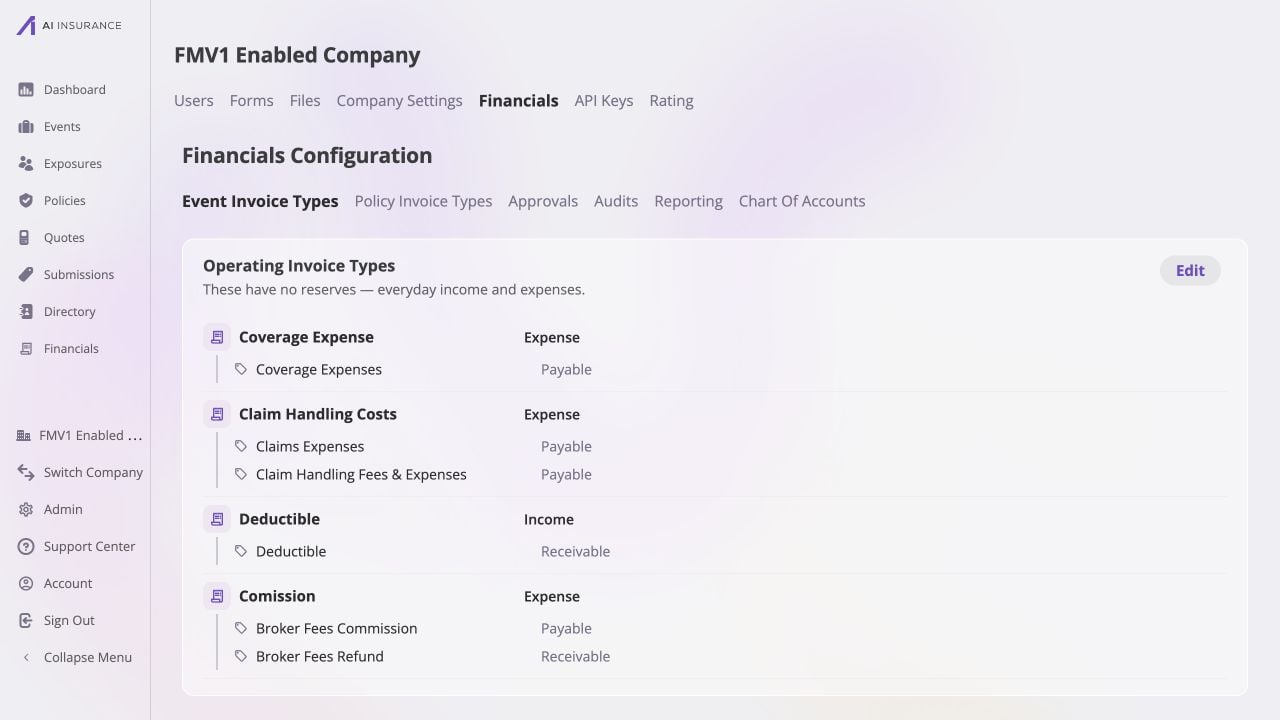
The Operating Invoice Type named Comission contains Broker Fees Commission as a Payable line item and Broker Fees Refund as a Receivable line item.
Fees (outbound)
Fees (outbound)
Broker Fees Commission line item creates an expense account
and its matching payable.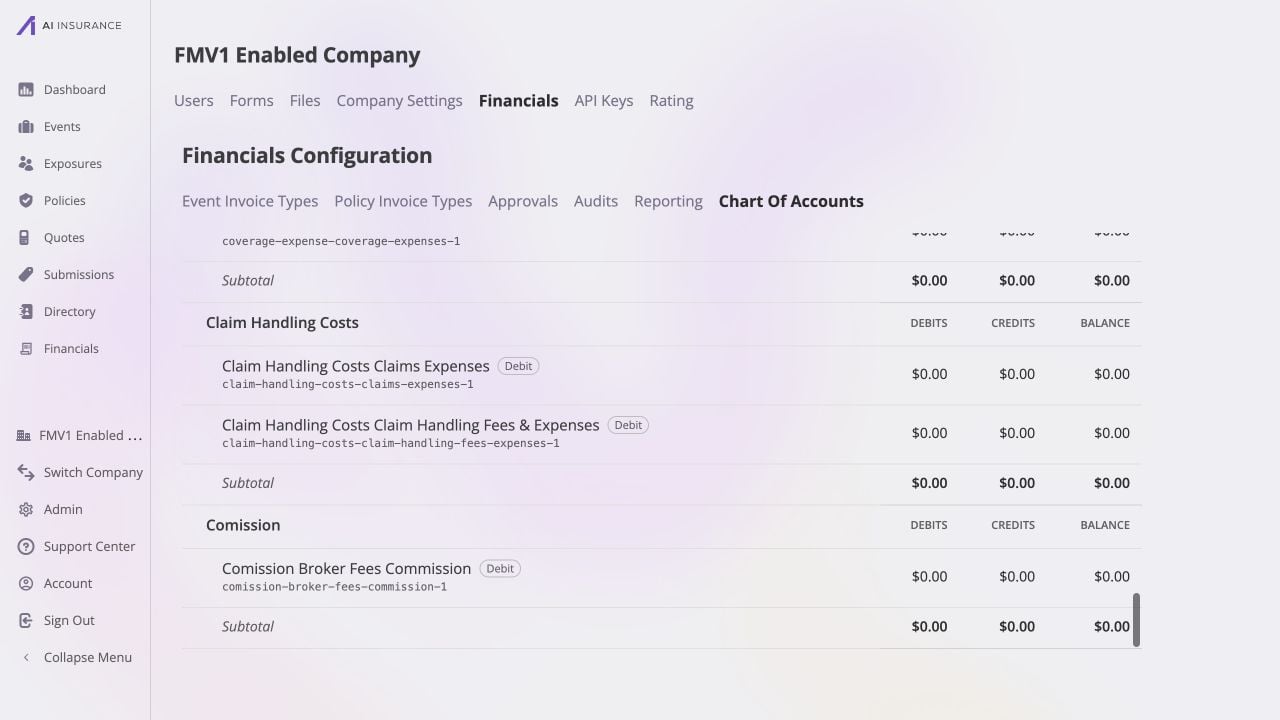
The expense half appears as Comission Broker Fees Commission under Expenses. It is debit-normal and uses the stable key comission-broker-fees-commission-1.
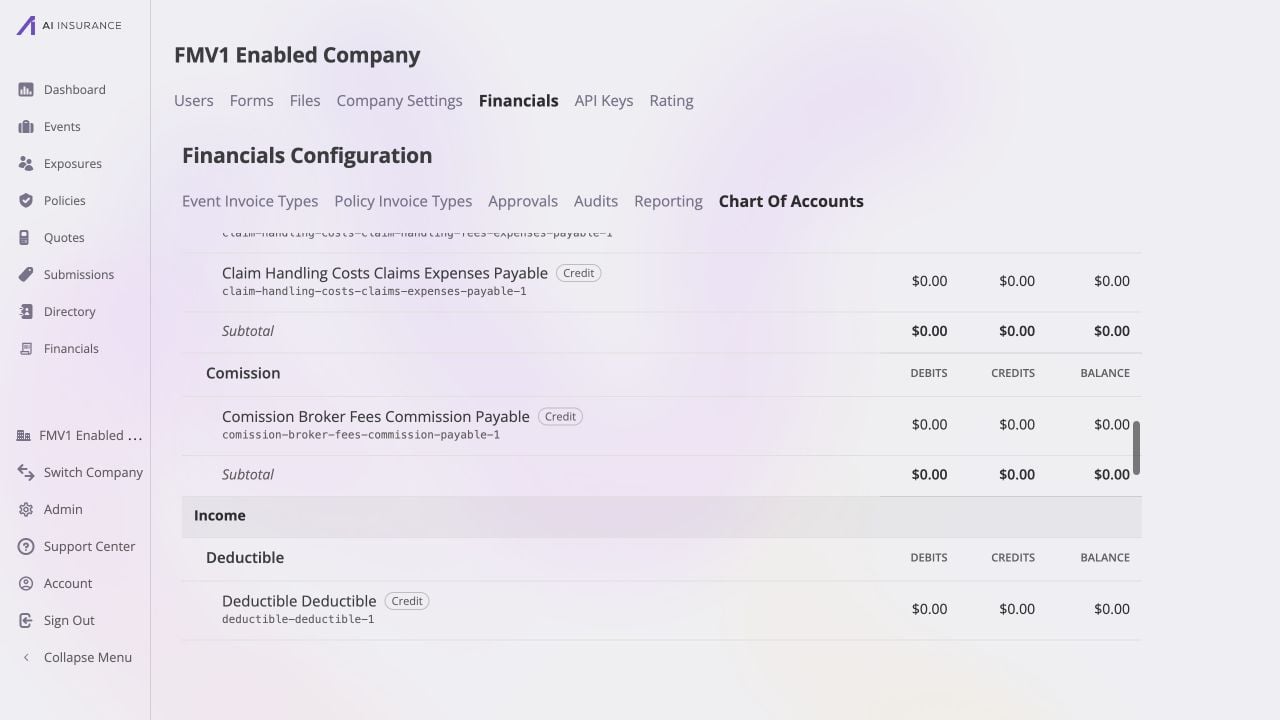
The liability half appears as Comission Broker Fees Commission Payable under Liabilities. It is credit-normal and uses the stable key comission-broker-fees-commission-payable-1.
Fees refund (inbound)
Fees refund (inbound)
Broker Fees Refund line item creates an income account and its
matching receivable.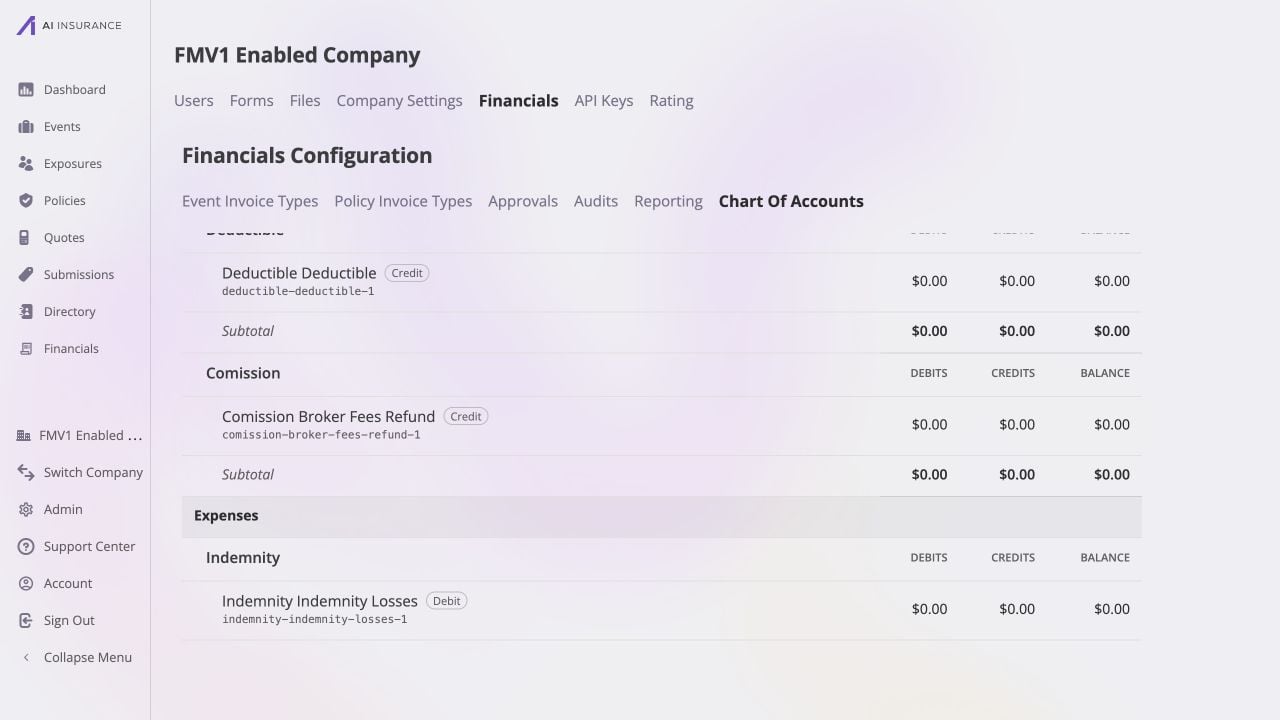
The income half appears as Comission Broker Fees Refund under Income. It is credit-normal and uses the stable key comission-broker-fees-refund-1.
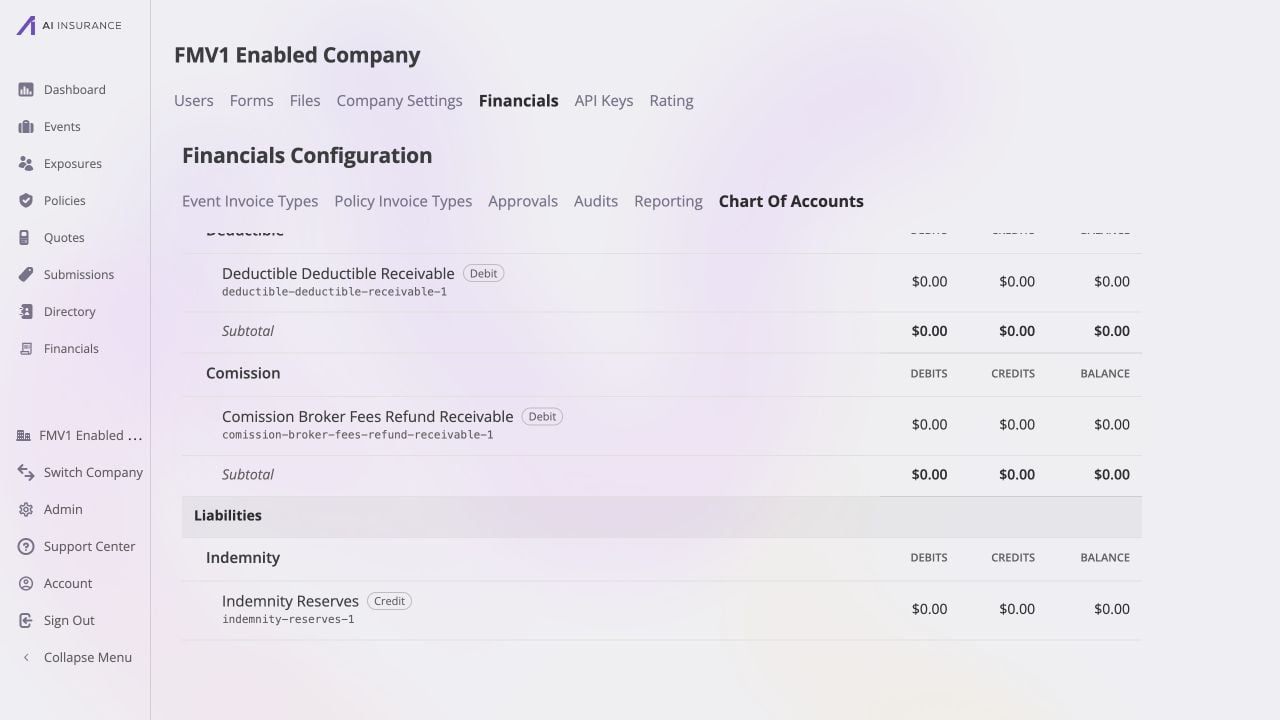
The asset half appears as Comission Broker Fees Refund Receivable under Assets. It is debit-normal and uses the stable key comission-broker-fees-refund-receivable-1.
Video walkthrough
Watch the complete example, from configuring the two line items through inspecting all four generated accounts.-reserves,
-unpaid, -additional — even though their display names are not. A machine
reading alae-unpaid-1 and subrogation-unpaid-1 resolves both the same way; only
the words a human sees change with direction.Accounts Are Frozen at Birth
An account’s name is fixed the moment it is minted, and there is no operation anywhere that renames, re-parents, or re-orients one. The Chart of Accounts page is therefore an inspection surface, not an account editor. Each account also has a stable machine key —indemnity-unpaid-1,
alae-legal-fees-payable-1 — which is what exports and integrations resolve
against. The trailing number makes the key unique: deprecating an “Indemnity” type
and creating a new one mints indemnity-unpaid-2 alongside the original, so the
old postings stay attached to the old account.
The only account that can ever be removed is one that has never been posted
to — deleting a configuration row you just created by mistake. Once a single
ledger row exists against an account, it exists permanently.
The Four Sections Are a Lens, Not a Structure
Accounts read into the four familiar sections:Assets
Liabilities
Income
Expenses
Balances by Entity
Alongside the ledger, Financials keeps a running balance per account per entity — for events, policies, and payees. This is what makes “the outstanding balance on this claim” or “what we owe this vendor” answerable without scanning the ledger. Like everything in the read tier, these are derived and rebuildable. The ledger remains the authority; the per-entity balances are a summary of it kept current as actions land. Those summaries feed the Company Event Financials and Event Financials tab views.Appendix: Every Minting Rule
The complete set. Nothing else mints an account, and there are no other combinations.Company level
Invoice Type level
Read from the Invoice Type’s expected direction.<T> is the type’s name at
the moment of minting, <t> its slug.
Line Item Type level
Read from the line item’s own direction, independently of its type’s. Applies to line items on both kinds of Invoice Type, identically.Counting
For one Invoice Type with n line items:N is the uniqueness suffix, and it is almost always 1. It increments only when
a stem is already taken — deprecating an “ALAE” type and creating a new one by the
same name mints alae-unpaid-2 beside the original alae-unpaid-1, so postings
made against the old configuration stay attached to the old accounts.