
Choose Full or Partial
Open the invoice from Financials → Event Financials or from an event’s Financials tab. Review its line-item Amount, Paid, and Outstanding figures before choosing a payment path.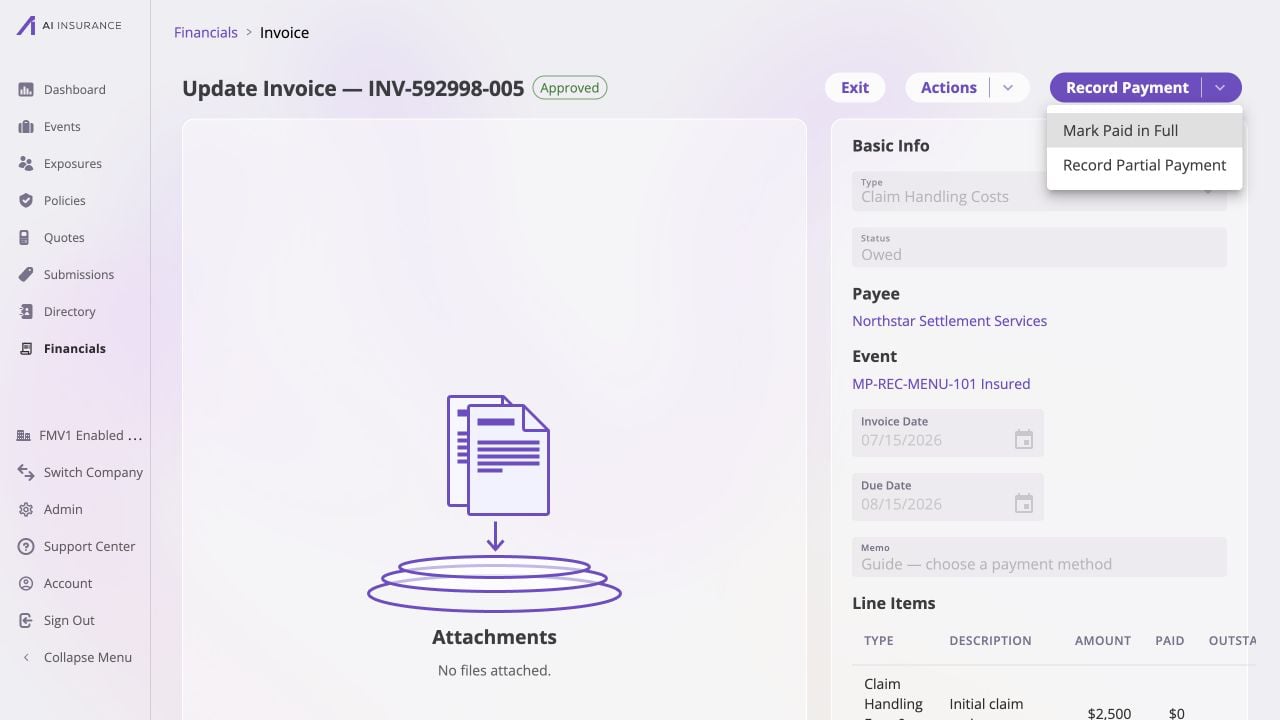
An approved Owed invoice offers full and partial payment paths after you verify its payee, event, and open line items.
Mark the Invoice Paid in Full
Open the full-payment confirmation
Set the paid date
Confirm the settlement
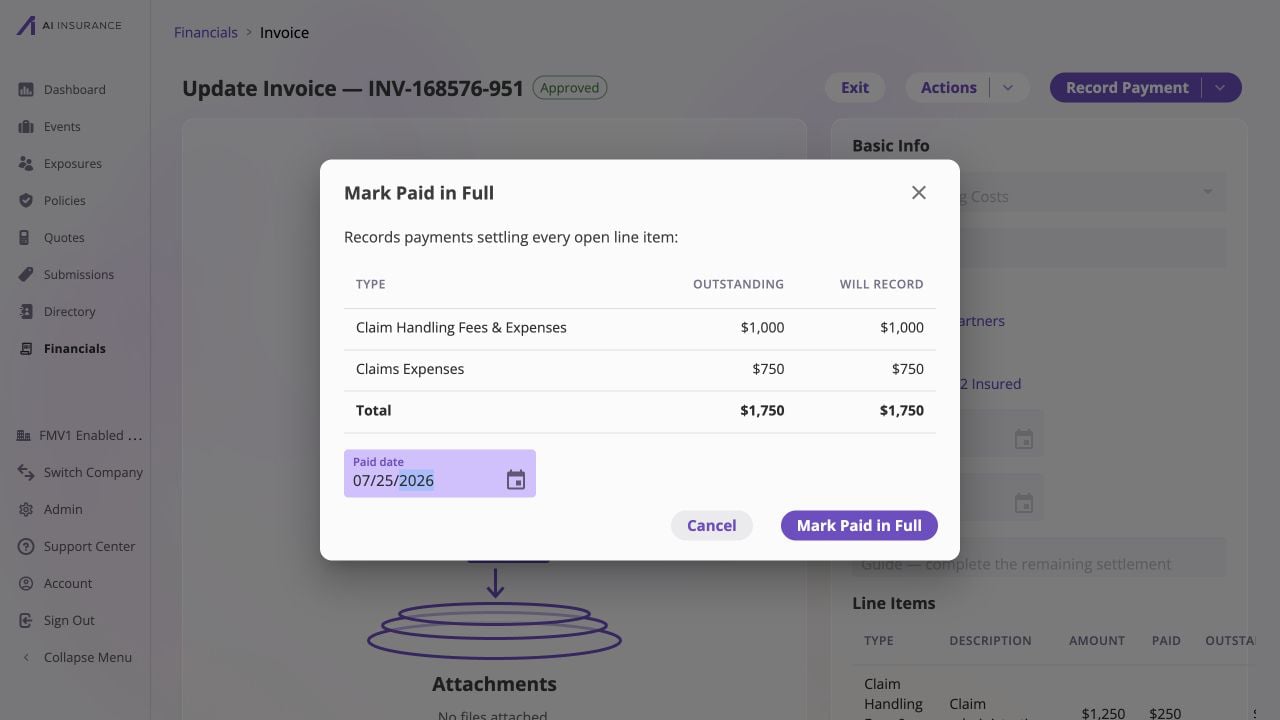
Mark Paid in Full applies each open line's exact remainder on one paid date; this $1,750 settlement closes both lines.
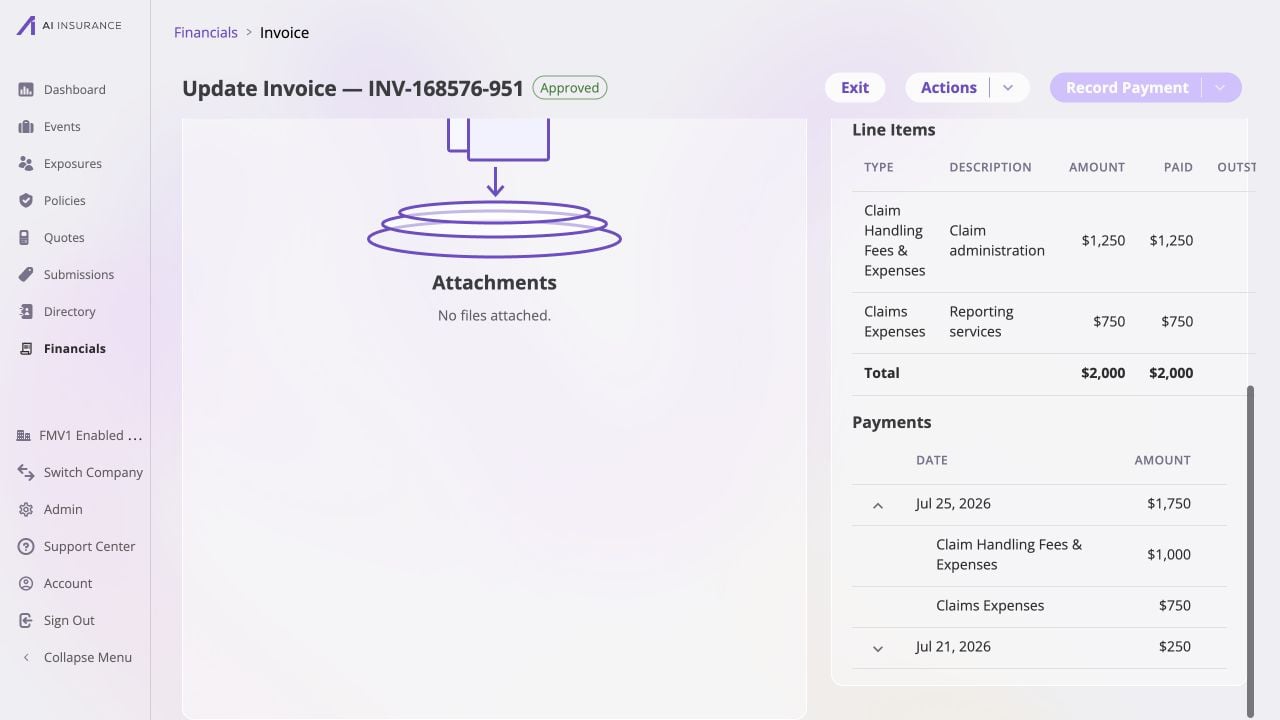
After full settlement, both lines are fully paid and the expanded July 25 payment preserves the $1,000 and $750 allocations.
Record a Partial Payment
Open the itemized payment table
Enter only the amounts that moved
Set each paid date
Record the entries
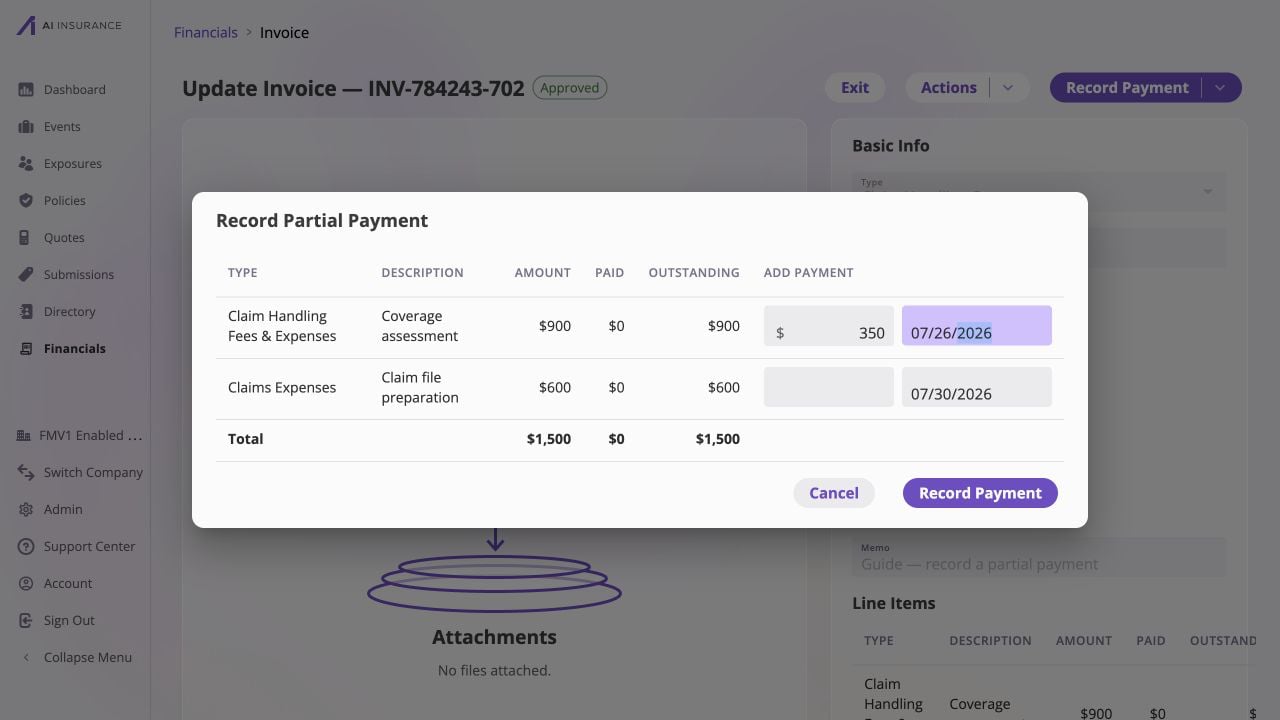
A partial payment names only the line that received money; the untouched line remains blank and keeps its full outstanding balance.
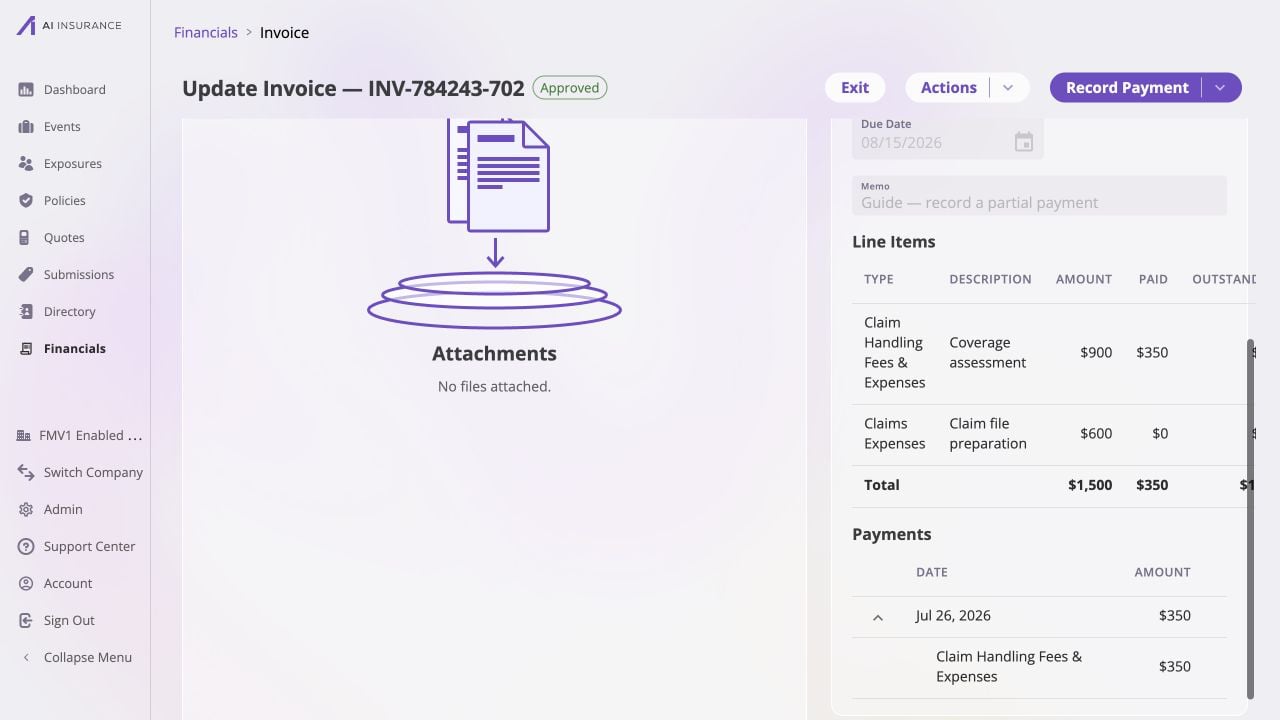
The $350 installment reduces only the selected line, leaving $1,150 outstanding and a dated payment record in the history.
Add a Later Payment
Open the partially paid invoice again and choose based on what happened next:- use Record Partial Payment for another installment or for selected line items; or
- use Mark Paid in Full when every remaining line is now being settled.
Resolve a Reserve Decision
Payments on a Loss/Recovery Invoice Type linked to an event normally reduce that event’s reserve silently. The app pauses when the payment would cross the reserve through zero or move it away from zero. When prompted, review the event, Invoice Type, current reserve, payment, and resulting amount before choosing:- Update Reserves adjusts the reserve basis so the payment can update reserves as described in the dialog. This is selected by default.
- Update Expected Totals records the payment without reducing the existing reserve, so the expected total changes instead.
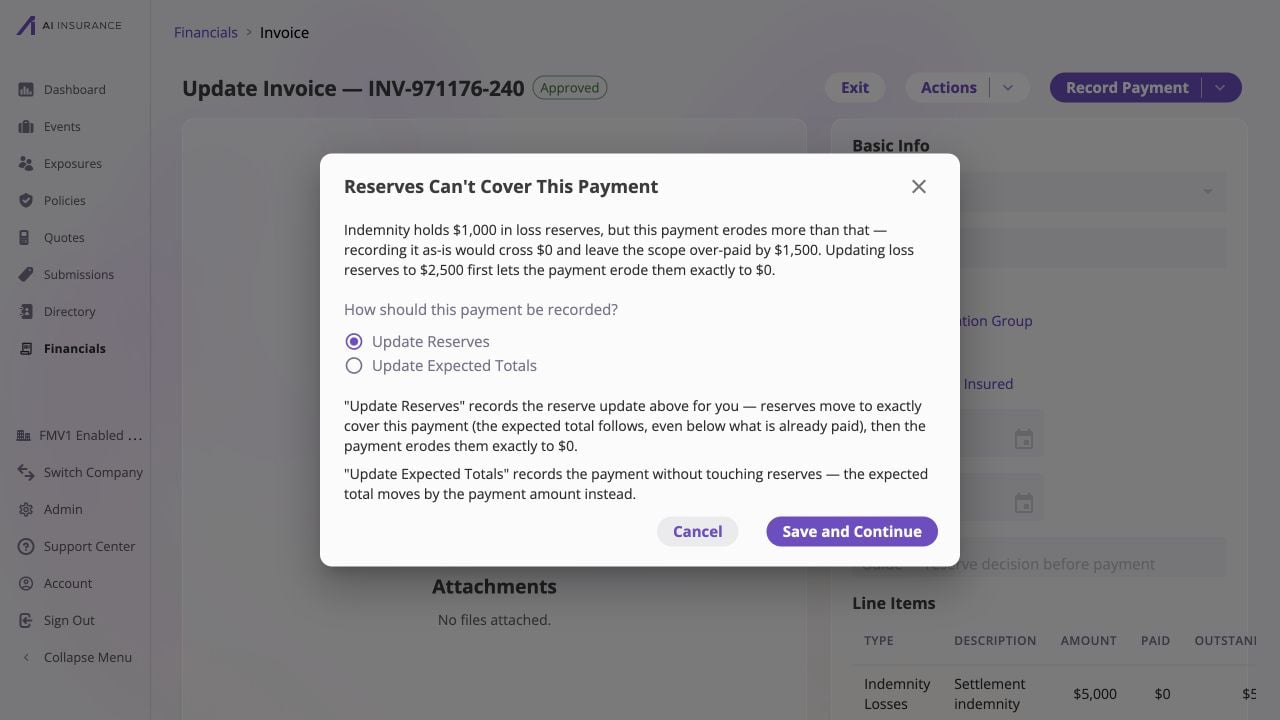
When a $2,500 payment would pass a $1,000 reserve through zero, review both accounting outcomes before continuing.
Verify the Result
After any payment, confirm:- Status is Partially Paid or Paid based on line-level settlement;
- Approved is shown, including when your payment implicitly approved the invoice;
- Paid and Balance Due match the source record;
- every payment has the intended line item, amount, and paid date; and
- for Loss/Recovery activity, the event’s Overview Report and Reserve Updates reflect the reserve choice you made.