
If the invoice is still a Draft, edit and finalize that draft instead.
Drafts are the only invoices whose Type and line items can be corrected in
place.
Review the Original
Open the incorrect invoice and record:- its invoice number;
- the correct event and payee;
- the invoice, due, and paid dates that remain valid;
- the intended Type and line-item breakdown;
- any supporting files that remain valid; and
- whether its recorded payments represented money that actually moved.
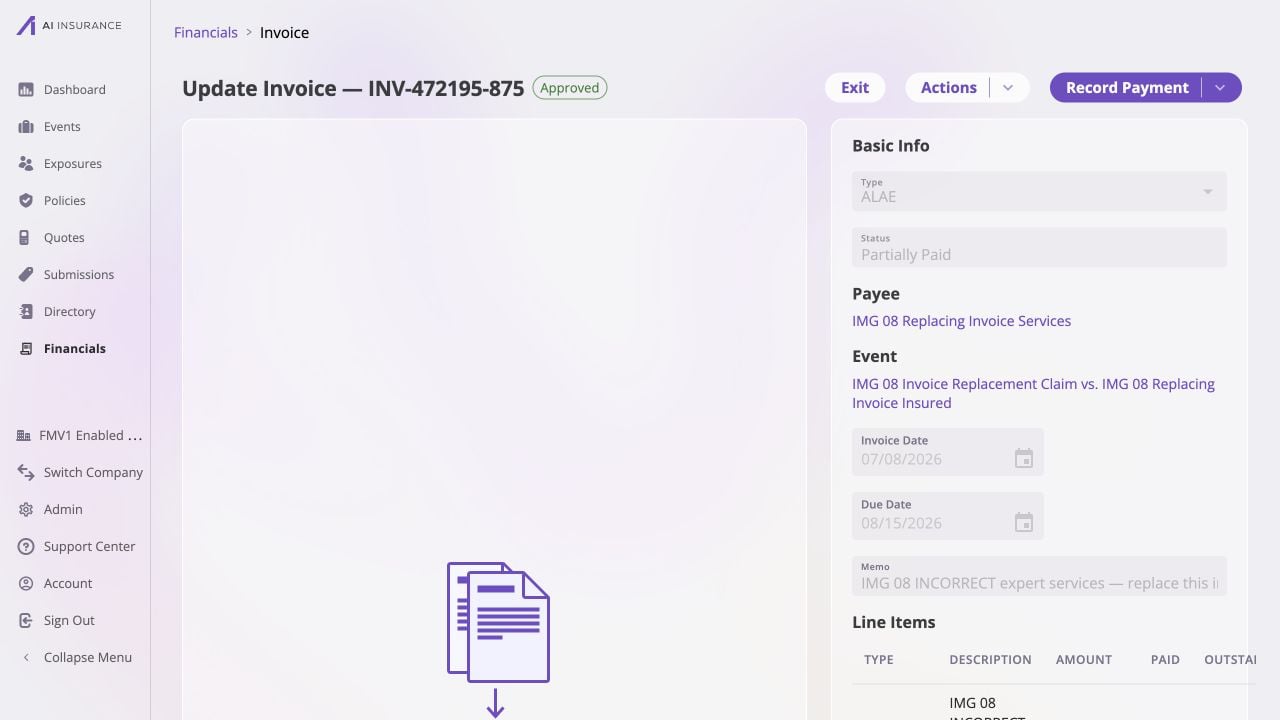
Before voiding, capture the original record's identity and payment state: INV-472195-875 is an approved, partially paid ALAE invoice with a $5,525 total and $1,500 paid. No file is attached in this example.
Void the Incorrect Invoice
- Select Actions → Void.
- Review the confirmation, including the automatic reversal of any payments.
- Select Void Invoice.
- Confirm that the original now has a Void status and no active balances.
Create the Replacement
Return to the scope where the replacement belongs:- use the event’s Financials tab to pre-link it to that event; or
- use Financials → Event Financials to choose an event or leave it unlinked.
- Select Add New and choose the correct Invoice Type.
- Re-enter the correct payee, invoice date, due date, and line items.
- In Memo, identify the relationship, for example:
Replacement for INV-000123-456 — incorrect line-item amount. - If a source file supports the correction, attach the correct file. Do not carry forward an attachment that was itself incorrect.
- Choose Owed when payment still needs to be recorded. Choose Paid only when the replacement must represent money that already moved, and use the actual payment date.
- Review the net Total and select Create.
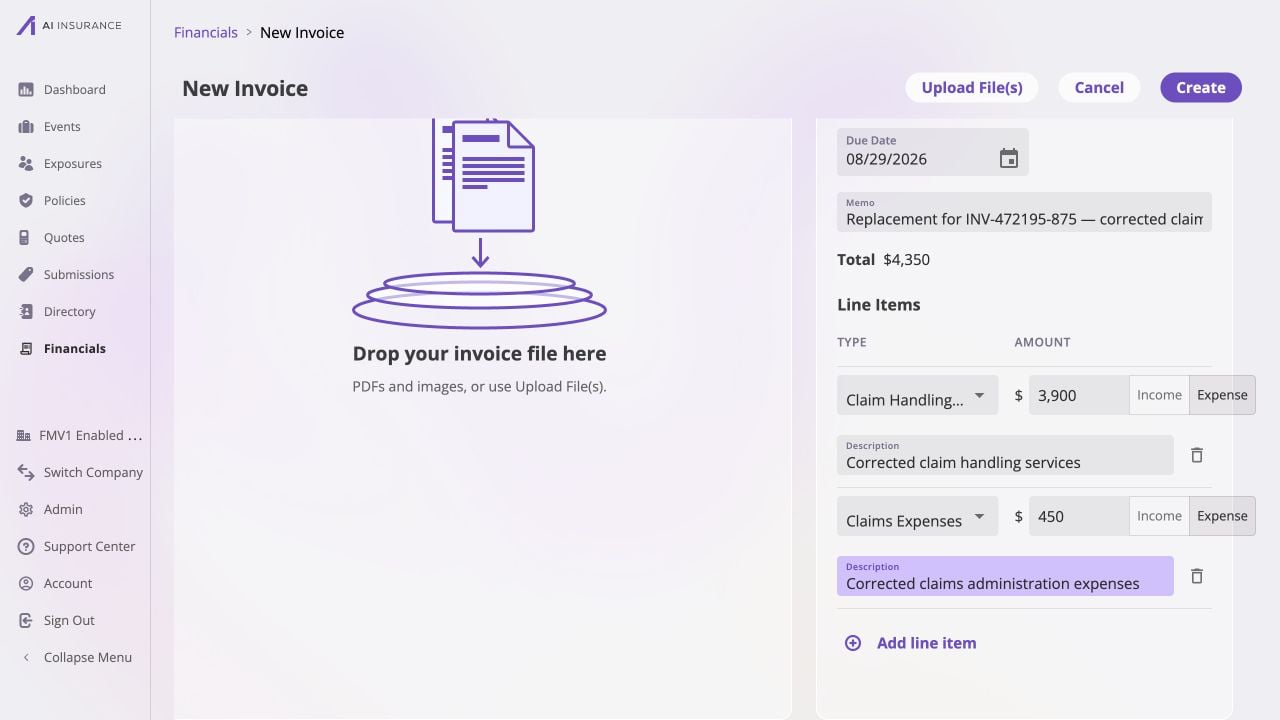
The corrected replacement is ready to create: it totals $4,350 across a $3,900 Claim Handling Fees & Expenses line and a $450 Claims Expenses line. The memo ties it to INV-472195-875; the empty drop zone means no file is staged.
Verify the Correction
Search for the original and replacement invoice numbers. Confirm that:- the original remains Void;
- the replacement is Owed, Partially Paid, Paid, or No Charges as intended;
- only the replacement contributes to company and event totals;
- the replacement has the correct immutable values and attachments; and
- any approval and payments belong to the replacement record.
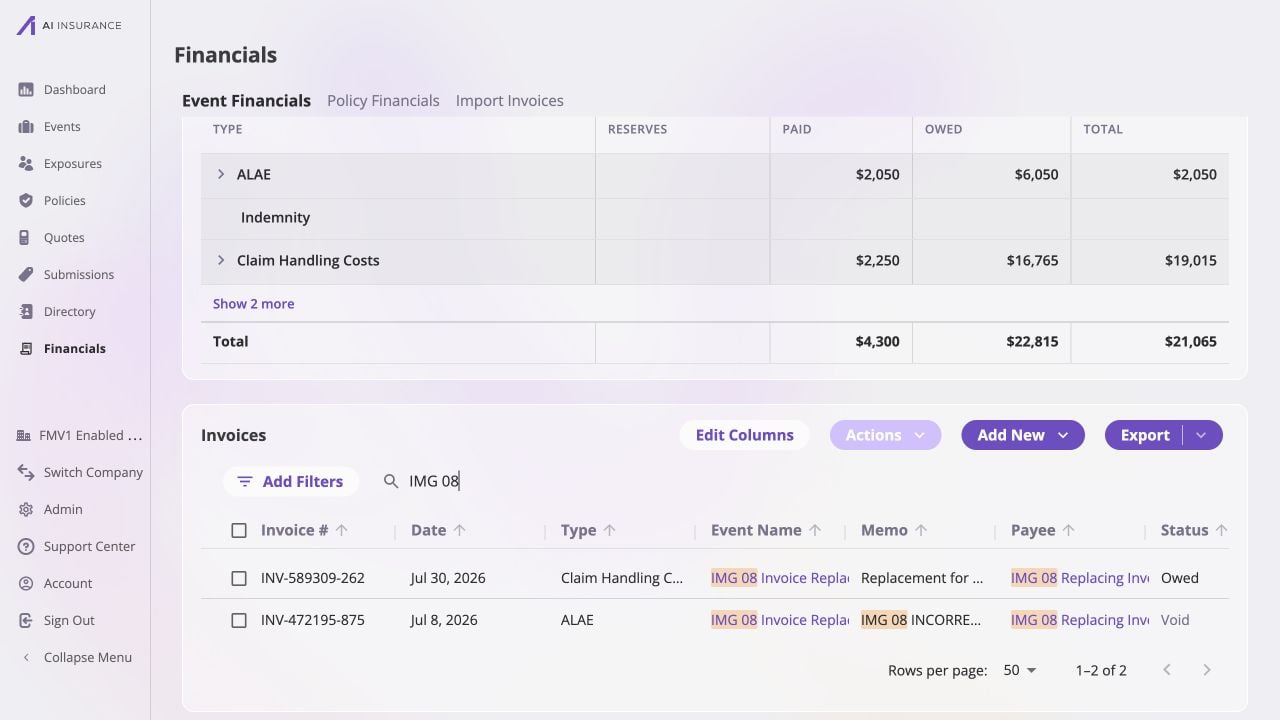
The filtered Event Financials list retains both records: original INV-472195-875 is Void, while replacement INV-589309-262 is Owed and carries the replacement memo.