
This guide focuses on descriptive invoice details. To change the event link,
follow Linking, Unlinking, or Moving an
Invoice, which
covers the additional steps for invoices with payments.
Open Edit Mode
- Open Financials → Event Financials, or open an event and select Financials.
- Select the invoice row.
- On the invoice page, select Actions → Edit.
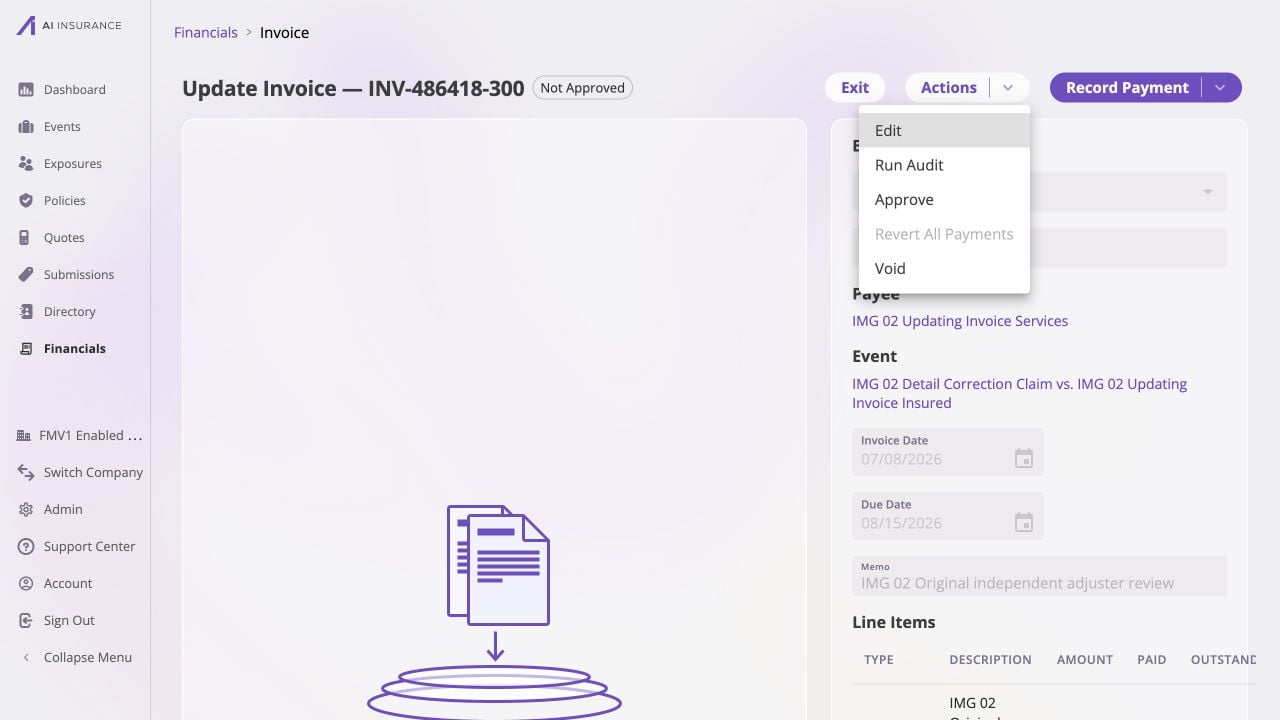
Use Actions → Edit to begin a descriptive correction without changing the invoice's financial record.
If the invoice is Paid or Partially Paid, Edit is available only to
roles with the Edit a paid invoice permission. Of the standard roles, Admin
and Finance hold it; a Manager does not. When your role lacks it, Edit is
grayed out and its tooltip says why. See
Users & roles.
Make the Changes
Update any of these fields: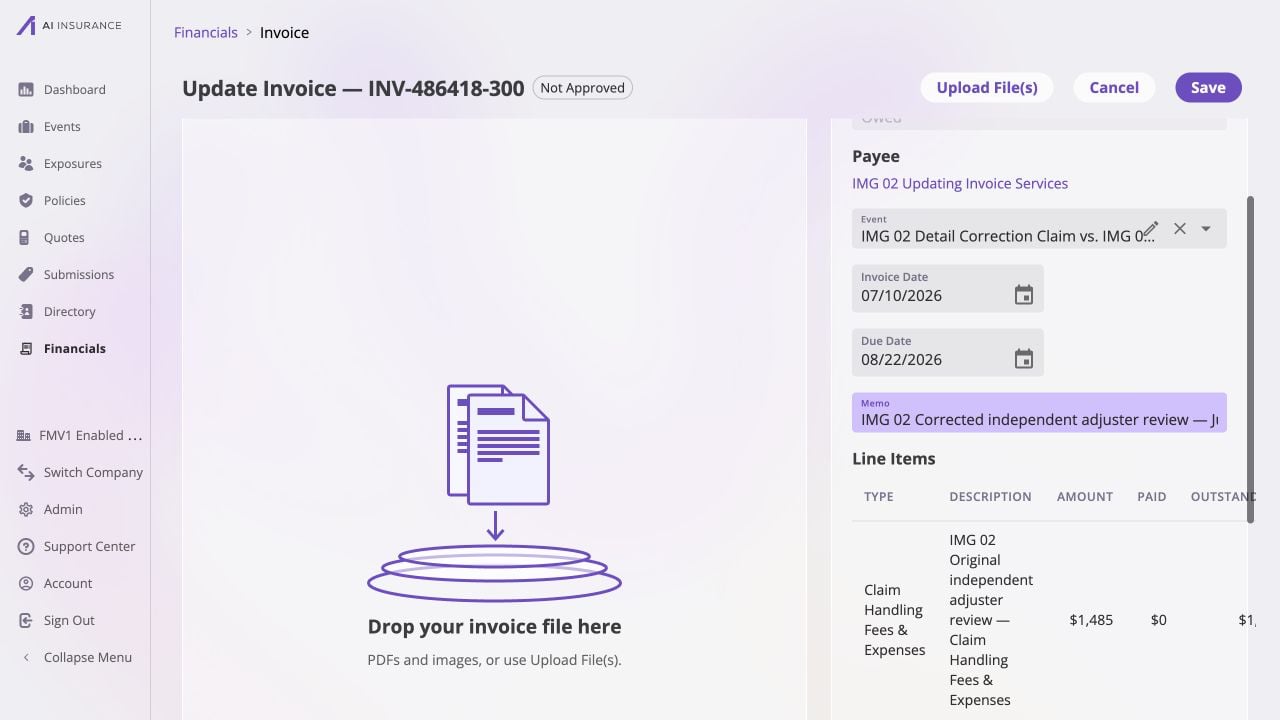
Edit mode keeps the financial line items intact while you correct descriptive fields; the empty drop zone is ready if a supporting file is needed.
Save and Verify
Select Save. If the event changed on an invoice with recorded payments, the app first explains that it will remove the payments, move the invoice, and re-record the same payments against the new event. Confirm only after checking the source and destination. After the page returns to read mode, verify:- the revised dates and memo appear in Basic Info;
- the intended event link is shown;
- the attachment pane contains the correct files;
- the status, approval badge, Paid amount, and Balance Due are unchanged; and
- event-level reserve figures reflect any decision made while moving recorded payments.
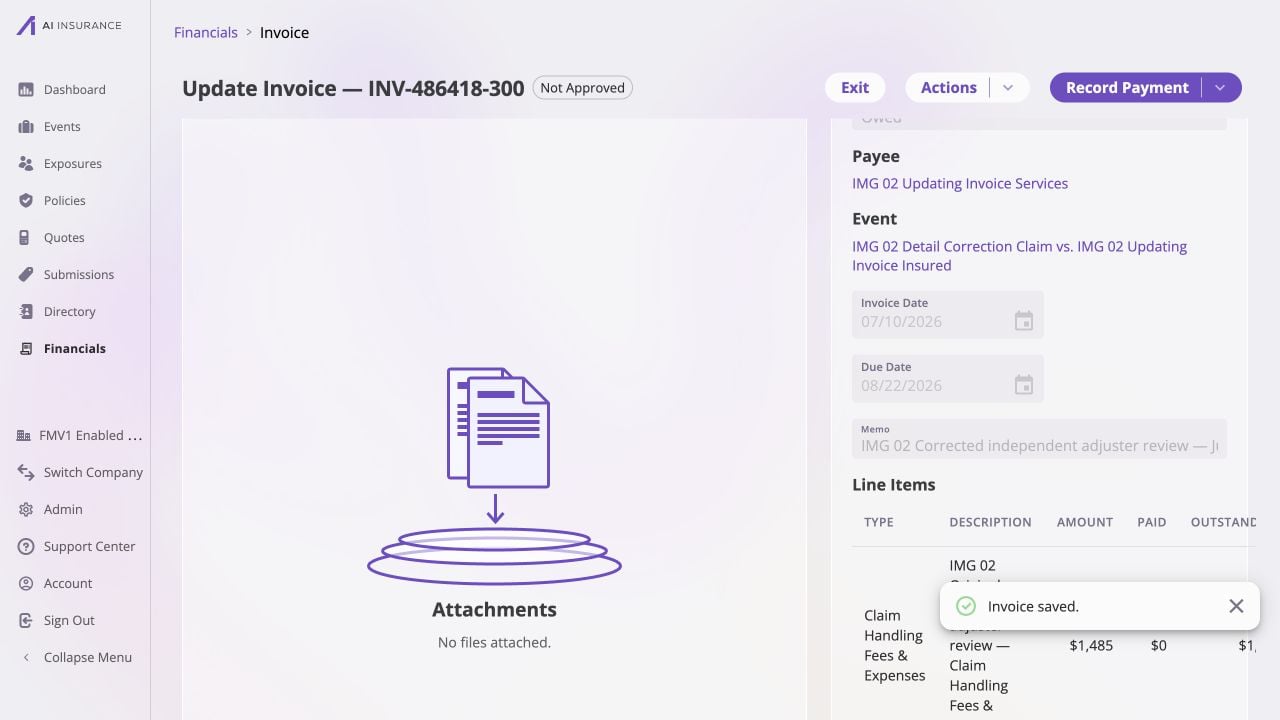
After saving, confirm the corrected dates and memo appear in read mode while approval and settlement figures remain unchanged.