
Check Your Authority
With custom approval rules off, every user can approve invoices. With custom rules on, your assigned role must allow the invoice’s Type and total amount. The action remains visible when you lack authority, but is disabled and explains why. See Approvals for the authority model and Configuring Approval Rules for the administrative task.Approve One Invoice
- Open an invoice from a company- or event-scoped Financials list.
- Confirm the Type, payee, line items, Total, event, and supporting files.
- Select Actions → Approve.
- Check that the header badge changes from Not Approved to Approved.
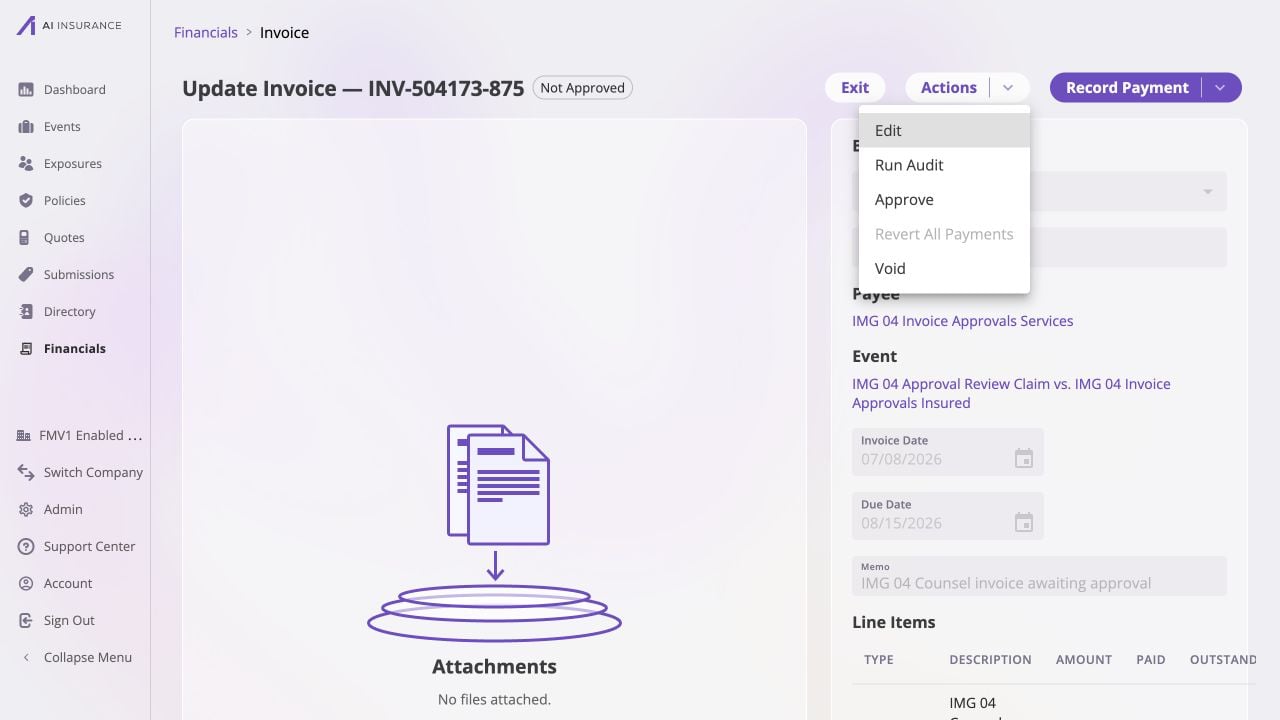
The Not Approved badge and available Approve action show that this Owed $3,150 invoice is ready for an authorized reviewer; approving it does not change its payment status.
Approve Several Invoices
- In a Financials invoice list, select the rows you reviewed.
- Select Actions → Approve.
- Review the Approve Invoices confirmation. It separates invoices that will be approved from ones already approved and skipped.
- Select Approve.
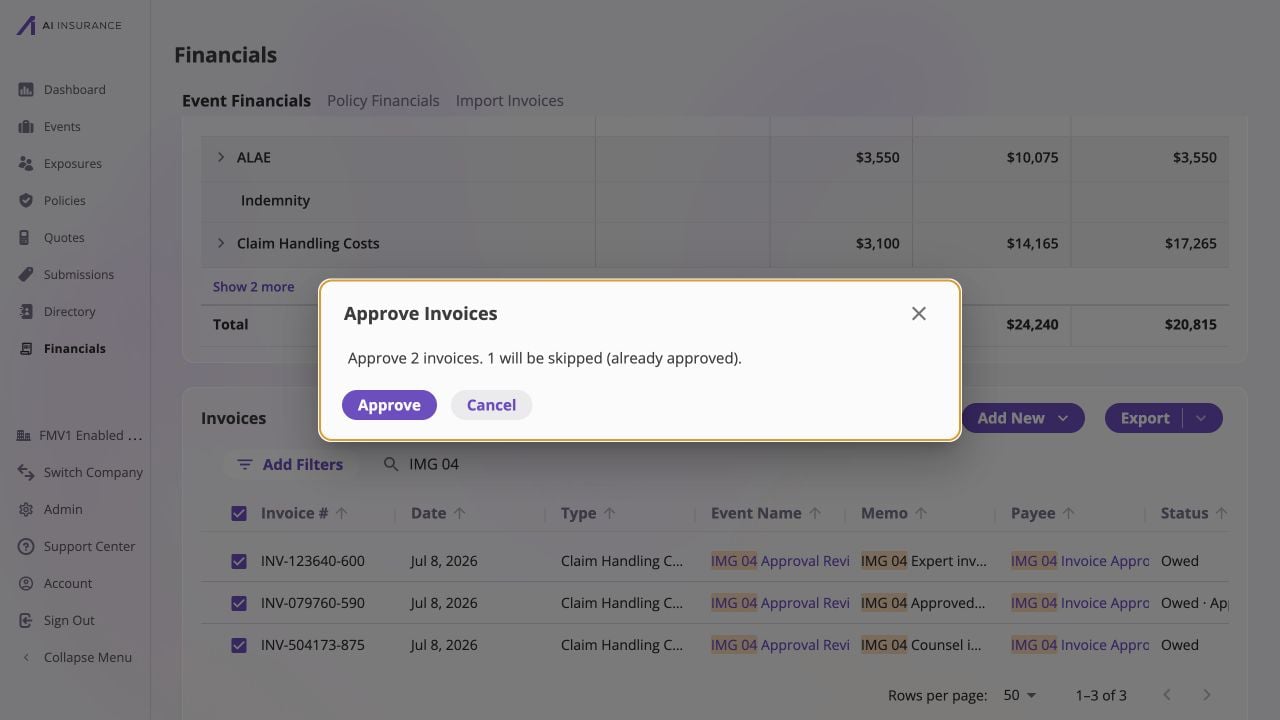
The confirmation makes the bulk result explicit: two selected invoices will be approved, while one already-approved invoice is safely skipped.
Remove Approval
Approval can be removed only while no payments are recorded.- Open an approved Owed invoice.
- Select Actions → Unapprove.
- Confirm that the badge changes to Not Approved.
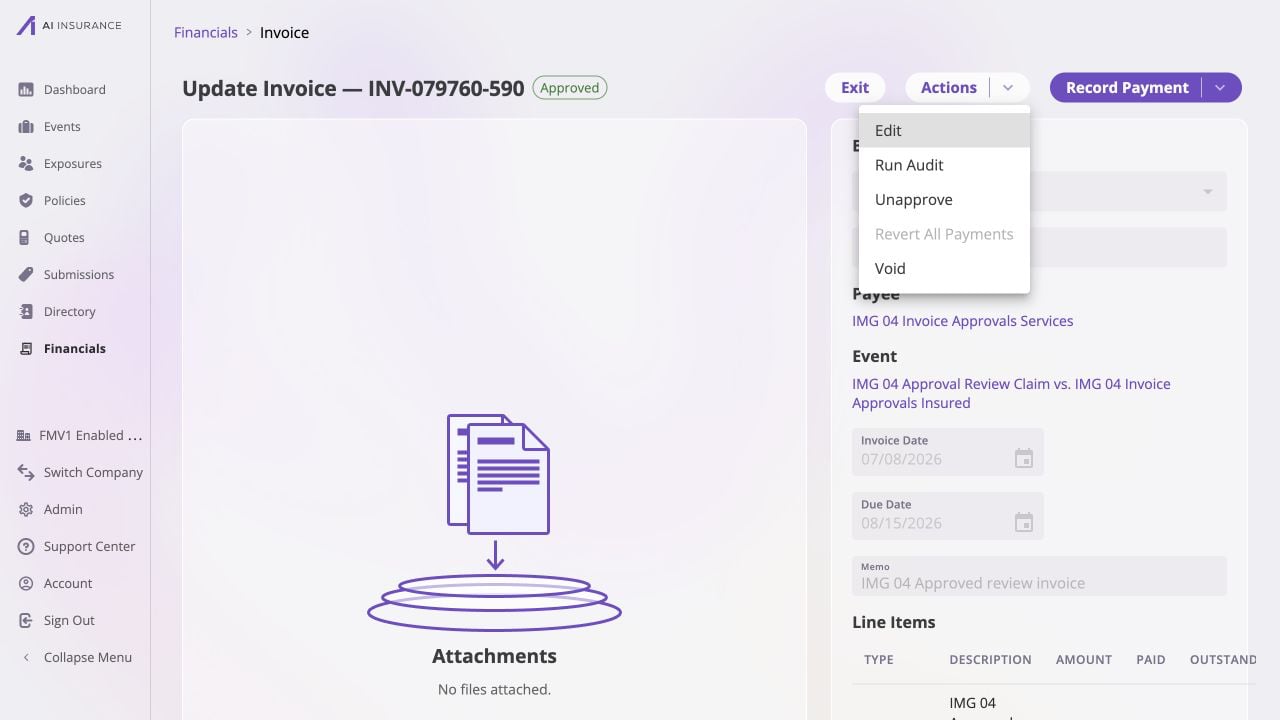
An Owed $1,720 invoice can be returned to review because it is approved but has no recorded payments, so Unapprove is available directly from Actions.
- Select Actions → Revert All Payments.
- Review the payment count and total, then confirm Revert All Payments.
- After the invoice returns to Owed, select Actions → Unapprove.