
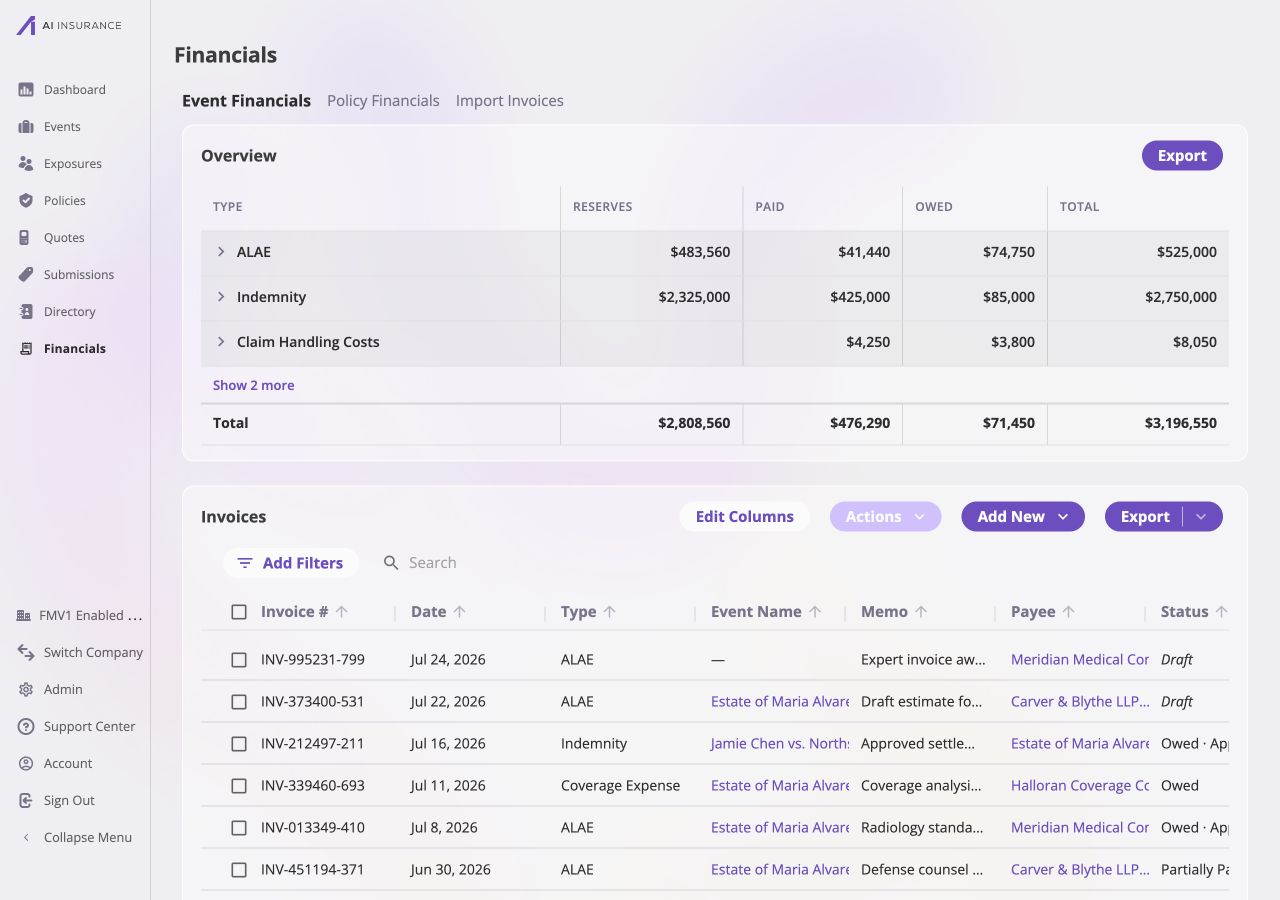
The Company Financials workspace, opened on Company Event Financials. The Overview report rolls up event-side activity, and the invoice table lists the records behind it.
Financials Workspaces
The navigation across the top separates three company-wide areas.
See Company Event Financials for
the Overview Report, invoice list, filters, bulk actions, and exports shown
here. Financials Configuration
controls the types, approvals, reporting frames, and accounts used throughout
these workspaces.
Policy Financials is the parallel company-wide
view for policy money. For one policy’s pricing transactions and billing plan,
use its Financials tab.
Company and Event Scope
Company Event Financials and an event’s Financials tab use the same financial records, but answer different questions.
Use the Event Financials Tab when
work is centered on one event, or when reserves need to be updated or reset —
those actions are always scoped to a single event and are not offered on the
company-wide page.